 Zum Inhalt springen
If you publish content on WordPress regularly, you already know the drill: you hit Publish, then you open a handful of browser tabs, copy the link, and manually share it to Facebook, LinkedIn, Instagram, and wherever else your audience lives. It takes time, it breaks your focus, and it scales badly as your site grows.
WordPress social media plugins for auto posting solve this by connecting your WordPress dashboard directly to your social accounts. Write a post, hit Publish, and the plugin handles distribution across every network you have connected. The better ones also let you schedule posts in advance, recycle evergreen content, customize the message per platform, and run the whole operation from a single calendar.
I tested a range of these plugins to see how they hold up in practice: how many networks they actually support, how much control you get over post formatting, how the scheduling interface feels to use week after week, and whether the pricing is fair for what you get. The list below reflects that hands-on evaluation.
PLUGIN | BEST FOR | PRICE | Herunterladen |
FS Poster | Broadest network coverage and deep scheduling | No free version, from $58/year | |
Bit Social | Affordable auto-posting with a lifetime option | Free, Pro from $49/year or $89 lifetime | |
Jetpack Social | Existing Jetpack users who want simple sharing | Free, Social from $4.95/month | |
Blog2Social | Writing a different post for each network | Free, paid plans from about $8/month | |
Revive Social | Recycling evergreen posts on autopilot | Free, Pro from $99/year |
How I Evaluated These Plugins
I spent time inside each plugin setting up accounts, scheduling test posts, and exploring the settings that matter for real publishing workflows. My evaluation focused on five things:
- Network breadth: How many social platforms are supported out of the box, and does the list cover the networks most WordPress site owners actually use?
- Scheduling depth: Can you schedule posts days or weeks ahead, set posting intervals, and recycle older content automatically?
- Post customization: Can you write a different caption for Instagram versus LinkedIn, or does everyone get the same message?
- AI and automation features: Does the plugin help you generate captions, hashtags, or images, and how useful is that assistance in practice?
- Pricing transparency: Is the pricing model clear, and does the value hold up when you go beyond the free tier?
I also paid attention to how actively maintained each plugin is. A plugin that hasn’t been updated in a year is a real risk in a WordPress environment where the core platform ships updates regularly.
1. FS Poster
FS Poster is the most feature-complete WordPress social media auto-posting plugin. The product supports 26 social networks at the time of writing, including every major platform (Facebook, Instagram, X/Twitter, TikTok, Threads, LinkedIn, Pinterest) alongside a long list of secondary networks like Reddit, Telegram, Discord, Mastodon, Bluesky, Tumblr, Medium, Flickr, Google Business Profile, YouTube Community, YouTube Shorts, VKontakte, Xing, Blogger, and WordPress-to-WordPress cross-posting. A Webhook integration covers anything not on that list via Zapier or IFTTT.
What impressed me most during testing was the depth of Instagram support. FS Poster uses a private-API approach for Instagram, which means you get real story scheduling and direct post publishing without jumping through third-party hoops. That alone separates it from most competitors, which treat Instagram as a second-class citizen. Setting up story auto-posting took less than five minutes, and it worked reliably in my tests.
The scheduling interface is genuinely pleasant to use. There is a calendar view for visualizing what is going out and when, an interval scheduler for setting hourly or daily posting cadences, and a bulk migration tool for scheduling your entire back-catalog of posts to go out across social accounts over time. When I connected WooCommerce to FS Poster during testing, it correctly picked up product images and details and formatted them for each network without manual intervention. The AI-powered caption generator and hashtag suggestion tool round out an already generous feature set.
With 25,000-plus paid customers, and a 4.9 out of 5 rating from 650+ verified CodeCanyon reviews, FS Poster has one of the strongest track records in this category. The team has been building it for over eight years, which means the edge cases and API changes that trip up newer tools have largely been worked out. If you need a plugin that does everything and keeps doing it reliably, this is where I would start.
Verdict: The most comprehensive WordPress social auto-posting plugin available, with 26 networks, deep Instagram support, and a strong eight-year track record.
Hauptmerkmale:
- Supports 26 social networks
- Instagram Story scheduling via private API
- AI-powered caption generation, hashtag suggestions, and image creation
- Visual calendar and interval-based scheduling
- Bulk scheduling for previously published posts
- WooCommerce product auto-posting
- Direct post sharing without publishing to WordPress first
- Webhook integration for Zapier and IFTTT connectivity
Preise: Single site starts at $58 per year (regular $65). The Plus plan covers three sites at $109 per year. The Developer plan covers 15 sites at $229 per year. A Lifetime deal is available for $490 as a one-time payment (covers 30 sites). All plans include a 14-day money-back guarantee.
Best for: WordPress publishers, agencies, and WooCommerce store owners who need broad network coverage, serious scheduling depth, and a plugin with a proven long-term support record.
2. Bit Social
Bit Social is a newer entrant in this space, but it has grown quickly and earned a genuine following among WordPress site owners who want solid auto-posting without the complexity of a heavier tool. The plugin supports 13 social platforms in its paid tier, covering the networks that matter most: Facebook, Instagram, LinkedIn, X/Twitter, Pinterest, TikTok, Google Business Profile, Discord, Telegram, Threads, Bluesky, Line, and Tumblr. Reddit support is listed as coming soon.
During my testing, I found the setup process notably smooth. Connecting accounts is handled through a straightforward authorization flow, and the plugin’s sleep-time scheduling feature caught my attention right away. You can set specific hours during which Bit Social will not post, which is useful if you want to avoid sending content in the middle of the night when engagement is low. The social media calendar gives a clear visual overview of what is queued, and the post-filtering by category, tag, and post type means you can keep promotional WooCommerce products on their own separate schedule from your editorial blog posts.
The AI integration is solid for a plugin at this price point. Bit Social connects to ChatGPT and DALL-E for caption and image generation, and in practice the output is usable with minimal editing. The free version is limited to Facebook and LinkedIn, which is enough to evaluate the interface before committing. For teams or agencies managing multiple sites, the lifetime deal pricing is genuinely competitive.
Bit Social sits at 4.5 out of 5 stars on WordPress.org from 36 reviews, and currently has over 6,000 active installs. It is newer and has a smaller footprint than some alternatives, but the development pace has been consistent and the plugin is actively maintained.
Verdict: A capable and well-priced social auto-poster with clean UX, sleep-time scheduling, and a strong lifetime deal option.
Hauptmerkmale:
- 13 social platforms i
- Sleep-time scheduling to avoid off-hours posting
- AI caption and image generation via ChatGPT and DALL-E
- WooCommerce product auto-posting
- Visual social media calendar
- Post filtering by category, tag, and post type
- Multi-account management from a single dashboard
- First comment automation and post re-sharing
Preise: Free plan covers Facebook and LinkedIn. Starter plan is $49 per year for one site, or $89 as a lifetime deal. Agency plan is $99 per year for unlimited sites, or $159 as a lifetime deal. All paid plans include a 14-day money-back guarantee.
Best for: Bloggers and small business owners who want an affordable, easy-to-use auto-poster with a lifetime deal option and good AI assistance.
3. Jetpack Social
Jetpack Social is the social auto-posting component of the Jetpack suite, backed by Automattic, the company behind WordPress.com. It supports posting to Facebook, Instagram, Threads, Bluesky, LinkedIn, Mastodon, Nextdoor, and Tumblr, which covers the most active networks for most WordPress site owners.
The main draw here is trustworthiness and tight WordPress integration. Because Automattic builds both Jetpack and core WordPress infrastructure, compatibility updates tend to be fast and reliable. During testing, the connection setup for each network was clean, and the post composer lets you write a custom social message before publishing. The free plan includes scheduling, content recycling, and cross-platform posting, which is genuinely more generous than most free tiers I reviewed.
Jetpack Social reports that over one million posts are shared through the platform every day, which speaks to its scale and stability. The paid Social plan adds custom image and video uploads, auto-generated post images, and priority support. At $4.95 per month (billed yearly, first year only), it is affordable as an entry-level paid option.
The trade-off is that Jetpack Social is part of a broader suite, and the overall Jetpack plugin carries a reputation for being resource-heavy on shared hosting. If you are already running Jetpack for other features, adding Social is a no-brainer. If you only want auto-posting and nothing else, it may bring more overhead than you need.
Verdict: A reliable and tightly integrated auto-posting tool backed by Automattic, with a generous free tier and strong platform compatibility, best suited to existing Jetpack users.
Hauptmerkmale:
- Supports Facebook, Instagram, Threads, and more
- Free plan includes scheduling and content recycling
- Custom social message per post before publishing
- Auto-generated images for posts (paid plan)
- Custom image and video uploads with posts (paid plan)
- Priority customer support (paid plan)
- Backed by Automattic, tight WordPress core compatibility
Preise: Free plan available with core auto-posting, scheduling, and recycling features. Social paid plan starts at $4.95 per month (billed yearly, introductory first-year price).
Best for: Existing Jetpack users who want seamless social sharing added to their current setup, and publishers who prioritize long-term plugin reliability over maximum network coverage.
4. Blog2Social
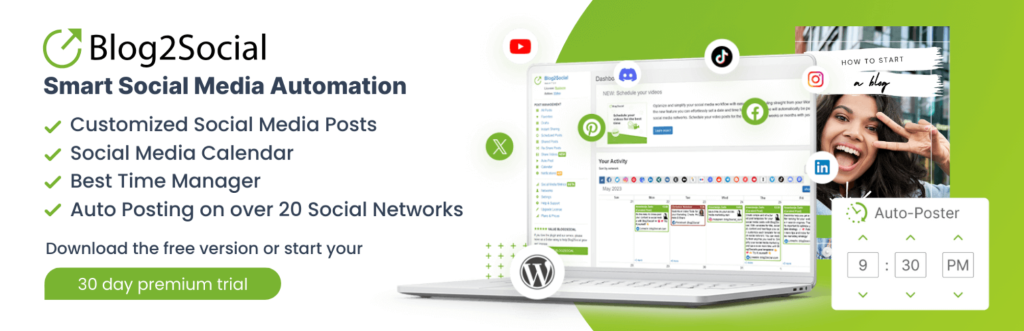
Blog2Social is one of the most established names in this category. With 50,000-plus active installs and over 2,097 ratings averaging 4.5 out of 5 stars on WordPress.org, it has a large and active user base. The plugin supports 30-plus social networks, making it one of the broadest options I tested in terms of sheer platform reach.
Where Blog2Social differentiates itself is in per-platform post customization. When I tested it, I could write a different version of my content for each network: a longer, link-rich version for LinkedIn, a hashtag-heavy version for Instagram, a shorter punchy version for X/Twitter. Each network has its own character count display and formatting guide, which helps you stay within platform limits without manually counting characters. That level of granular control is something more lightweight plugins skip.
The scheduling interface centers on a drag-and-drop social media calendar, which makes managing a high-volume content schedule reasonably intuitive. The AI template feature generates platform-optimized post variations from your content, and you can set the tone (formal, casual, promotional) before generating. Blog2Social also supports Reels and Stories publishing, UTM tracking for campaign analytics, and a browser extension for sharing non-WordPress content.
One thing to be aware of with Blog2Social is the pricing structure. Some networks, including X/Twitter and video posting, require add-ons on top of the base plan subscription. If X/Twitter is a significant channel for you, factor that cost into your evaluation. The free plan covers 12 networks with one account per network, which is a reasonable starting point.
Verdict: A mature, highly flexible option with excellent per-platform customization and strong analytics support, though the add-on pricing for some networks adds complexity.
Hauptmerkmale:
- 30-plus social networks covered
- Per-platform post customization with character count guidance
- AI-generated post templates with adjustable tone
- Drag-and-drop social media calendar
- Reels and Stories publishing support
- UTM tracking parameter integration
- Browser extension for sharing non-WordPress content
- Video publishing support (via add-on)
Preise: Free plan covers 12 networks (1 account each). Smart plan is approximately $8 per month (billed annually) for 16 networks, 3 accounts per network, up to 2 websites. Pro plan is approximately $12 per month (billed annually) for 24 networks, 5 accounts per network, up to 5 websites. Business plan is approximately $29 per month (billed annually) for 25 networks, 15 accounts per network, up to 10 websites. X/Twitter and video posting require additional paid add-ons.
Best for: Content marketers and multi-site operators who need deep per-platform customization and a proven plugin with a large user community.
5. Revive Social
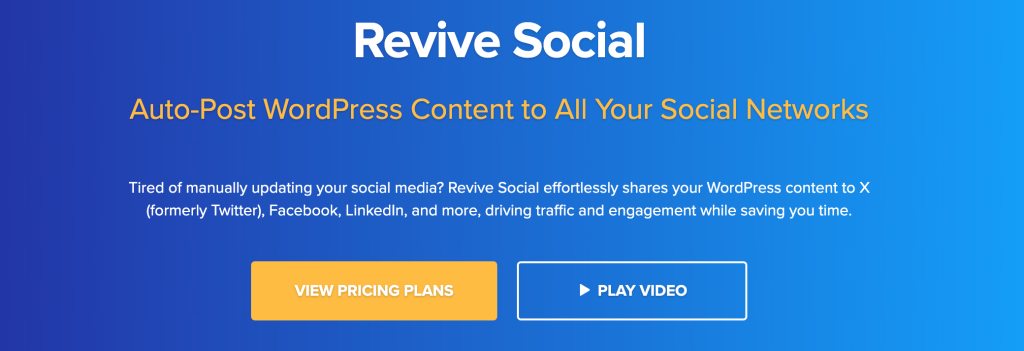
Revive Social (built on the Revive Old Post plugin) takes a different angle from most tools on this list. While the others focus on distributing new content as soon as it is published, Revive Social specializes in giving existing content a second life. The core mechanic is intelligent content recycling: you define which posts to share, how often, and to which networks, and the plugin runs that rotation on autopilot. For sites with a deep content archive, this approach can meaningfully extend the reach of posts that stopped getting traffic after their initial publish window.
During testing, I set up a rotation for a blog’s evergreen content category and had it scheduled across Facebook, X/Twitter, and LinkedIn within about ten minutes. The plugin picks posts from the defined pool, adds your chosen hashtags, and sends them on the schedule you set. It natively supports Facebook, X/Twitter, LinkedIn, Google My Business, Tumblr, Mastodon, and VKontakte, and through a Zapier integration it can push to 30-plus additional networks.
What the plugin does not do as naturally is handle new-post distribution with the same breadth as FS Poster or Blog2Social. It is genuinely strong at content recycling and ongoing schedule management, but its network list for direct posting is more limited than those options. Think of it as a specialist tool rather than a generalist one.
With 20,000-plus active installs and 557 ratings on WordPress.org, it has a solid user base built on a clear and specific value proposition. The 30-day money-back guarantee on paid plans is a nice touch.
Verdict: A focused and effective tool for recycling evergreen content across multiple social networks, with an autopilot rotation system that runs reliably.
Hauptmerkmale:
- Intelligent content recycling with customizable rotation schedules
- Native support for Facebook, X/Twitter, LinkedIn, Google My Business, Tumblr, Mastodon, and VKontakte
- Zapier integration for 30-plus additional network connections
- Category-based post filtering for targeted recycling pools
- Custom hashtag management per network
- Scheduling controls with interval settings
- 30-day money-back guarantee on all plans
Preise: Free version on WordPress.org, limited to Facebook and X/Twitter on one site. Starter is $99 per year for one website, Business is $199 per year for three, and Marketer is $399 per year for unlimited sites. All paid plans include a 30-day money-back guarantee. These are introductory rates: renewals run $129, $259, and $529.
Best for: Bloggers and content marketers who have a solid archive of evergreen posts and want an automated system for keeping older content circulating on social media.
FAQs
What is a WordPress social media plugin for auto posting?
A social media auto-posting plugin connects your WordPress site to your social media accounts and automatically distributes your content when you publish (or on a schedule you define). Instead of logging into each platform separately after every post, the plugin handles the distribution for you. Better plugins also let you customize the message per platform, schedule posts in advance, and recycle older content to keep it circulating.
Which plugin supports the most social networks?
FS Poster leads the list with 26 supported networks, including less common platforms like VKontakte, Mastodon, Bluesky, and YouTube Shorts alongside the mainstream options. Blog2Social is close behind with support for 30-plus networks, though some (like X/Twitter) require paid add-ons. If raw network breadth is your main criterion, both are strong candidates worth comparing in detail against your specific list of target platforms.
Do I need a paid plan to get useful functionality?
It depends on what “useful” means for your site. Most plugins offer a free tier that covers the major networks (Facebook, LinkedIn) and basic auto-posting. If you need Instagram, TikTok, Threads, or scheduling controls beyond the basics, you will typically need a paid plan. FS Poster and Bit Social both offer transparent one-time lifetime deal options, which can make the math simpler than a recurring monthly subscription.
Will auto-posting hurt my social media engagement?
Not if you configure it thoughtfully. Posts that include a custom message written for each platform tend to perform better than generic link shares, so look for a plugin that lets you write per-network captions. Timing also matters: several plugins on this list include scheduling features that let you post when your audience is most active, rather than the moment you hit Publish on your WordPress site.
Is content recycling (re-sharing old posts) a good strategy?
Yes, for evergreen content. Blog posts covering timeless topics (tutorials, guides, resource lists) can perform well on social media months or years after they were originally published, especially with new followers who never saw the first share. Revive Social is purpose-built for this use case. FS Poster and Blog2Social also support content recycling as part of their broader feature sets.
Can these plugins post to Instagram automatically?
Several can, though the approach varies. FS Poster uses a private-API method that enables genuine auto-posting to Instagram Feed and Stories without requiring manual approval or a mobile device. Some other plugins connect through the official Meta API, which supports business accounts and may have some feature restrictions. If Instagram auto-posting is a priority, check the plugin’s documentation carefully before committing to a plan.
Fazit
If you want a single recommendation for most WordPress site owners, start with FS Poster. The breadth of network support, the depth of scheduling controls, the Instagram Story capability, and over eight years of active development make it the most complete option in this category. The pricing is straightforward, the lifetime deal is a genuinely good value, and the 4.91-out-of-5 rating from 655 verified reviews reflects a plugin that consistently does what it says.
Bit Social is a strong choice if you prefer a lighter-weight tool with a simple interface and appreciate the lifetime deal option at a lower entry price. Jetpack Social is an easy and reliable pick for anyone already running the Jetpack suite who wants auto-posting without adding another plugin to the stack. Blog2Social is worth a close look if per-platform customization is important and you are comfortable with a subscription model. And Revive Social earns its place on this list if you have a large content archive and want a dedicated system for keeping older posts in circulation.
The best approach is to identify which networks your audience actually uses and match that against the supported network list and pricing of each plugin before committing. All of the paid options on this list offer either a free trial or a money-back guarantee, so you can test the one that fits your workflow before making it a permanent part of your publishing stack.
Schreiben Sie einen Kommentar
Sie müssen angemeldet sein, um einen Kommentar abzugeben.