 Zum Inhalt springen

Suchen Sie nach den besten Countdown-Timer-WordPress-Plugins, um Vorfreude auf Ihr neues Produkt, Ihre Veranstaltung oder Ihr Sonderangebot zu wecken? Suchen Sie nicht weiter, denn hier sind Sie genau richtig.
Die Integration eines Countdown-Timers kann das Engagement erheblich steigern, die Lead-Generierung ankurbeln und bei Ihren Besuchern ein Gefühl der Dringlichkeit erzeugen. Angesichts der Fülle an verfügbaren Countdown-Plugins kann es jedoch zeitaufwendig sein, das ideale zu finden.
Wir haben in diesem Artikel sorgfältig die besten Countdown-Timer-Plugins ausgewählt, um Ihnen wertvolle Zeit und Mühe zu sparen. Unsere Auswahl umfasst die Top 7+ Plugins, darunter sowohl kostenlose als auch kostenpflichtige Optionen, basierend auf umfangreichen Recherchen und unseren eigenen Erfahrungen.
Lassen Sie uns ohne Umschweife in die umfassende Liste unten eintauchen.
Plugins | Aktive Installationen | Bewertungen | Herunterladen |
Ultimative Blöcke | 50,000+ | ||
Countdown-Timer Ultimate | 20,000+ | ||
Countdown-Timer | 10,000+ | ||
Countdown, Demnächst, Wartung | 10,000+ | ||
Thrive Ultimatum | N/A | ||
WP-Benachrichtigungsleiste | 20,000+ | ||
Countdown für Elementor | 1 Million+ | ||
Evergreen-Countdown-Timer | 5,000+ |
1. Ultimative Blöcke
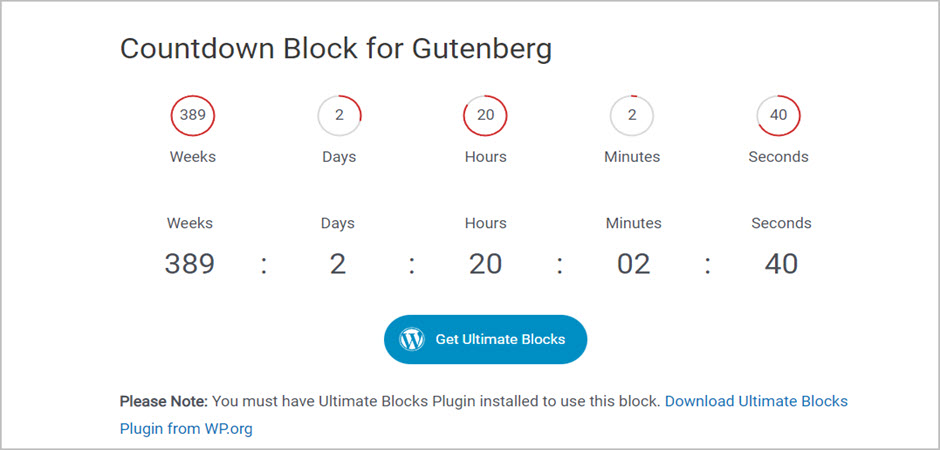
The Ultimate Blocks ist ein Block-Plugin, das die Funktionalität des Gutenberg-Editors mit einigen robusten Blöcken erweitert.
Verschiedene Blöcke umfassen — Bewertungen, Call-to-Action, Inhaltsverzeichnis, Inhaltsfilter und mehr. Neben all den wesentlichen Blöcken bietet das Plugin auch einen Countdown-Block.
Mit dem Countdown-Block können Sie Countdown-Timer zu Ihrer Website hinzufügen. Sie können das Enddatum für Ihren Timer und die Anzeigeeinheit festlegen.
Sie können aus drei Ansichten für die Timer wählen – kreisförmig, normal und als Kilometerzähler. Darüber hinaus können Sie auch das Aussehen und die Hinfühlbarkeit der von Ihnen erstellten WordPress-Countdown-Blöcke anpassen.
Wenn Sie den runden Timer wählen, haben Sie zudem die Freiheit, die Farbe des Kreistimers passend zum Design Ihrer Website auszuwählen.
Hauptmerkmale:
- Intuitiv und einfach zu bedienen.
- Außergewöhnlich SEO-freundlich.
- Option zum Deaktivieren/Aktivieren jedes Blocks.
- Auf Geschwindigkeit optimiert.
- Erstklassiger Kundensupport.
Preis: Das Plugin kann kostenlos genutzt werden.
2. Countdown-Timer Ultimate
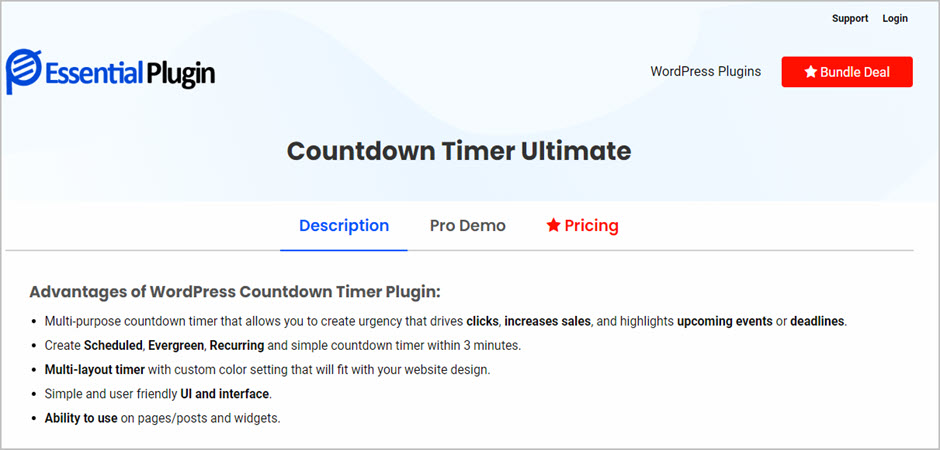
Wenn Sie nach einem leistungsstarken Countdown-Timer-WordPress-Plugin suchen, mit dem Sie unbegrenzt viele Countdown-Timer ganz ohne Aufwand erstellen können, dann sollte Countdown Timer Ultimate Ihre erste Wahl sein.
Das WordPress-Plugin für Countdown-Timer ist äußerst responsiv, was bedeutet, dass Ihre Countdown-Timer auf jedem Gerät perfekt dargestellt werden. Mit „Countdown Timer Ultimate“ können Sie Ihren Countdown-Timer ganz nach Ihren Wünschen anpassen.
Sie können das Aussehen des Textes ganz einfach ändern und verschiedene Hintergrundfarben für Sekunden, Minuten, Stunden sowie weitere Anpassungsoptionen einstellen.
Es gibt eine kostenlose Version, die jedoch in ihren Funktionen eingeschränkt ist. Wenn Sie jedoch auf die Pro-Version upgraden, erhalten Sie zusätzliche Timer und Uhrendesigns, geplante und wiederkehrende Timer, die Möglichkeit, die Hintergrundfarbe und -breite zu ändern, und vieles mehr.
Hauptmerkmale:
- Einfache Integration
- Extrem schnell und leichtgewichtistisch
- Unterstützung für Elementor, SiteOrigin und Beaver Builder
- Countdown in Seiten und Beiträgen
- Vollständig angepasste Blöcke
Preis: Die Basisversion dieses WordPress-Countdown-Timer-Plugins ist kostenlos, während die Pro-Version $119 pro Jahr kostet.
3. Countdown-Timer
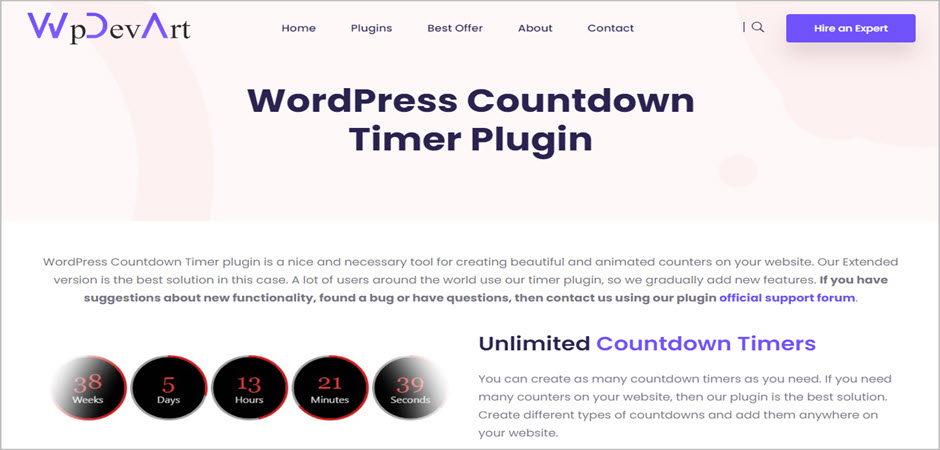
Countdown Timer ist ein vollständig responsives und funktionales WordPress-Countdown-Timer-Plugin, mit dem Benutzer innerhalb weniger Minuten ohne Programmierkenntnisse attraktive und leadgenerierende Countdown-Timer erstellen können.
Sie können das Plugin sogar für Ihre Seite und Beiträge verwenden. Wenn Sie sich zusätzlich für die Pro-Version des Plugins entscheiden, erhalten Sie Zugriff auf wunderschöne Countdown-Designs und Schriftarten, um den Timer ganz nach Ihren Wünschen zu gestalten.
Das Plugin ist im Vergleich zu anderen Plugins einzigartig, da Sie Ihrem Countdown Animationseffekte hinzufügen und Premium-Support von den Experten erhalten können. Darüber hinaus haben Sie die Möglichkeit, die Aktion nach dem Ablaufdatum zu bestimmen.
Der Hauptgrund, warum wir uns für dieses Countdown-Timer-WordPress-Plugin entschieden haben, ist sein perfekt ausgewogenes Verhältnis zwischen Funktionalität und Erschwinglichkeit. Es funktioniert tadellos mit allen gängigen WordPress-Themes und sorgt dafür, dass Sie den maximalen Nutzen aus den Countdown-Timern ziehen.
Hauptmerkmale:
- Verwenden Sie die Timer mit dem vertikalen Schieberegler.
- Anpassbare Textfarbe, Hintergrundfarbe und Größe.
- 39+ Animationseffekte.
- Anpassbare Randlänge und -breite.
- Exzellenter Support.
Preis: Die kostenlose Basisversion dieses Countdown-Timer-Plugins kann von WordPress.org heruntergeladen werden. Die Pro-Version ist für $13 erhältlich.
4. Countdown, Demnächst, Wartung

Für Nutzer, die ein einfach zu bedienendes und robustes Countdown-Timer-Plugin suchen, lohnt sich ein Blick auf das Countdown, Coming Soon, Maintenance Plugin.
Es ist unkompliziert zu bedienen und anfängerfreundlich. Wenn Sie ein Anfänger sind, können Sie den Timer aus den vorgefertigten Timern auswählen, nach Ihren Wünschen anpassen und ihn mithilfe von Shortcodes zu Ihrer Website hinzufügen.
Wenn Sie zusätzliche Anpassungsoptionen wünschen, können Sie dies mit JavaScript und CSS tun. Darüber hinaus können Sie aus mehreren Countdown-Optionen wählen, darunter Pop-ups, Countdowns, Uhren und mehr.
Sie erhalten eine Live-Vorschau Ihres Countdowns, wenn Sie mit diesem WordPress-Countdown-Timer-Plugin einen Timer erstellen. Die Basisversion des Plugins ist kostenlos erhältlich. Mit der Pro-Version können Sie jedoch zusätzliche Anpassungsoptionen freischalten und beeindruckende Countdown-Timer erstellen.
Hauptmerkmale:
- Coming soon, timers.
- Multiple scheduling.
- Live preview of the countdown timers.
- Extensions and styling bars.
- Advanced customization options and plenty of countdown types.
Preis: You can download the free version of this countdown timer plugin for WordPress from the WordPress repository. The pro version of the plugin starts at $19.98.
5. Thrive Ultimatum
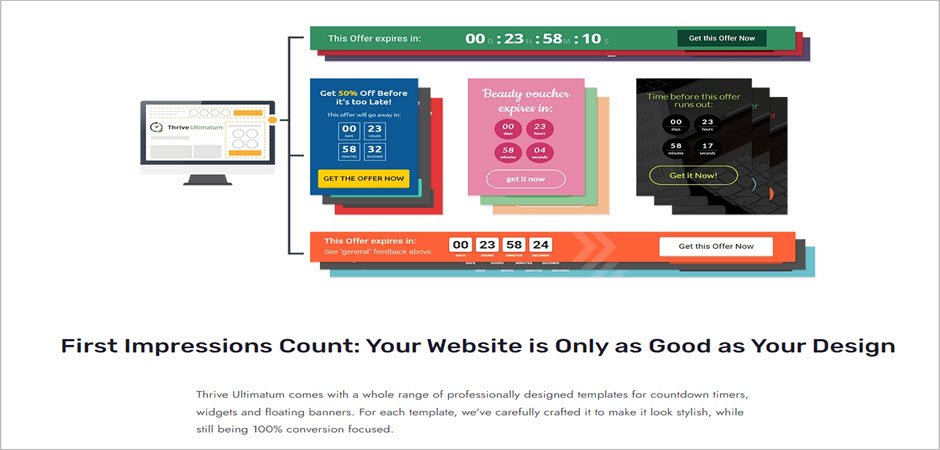
Thrive Ultimatum is an essential plugin that allows you to take advantage of each aspect of your scarcity marketing to boost your sales and create fears of missing out for your users.
The plugin allows you to run a limited-time offer, promotion, or sale. You can easily create a professional-looking campaign within a few clicks. Also, there are plenty of professionally designed templates for countdowns.
In addition, this WordPress countdown timer plugin offers automatically recurring campaigns that enable you to start, manage, and stop your campaign on any schedule. You can either create an evergreen countdown or a standard countdown.
Moreover, the lockdown feature of the Thrive Ultimatum ensures that the countdown remains true even when your visitors switch their devices, clear the cookies, and switch browsers.
Hauptmerkmale:
- 100% conversion-focused professional design templates.
- Fully customizable with a drag-and-drop builder.
- Multilingual.
- Fixed date campaigns.
- Dynamic updates.
Preis: Thrive Ultimatum starts from $97.
6. WP-Benachrichtigungsleiste
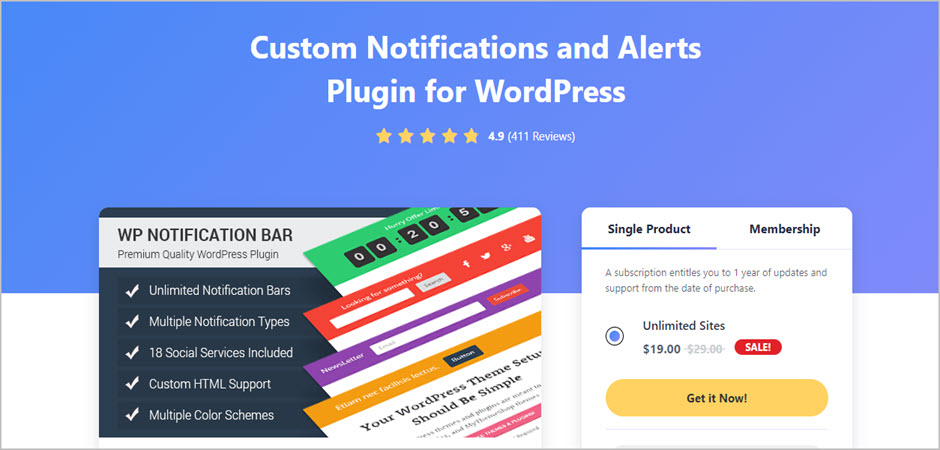
WP Notification Bar is not a dedicated countdown timer WordPress plugin. Still, it is a premium notification WordPress Plugin that allows users to add attractive countdowns in the notification bar.
The plugin’s primary function is to display custom alerts and notifications to your visitors to inform them about discounts, new information, offers, directing them to a blog, growing your email list, and more.
You can use this versatile plugin for multiple purposes and take complete advantage of its robust features such as unlimited color choices, importing demo content, slide-in notifications bar, and more.
Furthermore, with the purchase of the plugin, you get one year of unlimited support and updates, one-click installation, narrated video tutorials, and a 30-day money-back guarantee.
Hauptmerkmale:
- Track views and clicks.
- Support for popular email services.
- Support for 18 social media services.
- 100% responsive.
- Set notification bar priority.
Preis: The price for the WP Notification Bar states at $29.
7. Countdown für Elementor
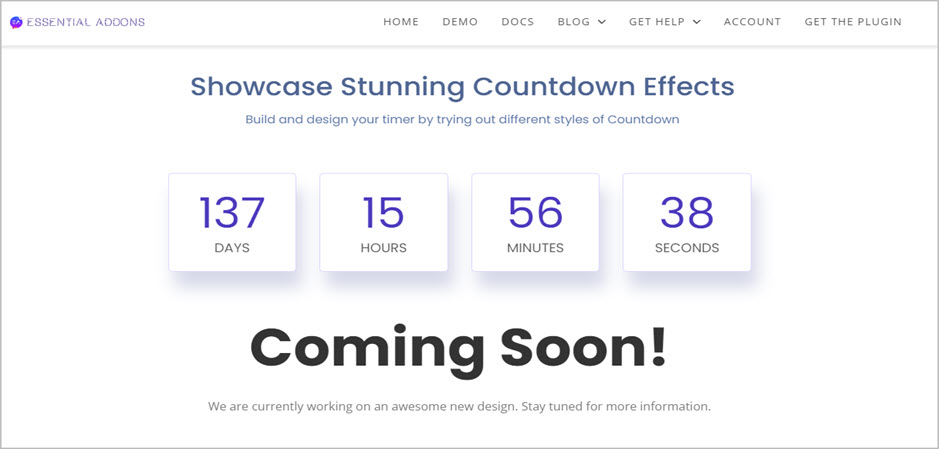
The Countdown element from the Essential Addons For Elementor plugin is a part of the Essential Addons For Elementor that enables users to create beautiful and highly converting countdowns on your website.
There are tons of designs that you can try out and customize as per your requirements. Besides, it is effortless to use. If you are a beginner, you can easily display your countdown using a built-in label timer.
One of the best parts about Essential Addons For Elementor is the support and documentation. You can go through the documentation to learn how to create countdown timers and add them to your website without any hassle.
Hauptmerkmale:
- 70+ different elements.
- 100% customization of each element.
- Flexible and attractive countdown designs.
- Lifetime support.
- Lifetime updates.
Preis: The free version is downloadable from the WordPress repository. Get the pro version for $39.97.
8. Evergreen-Countdown-Timer
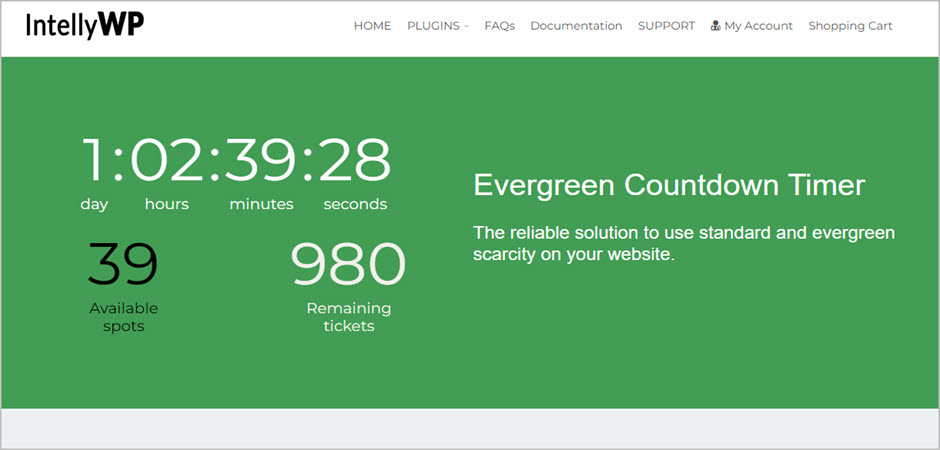
As the name suggests, the Evergreen Countdown Timer lets users create Evergreen countdown timers on their website without any hard work. You can either use it for creating Evergreen timers or normal countdown timers.
The plugin gives you the ultimate freedom to customize timers to match your brand and personalize for every user.
Additionally, you get the option to pick how Evergreen Countdown Timer detects your users, either by their IP address or cookies.
This WordPress countdown timer plugin also seamlessly integrates with your email marketing funnel to increase your marketing and boost your sales.
While the basic version of the plugin can be downloaded for free, you can upgrade to the pro version for additional features and customization options. For paid webinars and live content, you can use the pro version’s spot countdown to create a sense of urgency for your users.
Hauptmerkmale:
- Unlimited color options.
- Custom CSS.
- Easy to use and beginner-friendly.
- Integrates with email marketing tools.
- Multiple countdowns on a single page.
Preis: This countdown timer plugin’s basic version is free. The pro version is available at $47.
Fazit
Over the years, with new marketing techniques, countdown timers are becoming highly popular. Irrespective of the type of online business you run, having a countdown timer on your website will keep your customers excited and excited to make the purchase.
You can also use the countdown timers for your email marketing to inform users about the offer ends, so it creates a FOMO effect, and they are encouraged to complete the purchase.
With our hand-picked list, you can pick any plugins and enjoy responsive countdown timers for your websites and increase your sales.
However, if you are looking for the top pick, we would suggest trying Countdown Timer Ultimate.
Ultimately, pick the right plugin that suits your need and budget.
We hope our list helped you pick the right countdown timer WordPress plugin. Which plugin are you choosing? Let us know in the comments section below.
Also, We have other posts below regarding WordPress plugins. Feel Free to check them out.
Recommended Posts:
- 5+ Best Time Clock WordPress Plugins
- 5 Best WordPress Estimated Reading Time Plugins
- 8 Best WooCommerce Checkout Plugins For A Smoother Experience
- How to Add a Countdown Timer in WordPress (3 Easy Steps)
Affiliate Disclosure: This post contains affiliate links. That means if you make a purchase using any of these links, we will get a small commission without any extra cost to you. Thank you for your support.
Schreiben Sie einen Kommentar
Sie müssen angemeldet sein, um einen Kommentar abzugeben.