 Aller au contenu

A good image slider puts your best content exactly where visitors look first: the top of your homepage or landing page.
The catch is that WordPress still has no slider of its own. Core gives you a gallery block with a lightbox, but nothing that rotates slides automatically. For that, you need a plugin.
There is no shortage of options, and they are not interchangeable. Some are full visual design tools with layer animation, video slides, parallax effects, and large template libraries. Others are lightweight blocks that live inside the block editor and add almost nothing to your page weight. Which one is right for you depends on which of those two jobs you actually need done.
Quick answer: For most sites, Smart Slider 3 is the best WordPress image slider plugin, because its free version does more than most competitors charge for and it works with every major page builder. Sliderberg is the better pick if you build in the block editor and want each slide to hold real content rather than just an image. Slider Revolution is worth paying for when the slider is the design, with layered animation and a large template library, though there is no free version to try first.
Below, I break down all nine, including what each one costs, what it can and cannot do, and who it is best for.
Greffon | Installs | PRICE | Télécharger |
Smart Slider 3 | The most capable free slider builder | Free, Pro from $49/year | |
MetaSlider | Straightforward image and video slideshows | Free, Pro from $79/year | |
Sliderberg | Sliders built entirely in the block editor | Free, Pro from $49 | |
Slider Revolution | Advanced layered animation and design | From $39/year | |
Layer Slider | Sliders and popups in one plugin | From $26/year | |
Blocs Ultimes | A slider plus 25+ other content blocks | Free, Pro from $49/year | |
Soliloquy | Beginners who want drag and drop | Free, Pro from $39/year | |
Galleryberg | Turning an image gallery into a carousel | Free, Pro available | |
Master Slider | Basic touch-friendly sliders | Free, Pro from $39 |
How I Evaluated These Plugins
I have been building WordPress plugins for over a decade, so I approached this list the way I would size up a competitor. Here is what I judged each plugin on:
- What the free version actually builds. The biggest gap in this category. Some free tiers are complete sliders you could ship a site with. Others are demos that stop the moment you want a second transition or a caption. I checked what you can publish without paying.
- Effect on page speed. Sliders sit at the top of the page, which means they load before anything else your visitor sees. A slider that drags in jQuery, a carousel library, and its own stylesheet on every page is a real cost to your Core Web Vitals. I looked at how heavy each plugin is and whether it loads its assets only where a slider exists.
- What can go inside a slide. A slider that only holds images is a different tool from one that holds a heading, a paragraph, and a button. I checked whether each plugin gives you a picture with a caption, or a full layout you can compose.
- Block editor fit. WordPress is built around blocks now. Some of these plugins are native blocks, some provide a block that embeds a slider built elsewhere, and some still hand you a shortcode. That difference shapes your whole workflow, so I have said which camp each one falls into.
- Ease of use for a non-developer. How long from installing the plugin to publishing a working slider, without touching CSS or reading documentation for basic tasks.
- Mobile behaviour. Sliders break on phones more often than any other element. I checked swipe support, whether text stays readable when the slide narrows, and whether the plugin lets you change settings per device rather than forcing one layout everywhere.
- Pricing and what the upgrade buys. What the paid tier costs, whether it is yearly or one-time, and whether the price matches what you get. All prices were checked in August 2026.
- Maintenance. I checked each plugin’s last update date and whether the developer is still investing in it. Abandoned plugins are a security risk, and a slider sitting on your homepage is a bad place for one. I have flagged anything that has gone quiet.
A note on transparency: three plugins here are ours. Sliderberg, Ultimate Blocks, and Galleryberg are all built by DotCamp, the same company that owns this site. I have applied the same criteria to them as to everything else, including where they lose. Sliderberg is the newest plugin on this list by a wide margin and has a fraction of the install base of the plugins above it, which is exactly why it sits at number three rather than number one. Ultimate Blocks and Galleryberg both finish in the bottom half, and their entries explain why rather than burying it.
Now, let’s look at each plugin in detail.
Smart Slider 3
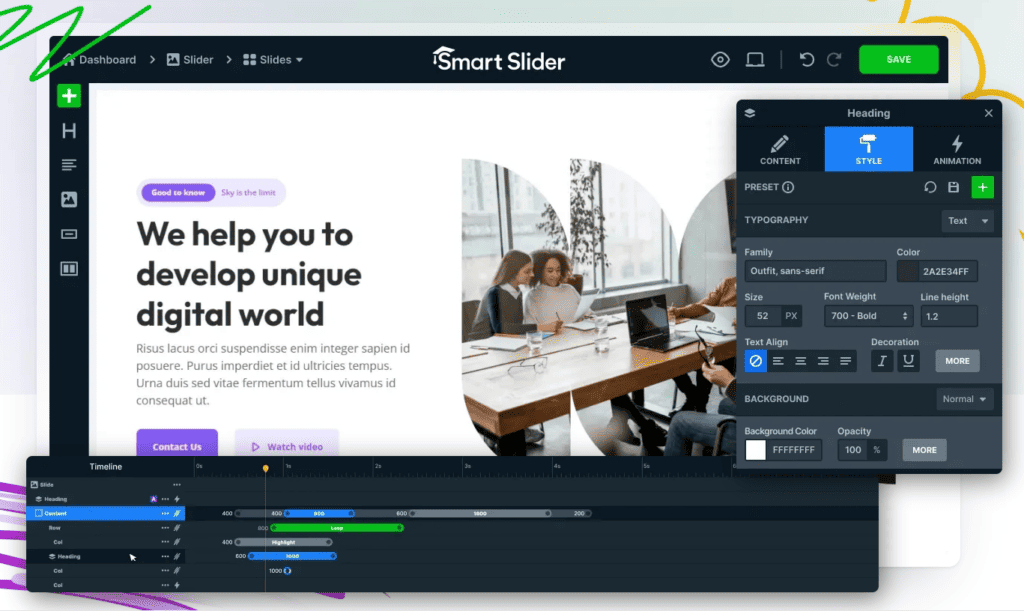
Smart Slider 3 is the plugin most people should try first. It has over 800,000 active installations and a 4.9-star average from more than 1,100 reviews, which is the highest rating of any slider plugin on this list, free or paid.
The reason it sits at number one is the free version. Most freemium sliders give you a demo and put anything useful behind the upgrade. Smart Slider gives you a live visual editor, six layer types, fifteen ready-made templates, nine background animations, and sliders that pull in your WordPress posts automatically, all without paying. You could build a real site on the free tier and never hit a wall.
Editing works like a page builder. You drop layers onto a slide, arrange them in rows and columns, and adjust headings, text, images, buttons, and videos directly on the canvas. Arrows, dots, progress bars, and thumbnails all have their own styling controls. If you have used Elementor or Divi, nothing here will need explaining.
Responsive handling is better than average because you edit each device separately. Switch to the tablet or mobile view, adjust the layout for that screen, and your changes apply only there. There is also a breakpoint system if you need to define your own screen sizes rather than accept the defaults.
The part I did not expect is the speed work. Version 3.5 dropped jQuery entirely and moved to plain JavaScript, specifically to help sites pass Core Web Vitals. For a plugin that loads at the very top of your page, that matters more than any feature on the list.
Here is the honest limitation. Smart Slider is not a block editor tool. You build your slider inside Smart Slider’s own interface, then place it on the page with a block or a shortcode. There is a Gutenberg block and it works properly, but you are still leaving the editor to do the actual work. If your whole workflow lives in blocks, that context switch will annoy you, and Sliderberg further down this list solves exactly that problem.
Verdict: The most capable free slider plugin available, and the safest default recommendation. You give up a native block editor workflow in exchange for a much more powerful builder.
Key features:
- Live visual editor with drag-and-drop layers
- Six layer types free: image, heading, text, button, Vimeo, and YouTube
- Fifteen slider templates included in the free version
- Per-device editing with custom breakpoints
- Works with Elementor, Divi, Beaver Builder, WPBakery, and the block editor
- Post sliders that pull in your content automatically
- No jQuery, built for Core Web Vitals
- Layer animation builder and timeline (Pro)
- WooCommerce, custom post type, and event sliders (Pro)
Tarifs Free on WordPress.org. Pro costs $49 per year for a single site and unlocks the animation builder, eighteen extra layer types, a built-in lightbox, and over fifty background animations.
Best for: Anyone who wants a full-featured slider without paying, and anyone building inside a page builder rather than the block editor.
Maintenance: Last updated July 2026 and tested against WordPress 7.0.
MetaSlider
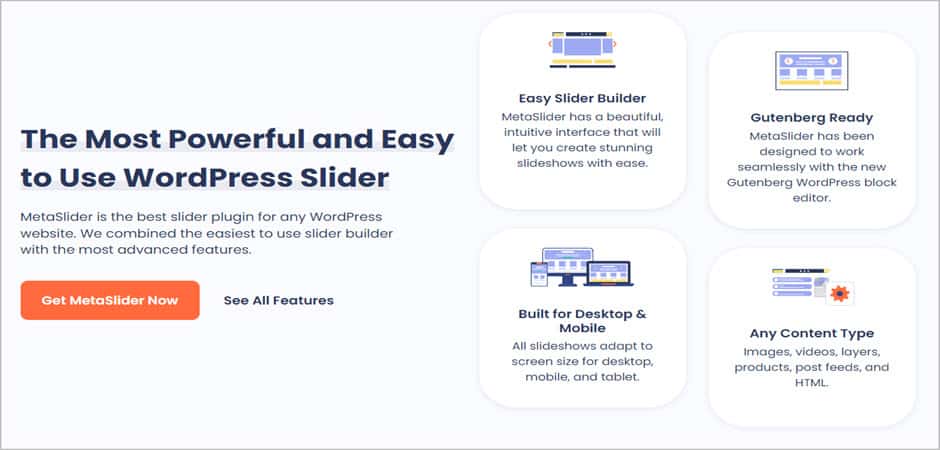
MetaSlider is the plugin to pick when you want a slideshow rather than a design project. It has over 500,000 active installations and a 4.6-star average, and it has been maintained continuously since long before most plugins on this list existed.
The workflow is the fastest here. Click to add slides, pick images from your media library, drag them into the order you want, and you have a working slideshow. Each slide gets a caption, a link, and its own title and alt text fields for search engines. There is no canvas to learn and no layer system to think about, which is the point.
Its most useful feature is one you only notice when it saves you. Smart Crop resizes every slide to the same dimensions automatically, so a mix of portrait and landscape photos does not produce a slideshow that jumps in height between slides. If you have ever fought a slider over inconsistent image sizes, this alone is worth the install.
You also get four slideshow types out of the box, eleven themes, and support for placement through a block, a shortcode, or a widget. Unsplash is built into the image picker, so you can pull a free stock photo without leaving the screen. Accessibility has had real attention too, with screen reader support that most sliders here do not bother with.
The support forum deserves a mention, because free-tier support is rare and MetaSlider’s is unusually good. Recent reviews consistently describe fixes arriving within a day, for users who have not paid anything.
The limitation is scope. MetaSlider does images and captions well, and everything beyond that is Pro. Video slides, layer slides with animation, post feed sliders, and thumbnail navigation are all paid features, and Pro is the most expensive upgrade on this list at $79 per year. If you want text and buttons composed onto your slides, you are either paying, or you are better served by Smart Slider’s free tier.
Verdict: The best choice for straightforward image slideshows, and the easiest plugin here to hand to a client. Less suitable if your slides need to be designed rather than assembled.
Key features:
- Drag-and-drop slide ordering
- Smart Crop for consistent slide dimensions
- Caption, link, title, and alt text on every slide
- Four slideshow types and eleven themes
- Block, shortcode, and widget placement
- Unsplash integration in the image picker
- Screen reader accessible
- Video, layer, and post feed slides (Pro)
- WooCommerce, ACF, and The Events Calendar integrations (Pro)
Tarifs Free on WordPress.org. Pro costs $79 per year for a single site.
Best for: Homepage photo slideshows, client sites where someone non-technical will update the slides, and anyone who wants a slider working in five minutes.
Maintenance: Last updated August 2026 and tested against WordPress 7.0.
Sliderberg

Sliderberg is the only plugin on this list where the slider is built entirely inside the block editor, with no separate interface to visit.
The difference is in what a slide is. Everywhere else on this list, a slide is an image with things layered on top of it. In Sliderberg, a slide is an empty container, and you fill it with whatever blocks you want: a heading, a paragraph, a button, a cover block, a columns layout, a testimonial, a WooCommerce product. Anything in the block inserter can go inside a slide, because a slide is just another block. That is why the tagline is “slide anything” rather than “slide images.”
In practice this means you build a slider the same way you build the rest of a page. You are in the same editor, using the same sidebar controls, inheriting your theme’s typography and colours automatically. There is no builder app to learn, no shortcode to copy, and no context switch. If you have ever built a hero section with the cover block, you already know how to use this.
The free version covers real work rather than acting as a demo. You get slide, fade, and zoom transitions with five easing curves, autoplay with pause on hover, infinite loop, keyboard navigation, and a carousel mode with separate settings for desktop, tablet, and mobile. Arrow and dot placement has twelve presets plus a free-position mode for pixel-level control, which is more navigation control than most paid sliders offer. There is also a copy-and-paste patterns library on the plugin site if you would rather start from a finished layout.
Performance was a design goal. The plugin does not load anything on pages without a slider, and it does not pull in heavy external libraries. Given that a slider sits above the fold and loads before anything else your visitor sees, this matters more than it sounds.
Now the honest part, and it is the reason this plugin sits at number three rather than number one.
Sliderberg is new. It has around 2,000 active installations against Smart Slider’s 800,000, and seven reviews against Smart Slider’s eleven hundred. The rating is 5 stars, but seven reviews is a small sample and you should read it that way. If you want a plugin with a decade of edge cases already found and fixed by other people, that is Smart Slider or MetaSlider, not this.
It is also block editor only. There is no Elementor widget, no Divi module, and no shortcode fallback. If your site is built in a page builder, this plugin is simply not for you, and no amount of it being our own product changes that.
And it has no template library in the sense that Slider Revolution has one. There are patterns you can copy, but there is no browsable collection of two hundred finished designs. If you want to pick a slider off a shelf rather than compose one, look further down this list.
Verdict: The best slider for block editor sites, and the only one here where each slide can hold a full block layout. Young, small, and not an option at all if you build in a page builder.
Key features:
- Any Gutenberg block can go inside a slide
- Native block editor workflow, no shortcodes or separate builder
- Slide, fade, and zoom transitions with five easing curves
- Carousel mode with separate desktop, tablet, and mobile settings
- Twelve arrow presets plus pixel-level free positioning
- Autoplay, infinite loop, and pause on hover
- Touch and swipe on mobile, keyboard navigation on desktop
- ARIA labels and keyboard support built in
- Inherits your theme’s colours and typography automatically
- Coverflow, flip, cube, and parallax transitions (Pro)
- Vertical slider direction, fraction and progress bar pagination (Pro)
Tarifs Free on WordPress.org. Pro starts at $49 and adds specialty transitions, vertical direction, and advanced pagination. The free version is a complete slider, not a trial.
Best for: Block themes and full site editing, hero sections that need a heading and a button on each slide, testimonial and logo carousels, and anyone who does not want to leave the editor.
Maintenance: Last updated August 2026, currently at version 1.2.0, tested against WordPress 7.0.
Slider Revolution
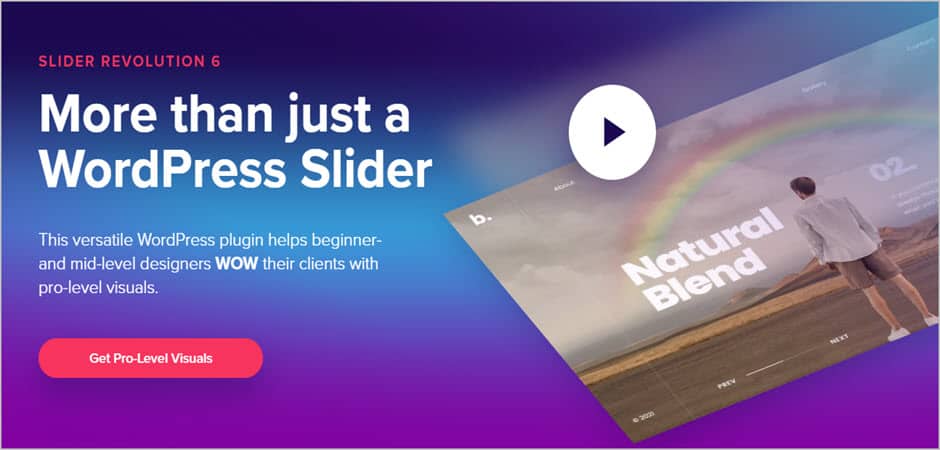
Using Slider Revolution, you can add revolutionary sliders to help you highlight your best Slider Revolution is the plugin to buy when the slider is the design rather than a component sitting inside one.
It is closer to a visual editor than a slider builder. You work on a canvas with layers, each one animated on its own timeline, and you can build multi-step animations where elements enter, move, and leave independently. Layers can be text, images, buttons, icons, video, social feeds, or content pulled from your posts and products. People routinely use it to build entire hero sections and landing pages rather than just sliders, which tells you something about its scope.
The template library is the strongest argument for it. There are over 200 finished designs covering hero sections, product showcases, portfolios, and full page layouts, plus an object library of images, icons, and backgrounds you can pull from while building. If you would rather start from something professionally designed than compose from scratch, nothing else here matches the depth.
There are three things to be clear about before you buy.
It is no longer on CodeCanyon. ThemePunch now sells directly from sliderrevolution.com, which is where the link above goes. If you have an older bookmark or a bundled copy from a theme, that is why.
There is no free version. Licensing starts at $39 per year for a single site, and the one-time purchase option has been retired for new buyers. Existing lifetime keys still work on sites they are already activated on, but a new site or an upgrade to version 7 needs a yearly licence. If you specifically want to buy a slider outright, LayerSlider is now the option that allows it.
And it is genuinely difficult for beginners. The interface has a lot of surface area, and the first slider you build will take considerably longer than it would in MetaSlider or Soliloquy. That is the trade you are making for the capability, and it is a fair one, but it is not a plugin you hand to a client to maintain.
Worth noting on the block editor: Slider Revolution gives you a block to place a finished slider on a page, but the building happens in its own interface. If a native block workflow matters to you, this is not that.
Verdict: The most powerful slider on this list and the best template library by a distance. Priced and paced for people who design for a living, not for a homepage photo rotation.
Key features:
- Layer-based canvas with per-layer animation timelines
- 200+ ready-made templates for sliders, heroes, and full pages
- Object library of images, icons, and backgrounds
- Multi-step animations with presets
- Video, social feed, post, and custom post sliders
- Responsive controls tuned per screen size
- Add-on effects for parallax, distortion, and particles
- Works alongside major page builders
Tarifs No free version. From $39 per year for a single site, with multi-site and agency plans above that. The one-time licence has been retired for new purchases.
Best for: Agencies, designers, and any site where the top of the homepage is a designed experience rather than a set of photos.
Maintenance: Actively developed, with version 7 as the current major release.
Layer Slider
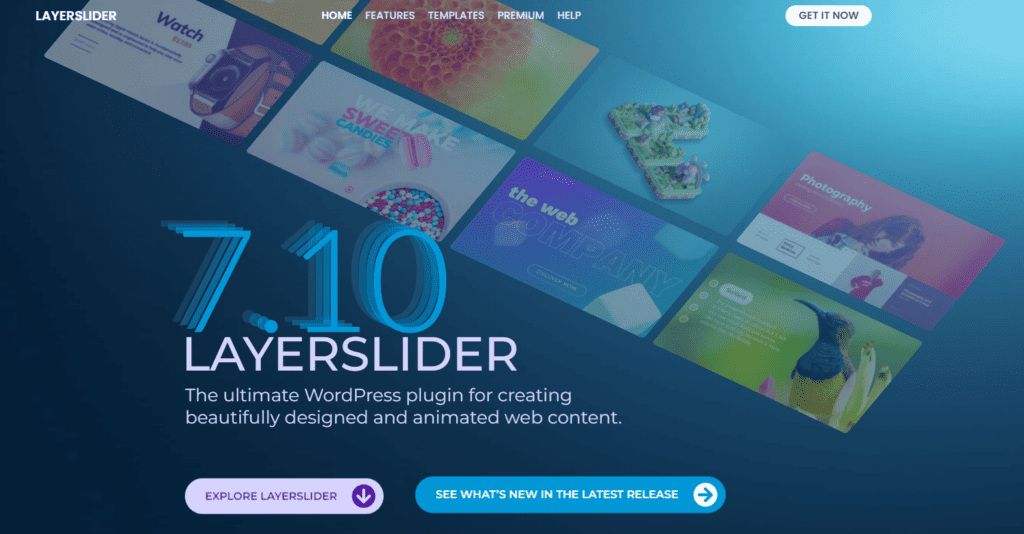
LayerSlider is the plugin to look at when you need sliders and popups from the same tool, and it is the cheapest way into premium slider software.
It has been around since 2012 and shows it in the best way: the feature list is deep because it has had a long time to accumulate. The visual editor is drag and drop, with layers you can animate individually, and over 200 slide transitions including 2D and 3D effects. Any layer can be an image, icon, text, button, audio, video, HTML, or dynamic content pulled from your posts.
The popup builder is the genuine differentiator. Nothing else in this roundup builds popups, and LayerSlider treats them as first-class rather than an afterthought, with more than 90 popup templates alongside its 120-plus slider templates. If you were planning to buy a slider and a popup plugin separately, this collapses two purchases into one.
It is also the only plugin here that still sells a one-time licence. $87 buys a single site with lifetime updates, including major version upgrades. Slider Revolution has been retiring its equivalent option, so if you dislike subscriptions, this is now the main way to buy a premium slider outright.
Template depth is the other reason to consider it. Between sliders and popups you have well over 200 finished designs to start from, which puts it in the same league as Slider Revolution at roughly a third of the price.
There are two things to be clear about.
First, it is not on WordPress.org and there is no free version. LayerSlider is sold directly from layerslider.com, and there is no way to try it before you pay. This is also why the link in the older version of this post was wrong: the plugin sitting at the WordPress.org slug people often assume is LayerSlider belongs to an entirely different developer.
Second, it is a heavy plugin. All that capability arrives as code that loads on your page, and if all you want is four photos rotating on a homepage, you are installing a great deal of machinery to do a small job. MetaSlider or Sliderberg will get you there faster and lighter.
One more thing worth knowing: LayerSlider has been bundled with ThemeForest themes for years, so a lot of people already have it without buying it. If that is you, be aware that bundled copies are a reduced version. Kreatura’s own documentation states that some premium features and templates are held back from theme-bundled installs, and that updates and support come from the theme author rather than from Kreatura. Upgrading to a direct licence is what unlocks the full product.
Verdict: The best value in premium sliders, and the only plugin here that also builds popups. Overkill for a simple photo slideshow, and you cannot try it first.
Key features:
- Drag-and-drop visual editor with per-layer animation
- 200+ slide transitions with 2D and 3D effects
- Popup builder with 90+ popup templates
- 120+ slider templates included
- Image, icon, text, button, audio, video, HTML, and dynamic layers
- Post sliders pulling from your WordPress content
- 3D parallax effects
- Works with most major page builders
- Three development installs included per licensed site
Tarifs No free version. Personal is $29 per year or $87 one-time for a single site. Professional covers three or more sites from $69 per year or $207 one-time. There is also a $159 In-Stock licence for theme authors who want to bundle it. Yearly plans include support for as long as they run, while the one-time licence includes lifetime updates but only six months of support. Fourteen-day refund policy.
Best for: Sites that need both sliders and popups, template-driven builds, and anyone who wants to buy a premium slider once rather than subscribe.
Maintenance: Actively developed, currently at version 8.4.0.
Blocs Ultimes
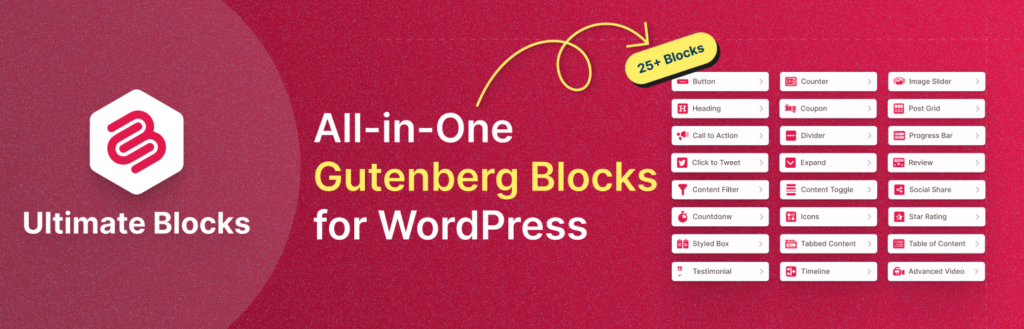
Ultimate Blocks is a block plugin with more than 25 blocks for the WordPress block editor, and one of them is an Image Slider. It is on this list because a lot of people who need a slider also need four or five other things, and this covers all of them with one plugin.
The Image Slider block itself is deliberately simple. You add images, choose a transition from options including flip, fade, slide, and cube, pick one of three pagination styles, set the slider height, and decide whether it autoplays. There is no layer system and no canvas. If you want a plain image slider inside a post and nothing more, that simplicity is a feature rather than a shortcoming, and it means the block loads very little on the front end.
The wider plugin is the real argument for it. Alongside the slider you get a table of contents, tabs, accordions, review blocks with schema markup, star ratings, styled lists, call to action blocks, and image hotspots. If you are currently running three or four single-purpose plugins to get those, replacing them with one is a meaningful reduction in what your site has to load and keep updated. Ultimate Blocks has over 50,000 active installations and a 5-star average, and it has been maintained since 2018.
Here is the honest limitation, and it matters for this particular list.
The Image Slider block slides images. It does not slide content. You cannot put a heading, a button, or a block layout inside a slide, which is exactly the thing Sliderberg exists to do. If you are choosing between our two plugins purely on slider capability, Sliderberg wins and it is not close. Ultimate Blocks earns its place here because of everything else in the box, not because its slider beats what is above it.
It is also worth being clear that the two plugins work fine together. They do not conflict, and running Ultimate Blocks for its other blocks alongside Sliderberg for sliders is a perfectly reasonable setup.
Verdict: A good choice if you want a simple image slider plus a stack of other content blocks from a single plugin. Not the pick if the slider is the main thing you need.
Key features:
- Image Slider block with flip, fade, slide, and cube transitions
- Three pagination styles and adjustable slider height
- Autoplay toggle and slide shadow controls
- 25+ blocks including table of contents, tabs, accordions, and review blocks
- Native block editor workflow, no shortcodes
- Review and rating blocks output schema markup
- Lightweight front end, loads only what a page uses
Tarifs Free on WordPress.org. Pro starts at $49 per year for a single site and adds further blocks, including Image Hotspots.
Best for: Bloggers and content sites that want a simple slider and would rather consolidate several plugins into one.
Maintenance: Actively developed with regular releases.
Soliloquy

SSoliloquy is the easiest slider on this list to hand to someone who has never built one. It has around 30,000 active installations and a 4.7-star average from more than a thousand reviews, and it has been around since 2013.
The appeal is how little there is to learn. You create a slider, drag your images in, set a caption and a link on each one, and place it with a block or a shortcode. There are no layers, no canvas, and no builder app. Several reviews describe switching to it after a more complicated slider broke, and getting back up and running in minutes, which is a fair summary of what it is good at.
The free version is genuinely usable rather than a trial. You get responsive sliders with captions, links, transition effects, adjustable speed, and a proper Gutenberg block. For a homepage photo slideshow, that is the whole job.
Where it gets interesting is the Pro add-ons, which cover things the other plugins here do not. WooCommerce product sliders can filter by category, price, availability, or featured status. There are also Instagram sliders, PDF sliders for showing presentation slides, and a schedule add-on that displays slides only within set date ranges. If one of those is your specific requirement, Soliloquy may be the only plugin here that has it.
Two things to weigh before you commit.
The plugin shipped a substantial batch of security fixes in mid-2026, covering permission checks, output escaping, and REST API exposure of unpublished sliders. The fixes themselves are the right ones and they landed promptly. The complaint in the reviews is about how it was communicated: at least one paying Pro customer reported that the update notice appeared in their dashboard with no working update link, and that the changelog said nothing about it. Nothing here should stop you using the plugin, but if you run the Pro version, check you are actually on the current release rather than assuming.
The other consideration is scope. Soliloquy does images with captions, and everything beyond that is an add-on. If you want text and buttons composed onto your slides, or a slider you can style heavily without CSS, Smart Slider’s free tier gives you more for nothing.
Verdict: The simplest slider here, and the best pick for client sites where someone non-technical will maintain the slides. Its niche add-ons are its real advantage over the free alternatives above it.
Key features:
- Drag-and-drop slider builder with no learning curve
- Captions, links, and transition effects in the free version
- Gutenberg block plus shortcode and widget placement
- Responsive and optimised for page speed
- WooCommerce product sliders with filtering (Pro)
- Instagram, PDF, and video slides (Pro)
- Lightbox, carousel, and thumbnail navigation (Pro)
- Schedule add-on for time-limited slides (Pro)
Tarifs Free on WordPress.org. Pro starts at $39 per year for a single site.
Best for: Beginners, client handovers, and anyone who specifically needs WooCommerce, Instagram, or PDF slides.
Maintenance: Last updated July 2026 and tested against WordPress 7.0.
Galleryberg

Galleryberg is a gallery plugin rather than a slider plugin, and it is on this list for one specific reason: if your content is already a set of images, it can turn that set into a carousel without you building a slider at all.
The starting point is what makes it different. Everywhere else on this list you create a slider, then add slides to it one at a time. Here you upload a batch of photos into a gallery block, then choose how they display. Tiles, square, masonry, and justified are the layout options in the free version, and the Pro version adds a carousel that scrolls through the same images. If you have thirty photos and want them rotating, that is a layout choice rather than thirty separate slides to create.
The lightbox works alongside it. Click any image and it opens full screen with zoom, swipe, keyboard navigation, and looping between images, which gives you a second slider-like view of the same gallery. For a portfolio or a photography site, the carousel and the lightbox together cover most of what people actually want from a slider.
Caption handling is better than most galleries bother with. Captions can sit below the image, overlay it fully, or run as a bar across it, and each option can be always visible, shown on hover, or hidden on hover. You also get per-image controls for borders, rounded corners, cropping, aspect ratio, and duotone filters.
It renders server-side, which means no heavy JavaScript loading a gallery that could have been plain HTML, and it is built natively for the block editor with no shortcodes anywhere.
Now the limitations, and there are two that matter.
The carousel is Pro only. The free version gives you four gallery layouts and the lightbox, both of which are genuinely useful, but if you installed this expecting a carousel without paying you will not find one.
More importantly, this is a gallery tool doing a slider’s job, and that shows the moment your slides need to be anything other than photographs. You cannot put a heading on a slide, or a button, or a block layout. If that is what you need, Sliderberg is the answer and it is free.
The honest way to choose between our two plugins is by what you are starting with. If you have a pile of images and want them moving, Galleryberg is less work, because you upload once and pick a layout. If each slide needs to be composed, with its own text and call to action, Sliderberg is the right tool and Galleryberg will frustrate you.
Verdict: A good option if you want a gallery and a carousel from the same block. Not a general-purpose slider, and the carousel sits behind the paywall.
Key features:
- Tiles, square, masonry, and justified gallery layouts
- Carousel layout for scrolling through gallery images (Pro)
- Built-in lightbox with zoom, swipe, keyboard navigation, and looping
- Three caption styles with hover visibility controls
- Per-image borders, cropping, aspect ratio, and duotone filters
- Responsive column counts set separately per device
- Server-side rendering, no heavy front-end scripts
- Native block editor, no shortcodes
Tarifs Free on WordPress.org. The carousel layout requires Pro.
Best for: Photography portfolios, travel and event galleries, and anyone who wants gallery layouts and a carousel from a single block.
Maintenance: Actively developed with frequent releases.
Master Slider
Master Slider is a capable slider with a problem that has nothing to do with its features.
The plugin itself is solid. It has around 60,000 active installations and a 4.6-star average, and it does touch and swipe navigation better than most, with hardware-accelerated CSS3 transitions that feel smooth on mobile. Slider creation is drag and drop, there are eight starter samples in the free version, and Smart Crop resizes images automatically so your slides stay a consistent size. Pro adds full-width and full-screen layouts, hotspots and tooltips over slides, parallax on scroll, and sliders built from WooCommerce products, Flickr galleries, or Facebook albums.
If you already run Master Slider and it works, none of that has stopped working, and there is no reason to rush a migration.
The problem is what its own developer is saying. Averta now opens the plugin’s WordPress.org listing by introducing Depicter as “the next generation of Master Slider” and inviting you to start using it instead. When a developer uses a product’s own listing to point people at a different product, that tells you where the engineering attention is going.
The install count backs that up. Master Slider has fallen from roughly 90,000 active installations to 60,000, which is a third of its user base gone. Updates still arrive, and a security fix landed in May 2026, so it has not been abandoned. But maintained and invested in are different things, and a slider sits at the top of your homepage, which is a poor place for a plugin whose developer has moved on.
That is the whole case against it. Nothing here is a criticism of how it works. It is a question of whether you want to build something new on a plugin that is being gently retired.
Verdict: A decent slider whose developer has moved to a successor product. Fine to keep if you already use it, hard to recommend for a new build when Smart Slider’s free version does more and is not going anywhere.
Key features:
- Touch and swipe navigation with hardware-accelerated transitions
- Drag-and-drop slider creation with eight starter samples
- Smart Crop for consistent slide sizes
- Auto-height and fully responsive layouts
- CSS3 transitions with jQuery fallback
- Full-width, full-screen, and boxed layouts (Pro)
- Hotspots and tooltips over slides (Pro)
- Parallax on scroll (Pro)
- WooCommerce, Flickr, and Facebook album sliders (Pro)
Tarifs Free on WordPress.org. Pro is sold separately by Averta.
Best for: Existing Master Slider users. For a new site, look at the options above it first.
Maintenance: Still receiving updates, most recently May 2026, but the developer is now promoting Depicter as its replacement.
Conclusion
The right slider plugin depends on one question: what goes on a slide?
If a slide is a photograph, you have plenty of good free options. MetaSlider is the fastest to set up, Soliloquy is the easiest to hand to a client, and Galleryberg makes sense when you have a whole gallery to display rather than a handful of chosen images.
If a slide needs a heading, a button, and a layout, you need something that composes rather than just rotates. Smart Slider 3 does this best for free, and Sliderberg does it without leaving the block editor, which is the difference between the two.
If the slider is the design, Slider Revolution has the deepest template library and LayerSlider gives you popups in the same plugin at a lower price. Both are premium only, so decide before you buy rather than after.
And if you already run Master Slider, it still works, but its developer has moved on to a successor. There is no urgency, but keep it in mind the next time you rebuild.
One last thing worth saying: a slider sits above everything else on your page and loads before your visitor sees anything. Whichever you pick, check your page speed before and after. A slider that costs you a second of load time is not paying for itself, however good it looks.
If you are using a slider plugin that is not on this list, tell us about it in the comments.
Articles Connexes:
Laisser un commentaire
Vous devez vous connecter pour publier un commentaire.