 Aller au contenu

Customers love buying from websites that answer quickly. And for billions of people, the quickest way to ask a question is WhatsApp.
A WordPress WhatsApp plugin adds a chat button to your site. Visitors tap it, WhatsApp opens with a ready-to-send message, and the conversation continues in the app they already use every day. You can answer questions, take orders, share offers, and stay in touch long after they leave your website.
The tricky part is choosing one. Some plugins add a simple button and nothing else. Others add multiple agents, WooCommerce order buttons, lead forms and analytics. And a few plugins from the old version of this list have stopped getting updates, so we replaced them.
Quick answer: Joinchat is the best WordPress WhatsApp plugin for most sites, with 700,000+ active installs and the most capable free version. Social Chat is a strong pick if you want customers to order through WhatsApp at checkout. ChatHelp is the best fit for WooCommerce stores that want WhatsApp buttons from the shop page to the thank-you page, plus lead tracking. Chaty is best if you also use Messenger, Telegram or other chat apps.
Below, we break down all 7, including what the free version actually does, what the paid version adds, and who each one is best for.
Quick Comparison
All 7 plugins have a free version on WordPress.org. The table shows where they differ.
Greffon | Idéal pour | Multiple Agents | Pro Price (from) | Télécharger |
Joinchat | Most Sites | Premium | €96/year, 1 site | |
Social Chat | WhatsApp orders at WooCommerce checkout | Premium | $49/year, 1 site | |
ChatHelp | WooCommerce stores and lead tracking | Pour | $39/year, 1 site | |
Chaty | WhatsApp plus 20+ other channels | Pour | $59/year, 1 site | |
WP Chat App | Multiple agents for free | Gratuit | $29/year, 1 site | |
FormyChat | Sending form leads to WhatsApp | Ultimate | $89 one-time, 1 site | |
Buttonizer | Multi-button floating menus | Multiple buttons | Pageview-based plans |
How We Evaluated These Plugins
Most WhatsApp plugins look the same at first glance: a green button in the corner. The differences show up once real customers start using them. Here is what we judged each one on:
- Is it still maintained? We only included plugins that are available on WordPress.org and updated in 2026. Two plugins from the old version of this list are gone: one had not been updated in over a year, and the other had not been updated since 2021.
- What the free version really does. Some free versions are complete. Others give you a button and keep everything useful behind a paywall.
- One number or a team. Whether you can show several agents, such as sales and support, and set their working hours.
- WooCommerce support. Whether it adds WhatsApp buttons to product, cart or checkout pages and fills in product details automatically.
- Leads and tracking. Whether it saves inquiries in WordPress and tracks clicks in Google Analytics or its own dashboard.
- Price and licensing. Yearly vs lifetime, and how many sites one license covers.
Now, let’s look at each plugin in detail.
1. Joinchat
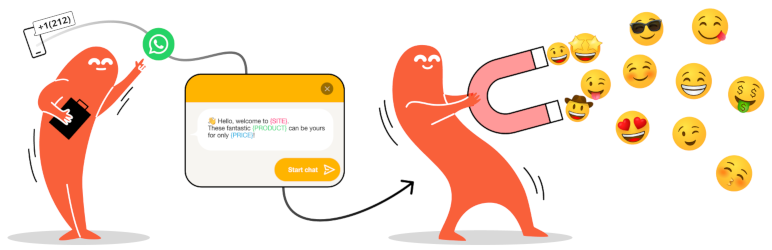
Joinchat by Creame is the most installed WhatsApp plugin on WordPress.org, with more than 700,000 active installs and a 4.7 out of 5 rating from 189 reviews. It is actively maintained, and the latest version was released in October 2026.
It adds a floating WhatsApp button that opens the WhatsApp app on mobile. On desktop, it opens WhatsApp Web or the desktop app and can show a QR code that visitors scan with their phone. Above the button, you can show a call-to-action message with chat bubbles, links, buttons and images to greet visitors or promote an offer.
The free version goes further than most. Start messages use dynamic variables such as the page title, product name, price and discount, so you know exactly what a visitor was looking at when they wrote to you. You can change the number, message and visibility on any post, page, product or category. It also adds a WooCommerce button next to Add to Cart, a WhatsApp button block for the block editor, a clicks counter in your dashboard, and events for Google Analytics 4, Google Tag Manager, Facebook Pixel and Google Ads. Everything loads without jQuery, so it stays light.
Joinchat Premium adds multiple support agents with their own schedules, more contact channels such as Telegram, Messenger and phone calls, Chat Funnels that work like a simple chatbot to qualify leads, and show or hide rules by country. Premium Plus adds lead saving in WordPress and webhooks for tools like Zapier and Google Sheets. There is also Joinchat AI, a monthly subscription that answers visitor questions with an AI agent trained on your website content.
Here is what to weigh. The free version supports one WhatsApp number, so teams with separate sales and support lines need Premium. Paid plans are yearly subscriptions priced in euros, and the lead capture tools sit in the higher Premium Plus tier.
Verdict: The best all-round WordPress WhatsApp plugin, with the largest user base and the most capable free version.
Key features:
- Floating WhatsApp button with a QR code on desktop
- Call-to-action messages with chat bubbles, links, buttons and images
- Dynamic start messages with page and WooCommerce product details
- Custom number, message and visibility per post, page, product or category
- WooCommerce button next to Add to Cart
- WhatsApp button block and chat triggers for any link
- Clicks counter plus GA4, Google Tag Manager, Facebook Pixel and Google Ads events
- Multiple support agents and more contact channels (Premium)
- Chat Funnels and country targeting (Premium)
- Lead saving and webhooks (Premium Plus)
Tarifs Free on WordPress.org. Joinchat Premium costs €96 a year for 1 site. Premium Plus costs €180 a year for 1 site, €240 for 5 sites and €480 for 20 sites. Joinchat AI is a separate monthly subscription at €49 a month. Prices exclude tax. 14-day money-back guarantee.
Best for: Most WordPress sites and WooCommerce stores that want a fast, reliable WhatsApp button with smart messages.
2. Social Chat
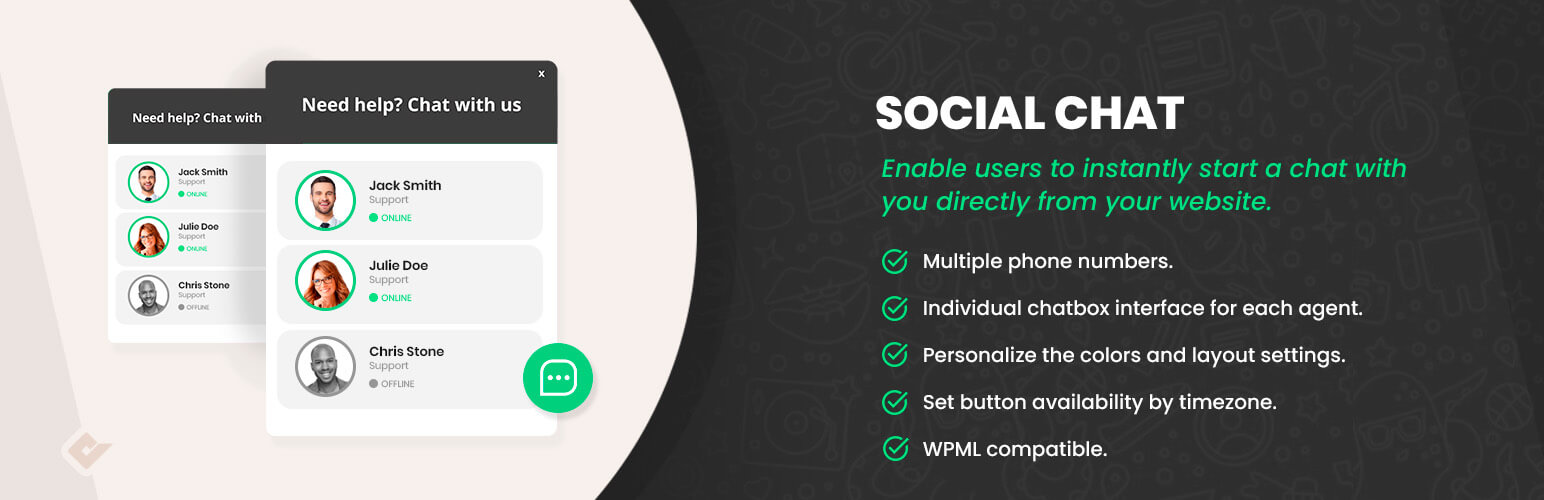
Social Chat by QuadLayers, formerly WP Social Chat, is one of the most active WhatsApp plugins on WordPress.org. It has more than 200,000 active installs, a 4.9 out of 5 rating from 695 reviews, and frequent updates, with the latest in October 2026.
It adds a WhatsApp button with a pre-set first message, plus an optional contact box that shows your name, avatar and a short welcome message. You can switch between two button layouts, pick colors and a custom icon, and hide the button on certain post types or categories. Message variables add the site name, page title and page URL for you.
WooCommerce support is a strength. The free version can add a WhatsApp button on single product pages, before or after Add to Cart, and on shop, category, tag and brand pages. Product variables such as the name, price and SKU go into the message automatically.
The premium version adds multiple agents, a chat box for each agent where visitors type their first message, business hours, a GDPR consent checkbox, WhatsApp group links and Google Analytics events. It also adds a WhatsApp payment option for WooCommerce: customers choose WhatsApp Order at checkout, and the order details are sent straight to your WhatsApp. A no-code chatbot builder is also available in beta.
Here is what to weigh. The free version supports one contact only, and business hours, multiple agents and GDPR consent are premium. A few recent reviewers also complained about upgrade prompts and the screen that appears when you deactivate the plugin.
Verdict: The best pick for WooCommerce stores that want customers to order through WhatsApp, backed by a strong free version and a large, happy user base.
Key features:
- WhatsApp button with a pre-set first message
- Contact box with name, avatar and welcome message
- Two button layouts, custom colors and custom icon
- Dynamic variables for site, page and product details
- WooCommerce buttons on product, shop, category, tag and brand pages
- Shortcodes for buttons and contact boxes
- Multiple agents with individual chat boxes (Premium)
- Business hours, GDPR consent and WhatsApp groups (Premium)
- WhatsApp Order payment option for WooCommerce checkout (Premium)
- Google Analytics events and chatbot builder (Premium)
Tarifs Free on WordPress.org. Social Chat Premium costs $49 a year for 1 site, $99 a year for 5 sites and $149 a year for unlimited sites. Lifetime plans cost $99, $199 and $299. 30-day money-back guarantee.
Best for: WooCommerce stores and service businesses that want a polished WhatsApp button now and WhatsApp ordering at checkout later.
3. ChatHelp
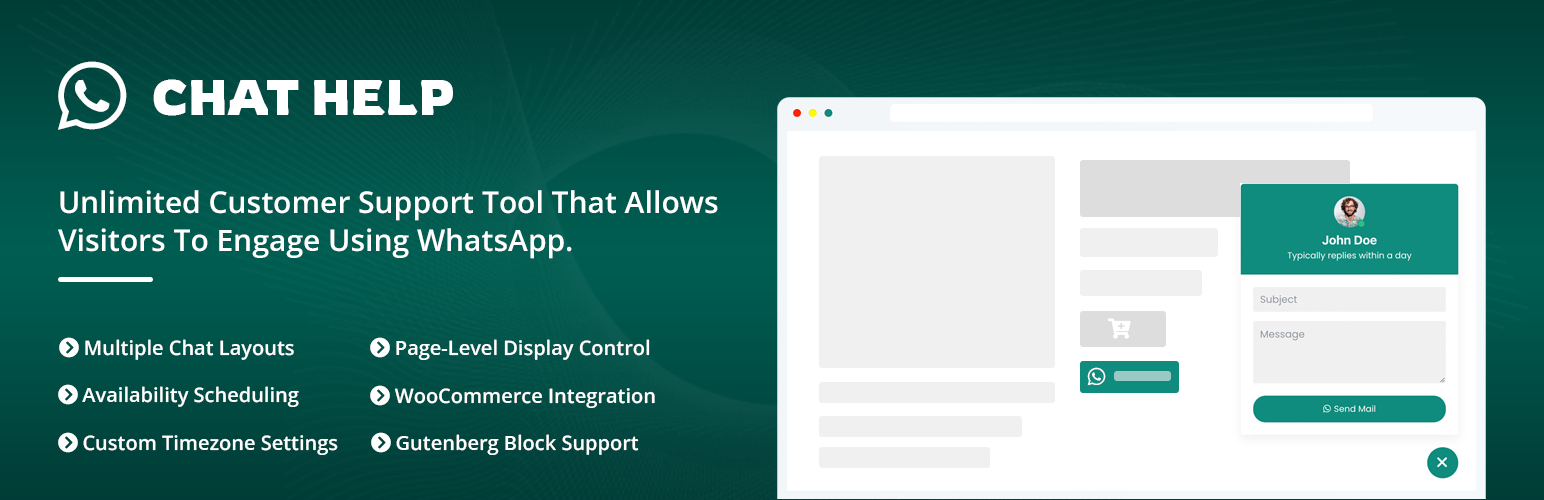
ChatHelp by ThemeAtelier is a flexible WhatsApp chat plugin that helps businesses connect with website visitors, answer customer questions and receive product inquiries through WhatsApp or WhatsApp Business. It is newer than the plugins above, with 2,000+ active installs and a 4.4 out of 5 rating on WordPress.org, and it is updated often, with the latest release in September 2026.
Unlike basic WhatsApp button plugins, ChatHelp gives you several chat layouts. You can show a simple floating button, a single agent card, a pre-chat welcome message, or a short contact form that collects visitor details before the chat starts. Visitors can reach your personal WhatsApp, WhatsApp Business, or a WhatsApp Group link.
It has the widest WooCommerce coverage on this list. You can add WhatsApp buttons to the shop, product, cart, checkout and order confirmation pages, so customers can ask a question or place an order at any step. Pre-filled messages can include the product name, price, SKU, stock status, page URL, and even cart and order details automatically.
ChatHelp also goes beyond the button. Form submissions can be saved as leads that you search, filter and export to CSV, and a built-in analytics dashboard tracks visitors, chat views, conversions and leads. You can create multiple chat widgets and assign each one to specific pages, posts or products, set working hours and time zones, and add a GDPR consent checkbox. Buttons can go anywhere with a shortcode, a Gutenberg block or an Elementor widget, and the design is fully adjustable: colors, typography, icons, tooltips, animations and position.
The Pro version unlocks multi-agent layouts in a list or grid, a multi-agent form, unlimited form fields, dark mode, thousands of extra icons, separate positions for desktop and mobile, advanced visibility rules, webhooks, and country, page and browser reports in the analytics dashboard.
Here is what to weigh. ChatHelp has a much smaller user base than Joinchat or Social Chat, so there are fewer reviews to judge it by. And multiple agents, the feature support teams usually want most, are Pro only.
Verdict: The best choice for online stores that want WhatsApp buttons across the whole shopping journey, with lead management and analytics built in.
Key features:
- Floating chat bubble with single agent, floating button, pre-chat message and contact form layouts
- Personal WhatsApp, WhatsApp Business and WhatsApp Group support
- WooCommerce buttons on shop, product, cart, checkout and order confirmation pages
- Dynamic pre-filled messages with product name, price, SKU, stock status and page URL
- Contact form with lead management and CSV export
- Built-in analytics for visitors, chat views, conversions and leads
- Shortcode, Gutenberg block and Elementor widget
- Availability schedules, page-level visibility and GDPR consent
- Multi-agent list, grid and form layouts (Pro)
- Webhooks, dark mode and advanced visibility rules (Pro)
Tarifs Free on WordPress.org. ChatHelp Pro costs $39 a year for 1 site, $79 a year for 5 sites and $139 a year for unlimited sites. Lifetime plans start at $119 for 1 site. At the time of writing, all plans were discounted. 14-day money-back guarantee. See the ChatHelp website for current plans.
Best for: Online stores, service businesses and any site that wants to turn WhatsApp chats into tracked leads and orders.
4. Chaty
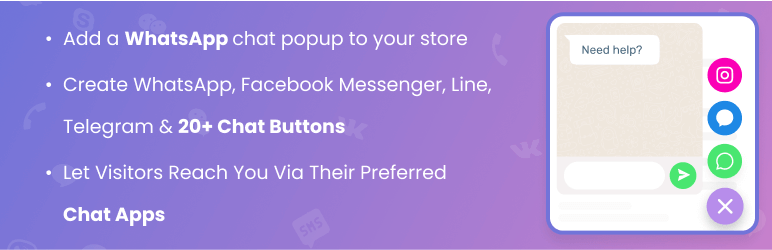
Chaty by Premio is a floating chat widget with more than 300,000 active installs and a perfect 5 out of 5 rating from over 1,200 reviews. It is actively maintained, with the latest update in October 2026.
Chaty is not WhatsApp only. It lets visitors reach you on more than 20 channels, including WhatsApp, WhatsApp Business, Facebook Messenger, Telegram, Instagram, TikTok, Line, WeChat, Viber, SMS, email and phone calls. Visitors pick the app they prefer from one floating button.
For WhatsApp, the free version includes a chat popup that looks like a WhatsApp window, so visitors start typing on your site before they are sent to WhatsApp. You also get a contact form channel, display triggers (time delay, scroll and exit intent), attention effects, different channels for mobile and desktop, and a choice between wa.me and desktop links.
Chaty Pro adds agents (for example, separate WhatsApp contacts for sales and support), multiple widgets, page, country and traffic source targeting, opening hours, date scheduling, widget analytics, and pre-set WhatsApp messages with merge tags such as the page title, URL and WooCommerce product name.
Here is what to weigh. If you only need WhatsApp, Chaty can feel like more than you need. Several WhatsApp extras, such as pre-set messages and multiple agents, require Pro. And it focuses on the floating widget, so it does not add WhatsApp buttons inside your WooCommerce product pages.
Verdict: The best choice if you want WhatsApp alongside Messenger, Telegram, phone and other channels in one widget.
Key features:
- 20+ chat channels in one floating widget
- WhatsApp chat popup that looks like a WhatsApp window
- Contact form channel
- Display triggers and attention effects
- Different channels for mobile and desktop
- Custom chat buttons that link anywhere
- Multiple agents per channel (Pro)
- Pre-set WhatsApp messages with merge tags (Pro)
- Page, country and traffic source targeting (Pro)
- Widget analytics, opening hours and date scheduling (Pro)
Tarifs Free on WordPress.org. Chaty Pro costs $59 a year for 1 site or $89 for 2 years. A lifetime license costs $169 for 1 site, and plans for 5 to 1,000 sites are also available. 30-day money-back guarantee.
Best for: Businesses that talk to customers on several messaging apps, not just WhatsApp.
5. WP Chat App

WP Chat App by NinjaTeam, the team behind FileBird, has more than 100,000 active installs and a 4.9 out of 5 rating from 221 reviews. It is tested with WordPress 7.1.
Its standout feature is free multiple agents. You can add several WhatsApp accounts, each with a name, job title, greeting and pre-filled message, and show them all in one floating widget. Visitors choose who they want to talk to, such as sales or support.
For WooCommerce, it adds an Order on WhatsApp button after Add to Cart and lets you pick a specific agent for each product. You can also place WhatsApp buttons anywhere with a shortcode or a Gutenberg block. It works with caching plugins, supports WPML and Polylang, and includes a GDPR checkbox.
The Pro version adds working hours and avatars for each agent, more WooCommerce button positions, and event tracking for Google Analytics 4, Google Tag Manager and Facebook Pixel. A nice touch: when an agent is offline, the widget tells visitors how long until they are back.
Here is what to weigh. Updates come less often than with the plugins above, and the last release was in May 2026. And working hours, which most support teams want, are Pro only.
Verdict: The best free option for teams that want multiple WhatsApp agents without paying.
Key features:
- Multiple agent accounts in the free version
- Agent name, title, greeting and pre-filled message
- WooCommerce Order on WhatsApp button
- Specific agent for each product
- Shortcode and Gutenberg block
- Works with caching plugins
- WPML, Polylang and RTL support
- GDPR checkbox
- Working hours and avatars (Pro)
- GA4, Google Tag Manager and Facebook Pixel tracking (Pro)
Tarifs Free on WordPress.org. WP Chat App Pro costs $29 a year for 1 site (discounted from $39), $69 a year for 5 sites and $199 a year for unlimited sites. Lifetime plans start at $49 for 1 site (discounted from $89). It is also sold on CodeCanyon.
Best for: Small teams that want several WhatsApp contacts in one widget using a free plugin.
6. FormyChat
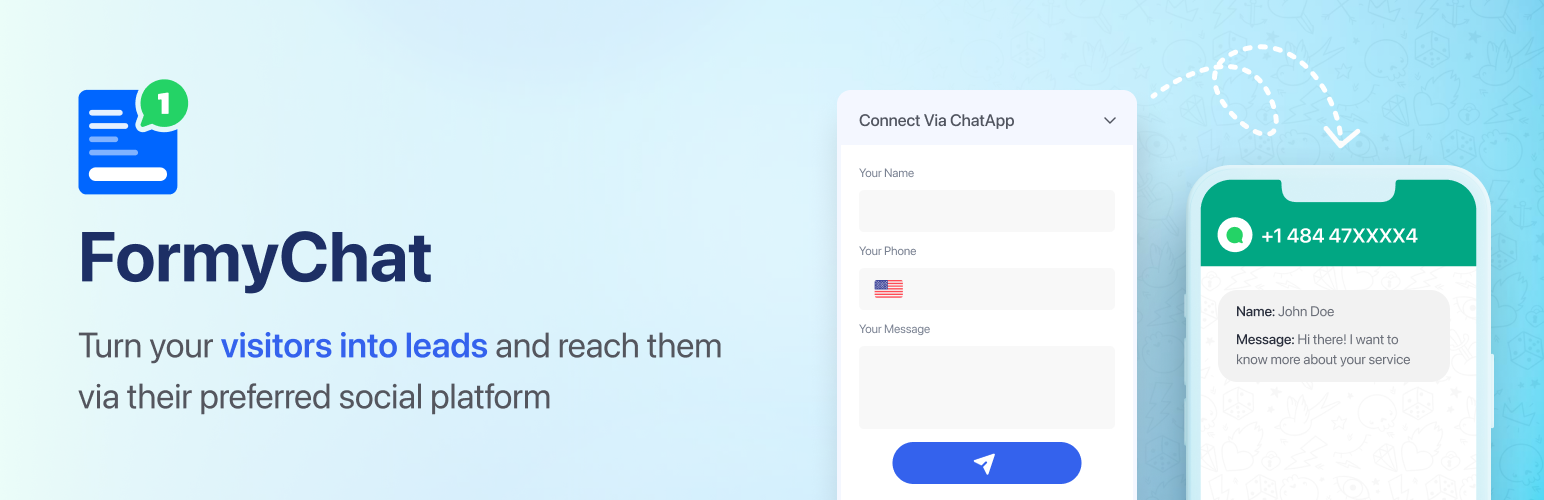
FormyChat by WPPOOL, formerly Easy Form to Chat, takes a different approach. Instead of only opening a chat, it sends contact form submissions straight to your WhatsApp or WhatsApp Business. It has 3,000+ active installs and a 5 out of 5 rating, and it is actively maintained, with the latest update at the end of September 2026.
Visitors click a floating WhatsApp icon, fill in a short form, and are sent to WhatsApp with their details already in the message. Every submission is also saved as a lead in your WordPress dashboard, so you keep a record even if the chat goes nowhere.
It works with the forms you may already use. You can connect Contact Form 7, WPForms, Gravity Forms, Ninja Forms and Fluent Forms, either as a floating form or embedded on a page. Recent updates added WhatsApp group support, a WooCommerce button with product details, reCAPTCHA and Cloudflare Turnstile spam protection, and separate display controls for mobile and desktop.
FormyChat Ultimate adds multiple widgets and agents, smart triggers (time delay, scroll and exit intent), lead filtering and CSV export, email notifications, FluentCRM, Mailchimp and Google Sheets integrations, and Google Tag Manager click tracking.
Here is what to weigh. FormyChat is built around forms, so if you just want a one-click chat button, the plugins above are simpler. It also has very few reviews so far, and sending Contact Form 7 entries to WhatsApp needs a working email (SMTP) setup on your site.
Verdict: The best choice if you want contact form leads delivered to WhatsApp and saved in WordPress.
Key features:
- Sends contact form submissions to WhatsApp
- Floating WhatsApp icon with a popup form
- Works with Contact Form 7, WPForms, Gravity Forms, Ninja Forms and Fluent Forms
- Leads saved in your WordPress dashboard
- WhatsApp group support
- Merge tags and preset messages
- WooCommerce button with product details
- reCAPTCHA and Cloudflare Turnstile spam protection
- Smart triggers and multiple agents (Ultimate)
- CSV export, email alerts, CRM and Google Sheets sync (Ultimate)
Tarifs Free on WordPress.org. FormyChat Ultimate lifetime plans cost $147 for 1 site, $237 for 5 sites and $447 for 500 sites. At the time of writing, they were discounted to $89, $139 and $329. Annual plans are also offered. 30-day money-back guarantee.
Best for: Service businesses and agencies that collect inquiries through forms and want them on WhatsApp.
7. Buttonizer
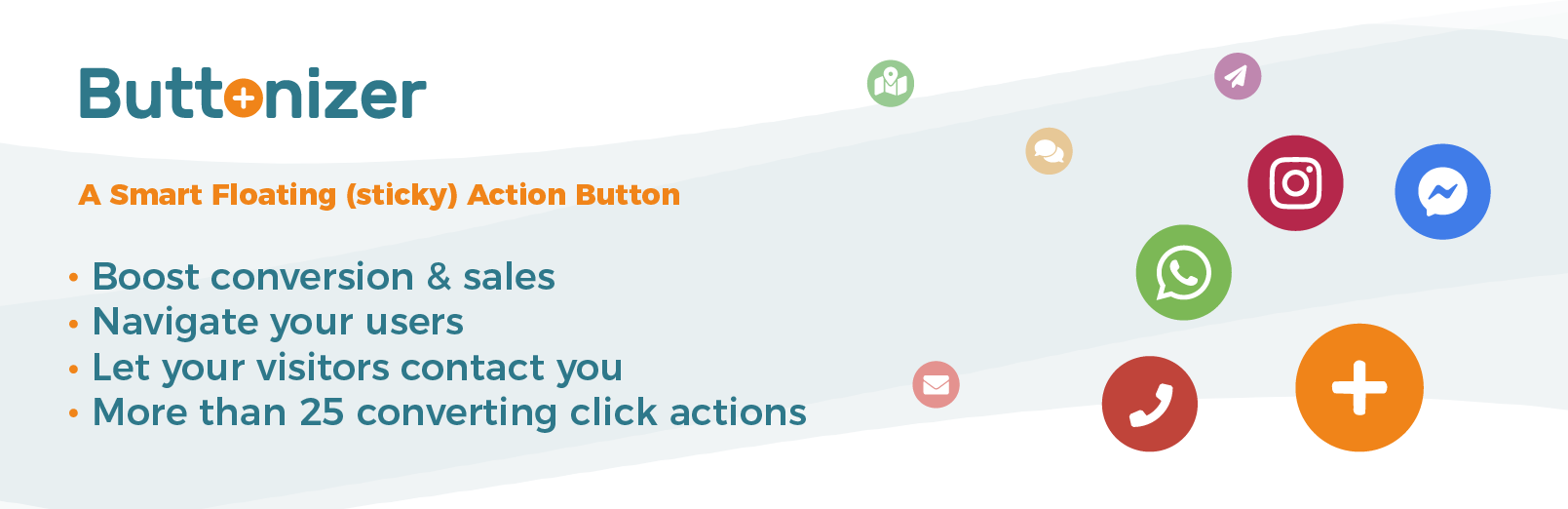
Buttonizer is a floating button builder with more than 70,000 active installs and a 4.5 out of 5 rating from 151 reviews. It was last updated in September 2026.
WhatsApp is one of more than 40 click actions. You can build a single floating WhatsApp button, or a floating menu that opens into several buttons, such as WhatsApp, call, email, SMS, Messenger, Google Maps and back to top. It also includes a WhatsApp chat widget with a popup, support for multiple WhatsApp numbers, a contact form and social sharing buttons.
Styling is flexible. You control colors, labels, Font Awesome icons, positions and animations, and you can show different buttons on mobile and desktop or only after a visitor scrolls. New accounts also get Formilla live chat and a popup builder.
Paid plans add page rules, time schedules, custom JavaScript, an iframe widget, contact form webhooks and higher usage limits.
Here is what to weigh. Buttonizer now runs on its own hosted platform, so you need a Buttonizer account and your buttons are managed in their dashboard. Plans are limited by monthly pageviews, and a few reviewers say the limits feel tight for busy sites. If you want everything to stay inside WordPress, choose one of the plugins above.
Verdict: The best pick if you want WhatsApp as part of a multi-button floating menu rather than a standalone chat button.
Key features:
- 40+ click actions, including WhatsApp
- Floating menus that hold several buttons
- WhatsApp chat widget with a popup
- Click to call, SMS, email and Messenger buttons
- Show buttons on scroll or after a delay
- Different buttons for mobile and desktop
- Google Analytics click tracking
- Formilla live chat and popup builder
- Page rules and time schedules (Paid)
- Custom JavaScript and iframe widget (Paid)
Tarifs Free plan available. Paid plans are billed by monthly pageviews. Check the Buttonizer website for current prices.
Best for: Sites that want one floating menu for WhatsApp, calls, email and other actions.
FAQs
What is the best WhatsApp plugin for WordPress?
Joinchat is the best choice for most sites. It is the most installed WhatsApp plugin on WordPress.org (700,000+ active installs), its free version includes smart messages, WooCommerce buttons and analytics events, and it is updated often. If you run a WooCommerce store and want buttons on every step of the purchase, ChatHelp is the strongest alternative.
What is the best free WhatsApp plugin for WordPress?
Joinchat has the most capable free version for a single WhatsApp number. If you need several agents, such as sales and support, WP Chat App is the best free option because it includes multiple agents without paying.
Can I add a WhatsApp button to WordPress without a plugin?
Yes. Add a normal Button block and link it to https://wa.me/ followed by your full phone number in international format, without the plus sign, spaces or dashes. You can add ?text= and a short message to pre-fill it. A plugin is still the better option if you want a floating button, product details in the message, multiple agents, working hours or click tracking.
Do these plugins work with WhatsApp Business?
Yes. All 7 plugins work with both the regular WhatsApp app and the WhatsApp Business app. They use WhatsApp’s official click to chat links, so the conversation opens in WhatsApp and you reply from your phone or WhatsApp Web, just like any other chat.
Which WhatsApp plugin is best for WooCommerce?
ChatHelp covers the most of the shopping journey, with buttons on the shop, product, cart, checkout and order confirmation pages, and messages that include product and order details. Social Chat Premium lets customers choose WhatsApp as an order option at checkout. Joinchat and WP Chat App both add a button next to Add to Cart in their free versions.
Is a WhatsApp plugin the same as a live chat plugin?
Not quite. A live chat plugin keeps the conversation on your website, so visitors must stay on the page while they wait for a reply. A WhatsApp plugin hands the conversation over to WhatsApp, so visitors can leave your site and still get your answer on their phone. If you want visitors to chat with you on your site, see our list of the best live chat plugins for WordPress.
Will a WhatsApp plugin slow down my site?
Usually not by much. Most of these plugins load a small script and stylesheet for the button. Joinchat, for example, loads without jQuery and delays its styles until they are needed. Check your key pages in PageSpeed Insights before and after installing to be sure.
What happened to WP Sticky Button and WhatsApp Click to Chat?
We removed both from this list. WP Sticky Button has not been updated in over a year, and WhatsApp Click to Chat has not been updated since 2021 and no longer appears to offer support. Plugins without regular updates can break with new WordPress versions or leave security issues unfixed.
Conclusion
The right WhatsApp plugin comes down to two questions: how many people will answer chats, and do you sell through WooCommerce?
For most sites, start with Joinchat. Its free version covers the essentials, and Premium adds agents and chat funnels when you need them. If you run an online store, ChatHelp puts WhatsApp buttons on every step from the shop page to the thank-you page and tracks your leads, while Social Chat lets customers order through WhatsApp at checkout.
If you use several messaging apps, Chaty puts them all in one widget. WP Chat App is the best way to show multiple agents for free, FormyChat sends your form leads to WhatsApp, and Buttonizer fits sites that want WhatsApp inside a bigger floating menu.
Whichever you pick, test the button on your phone and on a desktop before you call it done. Make sure your number is in international format and the pre-filled message reads well, because that first message is the start of every conversation.
Are you using a WhatsApp plugin that is not on this list? Tell us about it in the comments.
Related Posts:
- Best Free Live Chat Plugins for WordPress
- Best WordPress Facebook Chat Plugins
- Best WordPress Chatbot Plugins
- Best Click to Call WordPress Plugins
- Best Floating Button WordPress Plugins
Laisser un commentaire
Vous devez vous connecter pour publier un commentaire.