

Spam comments, fake sign-ups and bots hammering your login page. If your WordPress site has any kind of form, bots will find it, usually within days of going live.
A CAPTCHA plugin adds a quick human check to those forms. The best ones today are almost invisible to real visitors, so you stop the bots without annoying the people you actually want to hear from.
Below are the 8 best WordPress CAPTCHA plugins, what each one is good at, and which CAPTCHA service it uses. Every plugin here has a free version.
Quick answer: Simple CAPTCHA with Cloudflare Turnstile is the best WordPress CAPTCHA plugin for most sites: it is 100% free, usually invisible to visitors and works with 30+ form and membership plugins. Choose Advanced Google reCAPTCHA if you prefer Google reCAPTCHA, hCaptcha for WP for the widest plugin support with a privacy focus, and Captcha Code if you want a CAPTCHA that uses no outside service at all.
All install counts and ratings come from WordPress.org, and all prices were checked on the official sites in November 2026.
Affiliate disclosure: Some links in this post are affiliate links. If you buy through them, we may earn a small commission at no extra cost to you.
Quick Comparison
Here is how the 8 plugins compare at a glance. Click a plugin name below to jump to its full review.
Plugin | Best For | Installs & Rating | Paid Upgrade | Download |
Simple CAPTCHA with Cloudflare Turnstile | Invisible, privacy-friendly checks | 200,000+ installs, 4.7/5 | None, 100% free | |
Advanced Google reCAPTCHA | Free reCAPTCHA for login and WooCommerce | 200,000+ installs, 4.8/5 | WP Captcha PRO from $49/year | |
hCaptcha for WP | Privacy-first CAPTCHA with 60+ integrations | 70,000+ installs, 4.6/5 | Plugin free, hCaptcha Pro $99/month | |
CAPTCHA 4WP | Switching between CAPTCHA services | 100,000+ installs, 3.2/5 | $39/year, 1 site | |
reCaptcha by BestWebSoft | reCAPTCHA on many form plugins | 100,000+ installs, 3.9/5 | Paid Pro version | |
Captcha Code | No third-party service or API keys | 100,000+ installs, 3.8/5 | None, free | |
Login No Captcha reCAPTCHA | Login page protection only | 50,000+ installs, 4.5/5 | None, free | |
Really Simple CAPTCHA | Contact Form 7 and developers | 300,000+ installs, 4.2/5 | None, free |
We built this comparison table with WP Table Builder, our free drag and drop table plugin for WordPress.
- Simple CAPTCHA with Cloudflare Turnstile: best overall and best free
- Advanced Google reCAPTCHA: best for Google reCAPTCHA
- hCaptcha for WP: best privacy-first option with many integrations
- CAPTCHA 4WP: best for switching between CAPTCHA services
- reCaptcha by BestWebSoft: best for reCAPTCHA on many form plugins
- Captcha Code: best CAPTCHA with no third-party service
- Login No Captcha reCAPTCHA: best for protecting only the login page
- Really Simple CAPTCHA: best for Contact Form 7 users and developers
Which Type of CAPTCHA Should You Use?
Before you pick a plugin, it helps to pick the CAPTCHA service. Most WordPress CAPTCHA plugins are just a bridge to one of these:
- Cloudflare Turnstile: free, privacy-friendly and usually invisible. Most visitors never click anything. You need a free Cloudflare account to get the keys.
- Google reCAPTCHA: the best known option, with the “I’m not a robot” checkbox (v2) or an invisible score (v3). Google now includes 10,000 free assessments a month per organization, then charges a flat $8 a month up to 100,000.
- hCaptcha: a privacy-focused reCAPTCHA alternative. The Basic plan is free, and hCaptcha Pro adds a 99.9% passive mode.
- Self-hosted CAPTCHA: a code or math question generated on your own server. No API keys and no outside service, but it is easier for bots to solve and less friendly for visitors.
For most small and medium sites, Turnstile or reCAPTCHA v3 gives the best mix of protection and a smooth experience for real people.
1. Simple CAPTCHA with Cloudflare Turnstile

Best for: Almost any site that wants free, low-friction spam protection.
Simple CAPTCHA with Cloudflare Turnstile by Elliot Sowersby (RelyWP) adds Cloudflare Turnstile to your WordPress forms. It has 200,000+ active installs and a 4.7 out of 5 rating on WordPress.org, and it was updated in October 2026.
Turnstile checks visitors in the background, so most people see a small “Success” badge instead of a puzzle. You create a site key and secret key in your free Cloudflare account, paste them into the plugin settings, then tick the forms you want to protect.
The integration list is the big strength. It covers the WordPress login, registration, password reset and comment forms, WooCommerce checkout and account forms, and popular plugins like WPForms, Fluent Forms, Contact Form 7, Gravity Forms, Elementor Pro Forms, MemberPress and Ultimate Member.
Verdict: The best WordPress CAPTCHA plugin for most sites: free, privacy-friendly and almost invisible to real visitors.
Key features:
- Turnstile on login, registration, password reset and comment forms
- WooCommerce checkout, login, registration and account forms
- Works with 30+ form, membership and checkout plugins
- Choose when the widget shows: always, or only when needed
- Skip the check for logged-in users or allowlisted IPs
- Failsafe mode that falls back to reCAPTCHA if Cloudflare is down
- Disable the submit button until the check passes
- Multisite support and debug logging
Pros:
- Completely free, with no paid upgrade
- Usually invisible to visitors
- Huge list of supported plugins
Cons:
- Needs a Cloudflare account for the keys
- No built-in analytics in WordPress
Pricing: 100% free. Cloudflare Turnstile itself is also free to use.
2. Advanced Google reCAPTCHA
Best for: Sites that want Google reCAPTCHA on login, comments and WooCommerce for free.
Advanced Google reCAPTCHA by WebFactory has 200,000+ active installs and the highest rating on this list, 4.8 out of 5 from more than 430 reviews. It was updated in October 2026.
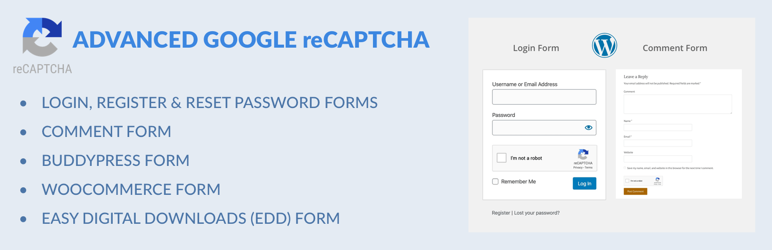
It adds Google reCAPTCHA to the WordPress login, registration, lost password and comment forms, plus WooCommerce, Easy Digital Downloads and BuddyPress forms. If you do not want to use Google, the free version also includes a simple built-in math CAPTCHA. A dashboard shows blocked attempts, so you can see that the protection is working.
Here is what to weigh. Contact form plugins are not covered in the free version, so check that your forms are supported. The paid upgrade is sold as WP Captcha PRO, which adds more CAPTCHA types such as hCaptcha and Cloudflare Turnstile.
Verdict: The best free Google reCAPTCHA plugin for login, comment and WooCommerce forms.
Key features:
- Google reCAPTCHA v2 and v3
- Built-in math CAPTCHA option
- Login, registration, lost password and comment forms
- WooCommerce, Easy Digital Downloads and BuddyPress forms
- Custom “Are you human” message
- Stats on blocked attempts
- hCaptcha, Turnstile and more CAPTCHA types (PRO)
Pros:
- Highest rated plugin on this list
- Easy setup
- Covers WooCommerce in the free version
Cons:
- No contact form plugin support in the free version
- Google reCAPTCHA has a monthly free limit
Pricing: Free on WordPress.org. WebFactory lists WP Captcha PRO from $49 a year for 1 site.
3. hCaptcha for WP

Best for: Privacy-conscious sites that use many different form and membership plugins.
hCaptcha for WP is the official hCaptcha plugin, with 70,000+ active installs and a 4.6 out of 5 rating. It is updated often, most recently in October 2026.
It works with WordPress core forms, WooCommerce, Contact Form 7, Elementor and more than 60 other plugins and themes. It also adds extras most CAPTCHA plugins skip: honeypot fields and a minimum submit time that stop simple bots before the challenge, detailed analytics, and a migration wizard that moves you from reCAPTCHA or Turnstile in a few clicks.
Here is what to weigh. On the free hCaptcha plan, some visitors still get an image challenge. The 99.9% passive mode that removes most challenges needs hCaptcha Pro, which is a paid subscription to the hCaptcha service, not to the plugin.
Verdict: The strongest all-round CAPTCHA plugin if you want privacy, analytics and support for a long list of plugins.
Key features:
- Integrations with 60+ plugins and themes
- Built-in honeypot and minimum submit time
- Detailed analytics for CAPTCHA events
- Migration wizard from reCAPTCHA or Turnstile
- Turn off hCaptcha for logged-in users
- Delayed script loading for better page speed
- 99.9% passive and passive modes (hCaptcha Pro)
Pros:
- Very wide integration support
- Strong privacy focus
- Free plugin with useful extras
Cons:
- Free plan can show image puzzles
- Passive mode costs extra
Pricing: The plugin is free, and the hCaptcha Basic plan is free. hCaptcha Pro costs $99 a month billed yearly, or $139 billed monthly, with 100,000 evaluations included.
4. CAPTCHA 4WP

Best for: Sites that want one plugin for reCAPTCHA, hCaptcha and Turnstile.
CAPTCHA 4WP has 100,000+ active installs and was updated in August 2026. It was built by Melapress and has since been acquired by WPKube. Its WordPress.org rating is 3.2 out of 5, the lowest here, so read recent reviews before you buy.
The free version adds Google reCAPTCHA (v2, v2 invisible and v3) to the WordPress login, registration, comment and password forms. A handy failover shows a v2 checkbox when a v3 score is too low, so real people are not blocked by mistake.
Premium is where it stands out. You can switch to hCaptcha or Cloudflare Turnstile, add CAPTCHA to WooCommerce with one click, and protect Contact Form 7, WPForms, Gravity Forms, Fluent Forms, Ninja Forms and other plugins.
Verdict: A flexible choice if you may want to change CAPTCHA services later, but the most useful features are paid.
Key features:
- reCAPTCHA v2, v2 invisible and v3
- v3 to v2 failover for low scores
- Adjustable v3 pass score
- Setup wizard and automatic language detection
- hCaptcha and Cloudflare Turnstile (Premium)
- WooCommerce and third-party form plugins (Premium)
- CAPTCHA only after failed logins (Enterprise)
Pros:
- Supports three CAPTCHA services
- Smart v3 failover
- Clear upgrade path
Cons:
- Free version is reCAPTCHA only
- Lower user rating than the others
Pricing: Free on WordPress.org. Premium starts at $39 a year and Enterprise at $59 a year for 1 site. 30-day money-back guarantee.
5. reCaptcha by BestWebSoft

Best for: Sites that want Google reCAPTCHA on a long list of form, forum and membership plugins.
reCaptcha by BestWebSoft has 100,000+ active installs and a 3.9 out of 5 rating from about 390 reviews. It was updated in October 2026.
The free version covers the login, registration, password reset, comment and password-protected post forms. You can hide the CAPTCHA for allowlisted IPs or certain user roles, hide the reCAPTCHA badge, and choose reCAPTCHA v2, v3 or invisible.
Here is what to weigh. Most third-party integrations are in the Pro version, including Contact Form 7, WPForms, Gravity Forms, Elementor Pro, WooCommerce, Divi, bbPress and BuddyPress. BestWebSoft did not show a public price we could confirm, so check its site for current plans.
Verdict: A solid reCAPTCHA plugin with a very long integration list, as long as you are happy to pay for Pro.
Key features:
- reCAPTCHA v2, v3 and invisible
- Login, registration, comments and protected post forms
- Hide CAPTCHA for allowlisted IPs and user roles
- Hide the reCAPTCHA badge
- Multilingual and RTL ready
- Contact Form 7, WPForms, Gravity Forms and more (Pro)
- WooCommerce, Divi, bbPress and BuddyPress (Pro)
Pros:
- Lots of supported plugins in Pro
- Fine control over who sees the CAPTCHA
Cons:
- Most integrations need Pro
- Pro pricing is not shown publicly
Pricing: Free on WordPress.org, with a paid Pro version from BestWebSoft.
6. Captcha Code

Best for: Sites that do not want to send visitor data to Google, Cloudflare or any other service.
Captcha Code, now maintained by WebFactory, has 100,000+ active installs and a 3.8 out of 5 rating. It was updated in September 2026.
It shows a code in an image, and the visitor types it in. Everything happens on your own server, so there are no API keys and no outside service, and no personal data leaves your site. You can use letters, numbers or both, and add it to the comment, login, registration and lost password forms.
Here is what to weigh. Typing a code is slower for visitors than an invisible check, and simple image codes are easier for advanced bots to beat. It also does not cover WooCommerce or contact form plugins.
Verdict: The best pick when privacy and zero outside services matter more than the smoothest experience.
Key features:
- Self-hosted image CAPTCHA, no API keys
- Comment, login, registration and lost password forms
- Letters, numbers or both
- Upper case, lower case or mixed letters
- Translation ready
Pros:
- No third-party service
- Very simple setup
- Free
Cons:
- More effort for visitors
- No form plugin or WooCommerce support
Pricing: Free.
7. Login No Captcha reCAPTCHA

Best for: Site owners who only need to stop bots on the login page.
Login No Captcha reCAPTCHA by Robert Peake has 50,000+ active installs and a 4.5 out of 5 rating. It was last updated in May 2026.
It does one job: it adds the Google “I’m not a robot” checkbox to the WordPress and WooCommerce login, lost password and registration pages. Paste in your Google keys and you are done. It works well next to a two-factor or limit login attempts plugin as one layer of login security.
Here is what to weigh. It does not protect comments or contact forms, and it updates less often than the plugins above.
Verdict: A lightweight, no-fuss way to protect your login page with reCAPTCHA.
Key features:
- Google reCAPTCHA v2 checkbox
- WordPress and WooCommerce login pages
- Lost password and registration pages
- Very light, with almost no settings
Pros:
- Extremely simple
- Free
- Good rating
Cons:
- Login and registration pages only
- reCAPTCHA v2 only
Pricing: Free.
8. Really Simple CAPTCHA

Best for: Contact Form 7 users and developers who want a basic self-hosted CAPTCHA.
Really Simple CAPTCHA by Rock Lobster, the team behind Contact Form 7, has 300,000+ active installs, the most on this list, and a 4.2 out of 5 rating. It was updated in August 2026.
It is important to know that it does not work on its own. It is a CAPTCHA engine that other plugins use, mainly Contact Form 7, which adds an image CAPTCHA field to your forms. Developers can also call it from their own code. It stores answers as temporary files instead of PHP sessions, so it does not conflict with WordPress.
Here is what to weigh. Its own description says it is not strongly secure, so it is better as a light layer than as your main bot defense.
Verdict: A free, lightweight image CAPTCHA for Contact Form 7, but not the strongest protection.
Key features:
- Image CAPTCHA engine for Contact Form 7 and other plugins
- Self-hosted, no API keys
- Uses temporary files instead of PHP sessions
- Developer-friendly class you can use in your own plugin
Pros:
- Free and lightweight
- Made by the Contact Form 7 team
Cons:
- Needs another plugin to work
- Weaker protection than modern CAPTCHA services
Pricing: Free.
Already Using a Form Plugin? Check Its Built-in CAPTCHA
You may not need a separate CAPTCHA plugin at all. Many form and membership plugins already include CAPTCHA fields:
- WPForms supports hCaptcha, Google reCAPTCHA and Cloudflare Turnstile, plus built-in spam protection.
- Fluent Forms has reCAPTCHA, hCaptcha and Turnstile fields.
- WP User Frontend protects its registration and post submission forms with Cloudflare Turnstile, reCAPTCHA, math CAPTCHA or Really Simple CAPTCHA.
A dedicated CAPTCHA plugin still makes sense when you want to protect the WordPress login, comments and WooCommerce checkout in one place. Compare more options in our guide to the best WordPress contact form plugins.
Want a Comparison Table Like This on Your Site?
The comparison table at the top of this post was made with WP Table Builder. If you write plugin roundups, reviews or affiliate posts, a clear table helps readers compare options in seconds.
WP Table Builder is a free drag and drop table plugin for WordPress with 50,000+ active installs and a 4.8 out of 5 rating on WordPress.org as of November 2026. The free version lets you add text, images, lists, buttons, star ratings, custom HTML and shortcodes to any cell, and import tables from CSV, XML or TablePress.
You can see a finished example on the product comparison table demo, or read our step-by-step guide on how to create a product comparison table in WordPress.
FAQs
What is the best CAPTCHA plugin for WordPress?
For most sites, Simple CAPTCHA with Cloudflare Turnstile is the best choice. It is free, usually invisible to visitors and supports 30+ form and membership plugins. If you prefer Google reCAPTCHA, Advanced Google reCAPTCHA is the top-rated free option.
Is Google reCAPTCHA still free?
Partly. Google now includes 10,000 free reCAPTCHA assessments per month for each organization, across all your sites. From 10,001 to 100,000 assessments, there is a flat fee of $8 a month, and you need a Google Cloud billing account. Small sites usually stay inside the free limit.
Is Cloudflare Turnstile better than reCAPTCHA?
For most WordPress sites, Turnstile is the easier pick. It is free, it does not use visitor data for ads, and most visitors never see a puzzle. reCAPTCHA is still a good option if you already use Google services and stay under its free monthly limit.
Do I need a CAPTCHA if I already use Akismet?
They do different jobs. Akismet filters spam after a comment or form is submitted, while a CAPTCHA stops bots before they submit. Many sites use both, especially to protect the login and registration pages, which Akismet does not cover.
Is CAPTCHA GDPR compliant?
It depends on the service. hCaptcha and Cloudflare Turnstile are built with privacy in mind, and self-hosted options like Captcha Code send no data to anyone. With any third-party CAPTCHA, mention it in your privacy policy and check your cookie consent setup.
Will a CAPTCHA plugin slow down my site?
Third-party CAPTCHAs load a small script from their service, which adds a little weight to pages that have forms. Plugins like hCaptcha for WP can delay that script until a visitor interacts with the form, and you can limit the CAPTCHA to the pages that need it.
Conclusion
Start with Simple CAPTCHA with Cloudflare Turnstile. It is free, it covers almost every popular form plugin, and your visitors will barely notice it. Pick Advanced Google reCAPTCHA if you prefer Google, hCaptcha for WP for privacy and analytics, or Captcha Code if you want no outside service at all.
Whichever you choose, turn it on for your login, registration and comment forms first, since those are where most bot traffic hits. Then pair it with a good free WordPress security plugin for full protection.
And if you publish comparisons like this one, WP Table Builder Pro adds search, pagination and sticky headers, so readers can scan long plugin tables without losing the column names.
Related Posts:
- Best WordPress Login Plugins
- Best WordPress User Registration Plugins
- Best WordPress Comment Plugins
- Best Contact Form 7 Extensions and Add-ons
- Best WordPress Comparison Table Plugins
Leave a Reply
You must be logged in to post a comment.