


When it comes to the world of nonprofits, charities, and NGOs, the organizations are built on the collective efforts of passionate individuals, striving to make the world a better place. However, passion alone isn’t if you want a better online presence.
Whether you want to build a site, want donations, or make people sign up for some excellent charity work, you will need tools. As you’re a nonprofit/charity, it’s expected that you won’t have the budget and technical expertise on sites. But fear not, as we’ve brought you the 8 Best WordPress Plugins for Nonprofits, Charities, and NGOs.
From building a site from scratch & ranking it to donation management & gathering email lists- everything is made easy with these plugins. These plugins are reliable, and you won’t have to test out several ones to find the best for you, as experts have done the testing part.
Let’s start, shall we?
Plugin | Primary Purpose | Best For | Starting Price |
GiveWP | Donations & Fundraising | Donation forms, recurring donations, donor management | $149/year |
Paymattic | Payments & Donations | Budget-friendly payments, subscriptions, global donations | $4.99/month (billed annually) |
Fluent Forms | Forms & Registrations | Volunteer sign-ups, contact forms, donation forms | $41/year |
Ultimate Blocks | Website Building | Creating pages, CTAs, content layouts | Free |
Galleryberg | Image Galleries & Visual Storytelling | Showcasing events, fieldwork, volunteers, and impact stories | Free, Pro starts at $49/year |
WP Table Builder | Content Presentation | Donation plans, impact reports, program comparisons | $59/year |
OpinionCamp | Feedback & Engagement | Community opinions, volunteer feedback, campaign validation | Free |
ConvertForce | Ethical Conversions | Donation prompts, announcements, volunteer CTAs | Free |
Event Tickets | Events & Tickets | Fundraising events, registrations, attendee management | $99/year |
Rank Math | SEO & Visibility | Search rankings, schema, analytics | $59/year |
Social Snap | Social Sharing | Content promotion, social proof, reach | $99/year |
1. GiveWP
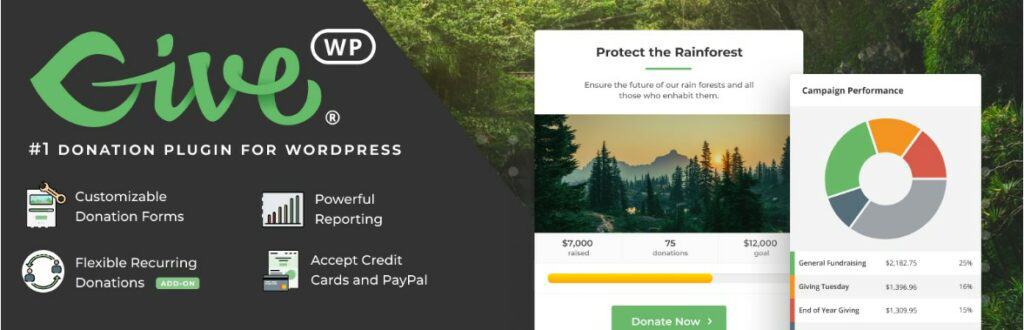
Donation is the main source of money for charities and many nonprofit organizations. Though online fundraising has risen rapidly in recent years, it’s hard to choose the right tool for the job, with so many options available. That’s where GiveWP shines, with its easy-to-use donation forms, donor management features, seamless payment gateway integration, and customizable add-ons, making it one of the best donation plugins for your site.
One of the core features of GiveWP is its ability to create highly customizable donation forms that can be easily embedded on your WordPress site. Along with efficiently designing forms, you can choose from various field types, such as single or multi-level donations, recurring donations, and even custom fields to gather donor information or special requests.
Consistent, recurring donations are crucial for any nonprofit or charity’s growth and long-term success. GiveWP makes it simple for your donors to give recurring donations, by enabling them to choose their preferred frequency (e.g., monthly, quarterly, or annually). This feature will build long-term relationships with your organization’s patrons and supporters, as well as help you develop a sustainable funding source.
With GiveWP, you can choose from various payment gateway options to provide your donors with a secure and convenient payment method that aligns with their preferences. In addition to popular choices like Stripe and PayPal, the platform supports other gateways such as Square, Authorize.Net, Bitpay, etc. Additionally, GiveWP’s fee recovery tool lets donors pay the transaction cost, adding to your cause and enhancing its impact.
Key Features
- Features highly customizable donation forms.
- Offers customized recurring donation option.
- Provides insightful reports on donations.
- Fantastic donor management.
- Multiple payment gateways option.
- Features simple peer-to-peer fundraising.
- Seamless integration with popular page builders.
- Supports multiple currencies.
Price
Free | Basic plan for GiveWP starts at an annual fee of $149.
2. Paymattic
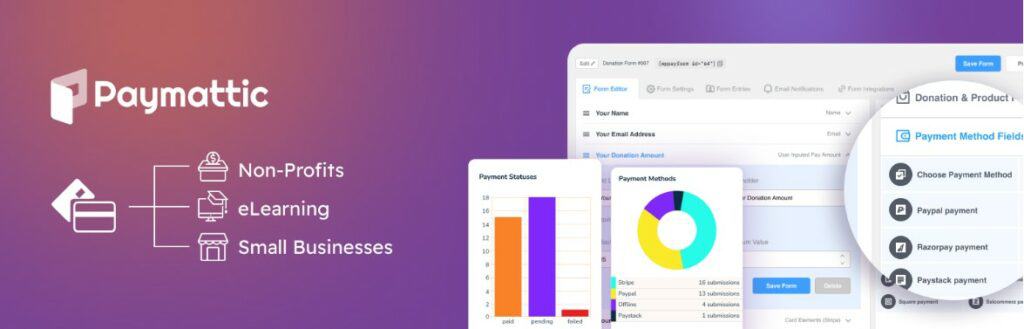
Looking for a more affordable plugin that will be on par with similar powerful plugins, in terms of donation? If you are, then Paymattic is the choice for you. It’s not limited to donations; it offers customized and even subscription payments, making it an allrounder. With its seamless integration, multiple payment gateways, easy management, and customization options, Paymattic is the perfect budget-friendly solution.
The plugin’s intuitive drag-and-drop form builder allows you to create beautiful, customized payment forms that suit your website’s design and style. You can add various fields to your forms, such as text inputs, dropdown menus, checkboxes, and radio buttons. This feature simplifies collecting the necessary information from your users, ensuring smooth transactions and a better overall user experience.
The fundraising tools offered by these plugins are spectacular. You can use features like crowdfunding and peer-to-peer funding to raise a hefty amount. And not only that, Paymattic allows you to collect funding in 135+ currencies, making donation efforts global and more effective. The built-in donation feature also allows your donors to make recurring donations.
Detailed statistics and reports are at your fingertips with Paymattic. From a single page, you can easily track the performance of your payment forms, monitor the donations, and view detailed transaction records. You will be given complex graphs and charts for a better performance understanding. This will help you make informed decisions and optimize your organization’s strategy.
Key Features
- Offers unlimited payment forms.
- Features 9 different payment gateways.
- Has email and sms notification systems.
- PCI DSS & SCA support for improved security.
- Offers email automation via FluentCRM.
- Offers 135+ currency support.
- Advanced reporting and analytics.
- Features both one-time and recurring donations, with donation goals.
Price
Free | Paymattic is set at $4.99/month, billed annually.
3. Fluent Forms
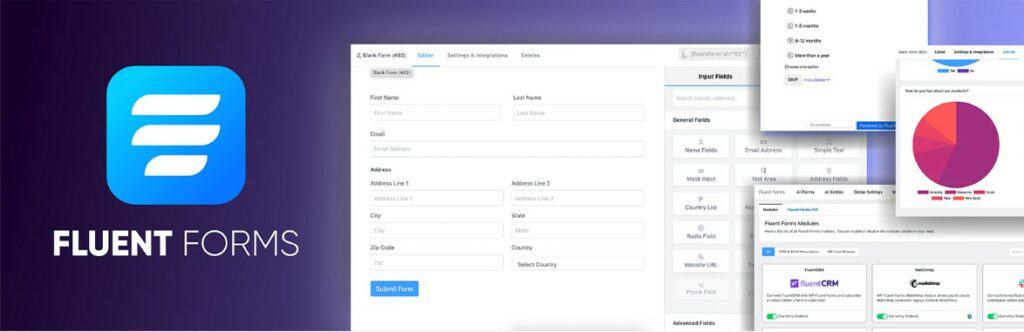
Suppose, you need a team of volunteers for your organization. But how do you make people sign up for that? You need an eye-catching form, that attracts visitors and makes them enlist for your cause. And to do so, Fluent Forms can be your best choice. With a simple interface, easy setup, and many features, this plugin is great for nonprofits of all sizes.
Fluent Forms offers a simple drag-and-drop interface that makes creating contact forms a breeze. With more than 70 pre-built form templates, you can quickly set up registration forms, donation forms, volunteer applications, and more for your charity or nonprofit. The intuitive builder allows you to create forms with multiple columns, add various input fields, and customize the design to match your organization’s branding.
Fluent Forms’ one of the best features is the advanced conditional logic. It will allow you to create more dynamic and personalized forms. This feature enables you to show or hide fields based on user input, ensuring your supporters only see relevant questions. For instance, you can set up a form that only displays volunteer opportunities when visitors indicate they’re interested in volunteering.
Fluent Forms makes the donation process seamless. It integrates with popular payment gateways like PayPal and Stripe, allowing you to receive donations securely and directly through your forms. The plugin also offers dynamic calculation, automatically calculating the money you’ll receive. For example, if a donor wants to contribute a certain amount monthly, the form can calculate and display the total annual contribution.
Key Features
- Has 70+ pre-built form templates.
- Features conditional logic for more intelligent forms.
- Spam protection with Akismet, reCAPTCHA, Honeypot, etc.
- Dynamic calculation feature.
- Popular payment gateway integration.
- Supports multi-step form creation.
- Offers advanced email notification features.
- Offers flexible customization options.
Price
Free | Single site license for Fluent Forms starts at $41/year.
4. Ultimate Blocks
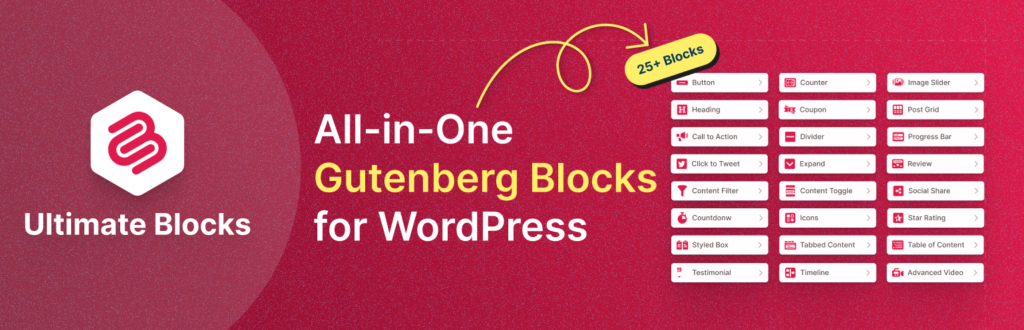
Okay, we’ve talked about donating and email listing tools. But what if you need to build a site from the start? Fear not, because Ultimate Blocks is here to the rescue. It is a WordPress plugin specifically designed for the Gutenberg block editor, allowing you to build a functional and stunning-looking site by just dragging & dropping blocks, without even writing any codes.
The blocks provided by Ultimate Blocks are the best thing about this plugin. There are 48 different types of blocks for various purposes. So, it’s guaranteed that, you won’t have to face any lack of tools while setting up your WordPress site. Additionally, you can switch off or disable any block anytime you want, without affecting your site.
While Ultimate Blocks is packed with features, it doesn’t compromise performance. On top of the block disabling/enabling option, the plugin is built to be lightweight and efficient, ensuring it doesn’t slow down your website. Plus, it’s incredibly user-friendly. Even if you’re new to WordPress, you can easily navigate the plugin and fully utilize its features.
SEO is vital for any site, especially for non-profits and charities, as ranking higher in searches means getting more reach and traffic. Devs of Ultimate Blocks know this and built this plugin with the best SEO practice. With two different schema types available in the plugin, this plugin is highly optimized for search engines.
Key Features
- Offers an intuitive and user-friendly interface.
- Has an extensive range of blocks.
- Completely free of any charge.
- Allows heavy customization.
- Lightweight, speed optimized, and mobile responsive.
- Offers a well-crafted CTA block to increase engagement and conversions significantly.
- SEO optimization, with two different schemas.
- Features block disable/enable option.
Price
Free.
5. Galleryberg

Visual storytelling plays a powerful role in how nonprofits, charities, and NGOs communicate their impact. Photos from fieldwork, events, volunteers, and beneficiaries help build trust and show supporters where their contributions are making a difference. Galleryberg makes it easy to present those stories through beautiful, well-organized image galleries on your WordPress site.
Galleryberg is a block-based gallery plugin built specifically for the WordPress block editor. It allows you to create modern gallery layouts without relying on complex settings or third-party builders. You can showcase images in clean grids, masonry-style layouts, or visually engaging formats that look great on both desktop and mobile devices.
For nonprofits with limited technical resources, Galleryberg keeps things simple and performance-friendly. The plugin is lightweight and optimized to ensure your galleries load quickly, even when displaying multiple images. This helps maintain a smooth browsing experience while still allowing you to highlight the human stories behind your mission.
Whether you’re sharing highlights from fundraising events, documenting community work, or showcasing volunteers in action, Galleryberg helps you present visuals clearly and professionally. By pairing strong imagery with your message, you can create a deeper emotional connection with supporters and strengthen your organization’s credibility.
Key Features
- Block-based gallery creation with an intuitive editor experience.
- Multiple clean and modern gallery layouts.
- Fully responsive galleries for all screen sizes.
- Lightweight and performance-optimized.
- Ideal for showcasing events, fieldwork, volunteers, and impact stories.
- Easy setup with no coding required.
Price
Free | Pro version available with advanced layouts and customization options.
6. WP Table Builder
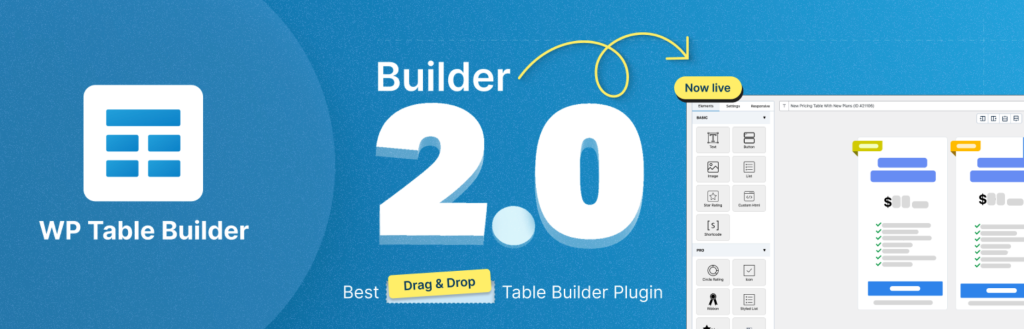
Nonprofits, charities, and NGOs often need to present information clearly and transparently, whether it’s donation plans, program comparisons, impact reports, or sponsor details. That’s where WP Table Builder becomes incredibly useful. It lets you create clean, responsive, and easy-to-understand tables without coding.
WP Table Builder features a visual drag-and-drop table editor, making it simple for anyone to build professional-looking tables. You can add text, buttons, images, icons, lists, and even star ratings inside table cells. This makes it ideal for showcasing donation tiers, comparing initiatives, outlining funding usage, or displaying annual impact statistics in a structured way.
One of the biggest strengths of WP Table Builder is its focus on clarity and usability. Tables created with the plugin are fully responsive, ensuring supporters can easily read and interact with your content on mobile devices. For organizations that value transparency and trust, presenting information in a well-organized table format can significantly improve engagement and credibility.
WP Table Builder is also lightweight and performance-friendly, so it won’t slow down your site. Whether you’re explaining how donations are allocated or comparing different programs and campaigns, this plugin helps you communicate your message clearly and professionally.
Key Features
- Drag-and-drop visual table builder with no coding required.
- Add text, buttons, images, icons, and lists inside table cells.
- Fully responsive tables for mobile and tablet devices.
- Ideal for donation plans, program comparisons, and impact reports.
- Lightweight and performance-optimized.
- Easy customization for borders, colors, and layouts.
Price
Free | Pro version starts at $49/year.
7. OpinionCamp
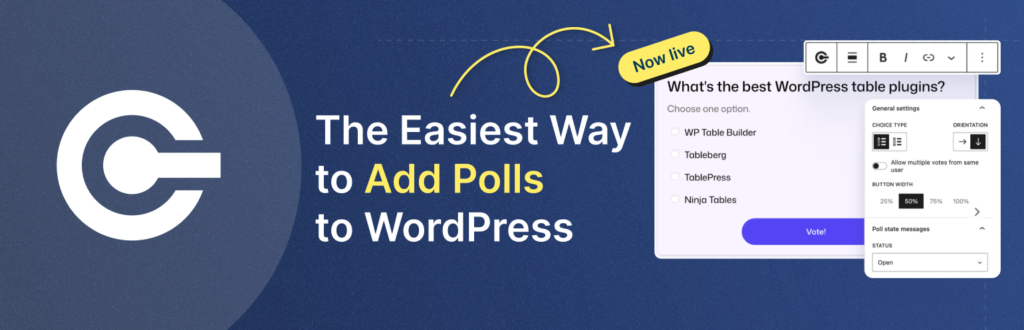
For nonprofits, charities, and NGOs, making the right decisions often depends on listening to the people they serve and support. Whether it’s understanding community needs, gathering volunteer feedback, or validating campaign ideas, collecting opinions is essential. OpinionCamp helps organizations do exactly that by enabling simple, engaging polls directly on their WordPress websites.
OpinionCamp allows you to create interactive polls that encourage supporters, volunteers, and beneficiaries to share their opinions with minimal friction. Instead of long surveys that often go unanswered, polls provide a quick and effective way to gather insights. This makes OpinionCamp especially useful for NGOs that want to involve their community in decision-making or measure sentiment around specific initiatives.
The plugin integrates seamlessly with the WordPress block editor, making poll creation intuitive even for non-technical users. You can easily add polls to blog posts, landing pages, or campaign pages, ensuring feedback collection feels like a natural part of your website experience. This is particularly helpful for nonprofits aiming to build trust, transparency, and engagement with their audience.
By using OpinionCamp, organizations can better understand what resonates with their supporters, improve programs based on real feedback, and demonstrate that community voices matter. For nonprofits working with limited resources, this kind of direct insight can play a key role in shaping more impactful initiatives.
Key Features
- Simple and engaging poll creation for quick feedback collection.
- Seamless integration with the WordPress block editor.
- Ideal for community feedback, volunteer opinions, and campaign validation.
- Lightweight and easy to set up, even for beginners.
- Helps build trust and transparency through participatory engagement.
Price
Free.
8. ConvertForce
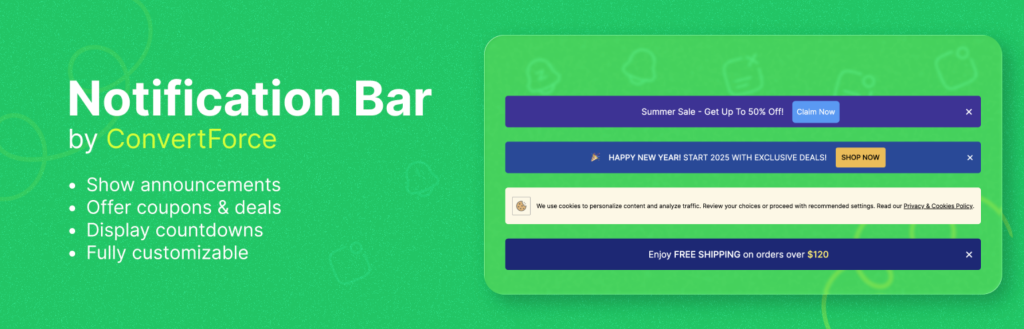
Engaging supporters, volunteers, and donors at the right moment is crucial for nonprofits, charities, and NGOs. But intrusive pop-ups and aggressive lead capture methods can often do more harm than good. ConvertForce offers a balanced solution by helping organizations capture attention and encourage action without disrupting the user experience.
ConvertForce lets you create subtle yet effective conversion elements, such as notification bars, slide-ins, floating buttons, and call-to-action boxes. These tools can be used to promote donation drives, volunteer sign-ups, event announcements, newsletter subscriptions, or important campaign updates. The plugin is designed to blend naturally with your website, ensuring messages feel helpful rather than pushy.
Built for simplicity, ConvertForce integrates seamlessly with the WordPress block editor, making it easy for non-technical users to set up and customize conversion elements. You can control when and where messages appear, allowing you to target visitors based on pages, actions, or timing. This flexibility is especially valuable for nonprofits that need to communicate different messages to donors, volunteers, and general visitors.
For organizations working with limited resources, ConvertForce provides an efficient way to guide visitors toward meaningful actions—whether that’s supporting a cause, joining a mailing list, or participating in a campaign. By delivering the right message at the right time, nonprofits can increase engagement while maintaining trust and transparency.
Key Features
- Non-intrusive notification bars, slide-ins, and floating CTAs.
- Seamless integration with the WordPress block editor.
- Ideal for donation prompts, volunteer sign-ups, and campaign announcements.
- Flexible display rules for better message targeting.
- Lightweight and performance-friendly.
- Easy setup with no technical expertise required.
Price
Free | Pro version is coming soon.
9. Rank Math
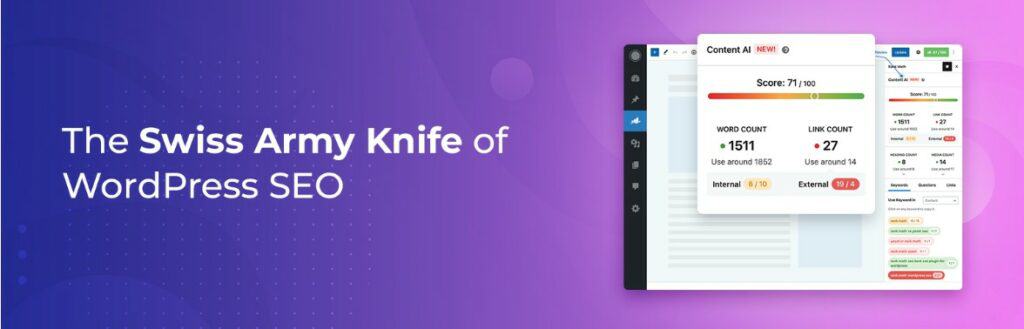
As a vital component of every organization’s online strategy, SEO has become a critical tool for charities, nonprofits, and NGOs striving to boost online visibility, reach more people, and ultimately make a more significant impact. And Rank Math SEO can be just the perfect plugin for the job, with its intelligent features, smart automation, and powerful analytics.
One of the most impressive features of this plugin is the advanced schema generator. There are 16+ different types of schema markups available in Rank Math SEO. By directly providing rich snippets like images, star ratings, or event details in the search results, Rank Math SEO can make your content more fascinating to potential supporters and donors.
One of the standout features of Rank Math SEO is its ability to conduct a comprehensive SEO analysis. This tool offers 30 in-depth SEO tests, all of which can assist you in efficiently optimizing your website. It detects areas of weakness, makes suggestions for changes, and even provides insights that can be put into action to improve your SEO approach.
Rank Math also features XML sitemap generation, 404 trackings, and redirection management. The XML sitemap generator generates a sitemap of your website’s pages for search engines to index better. The 404 monitoring function warns users when visitors encounter broken links on their website, and the redirection manager helps users redirect broken links to active pages to avoid issues.
Key Features
- Offers AI content writing.
- Features a built-in analytics module.
- Offers .htaccess editor, XMP sitemap, and 404 monitors.
- Integrates with Google Analytics 4.
- Offers rank tracker for tracking your keywords and search engine rankings.
- 16+ schema markup generator.
- Offers automated advanced image SEO.
- Supports schema markup importing.
Price
Free | Premium plan of Rank Math SEO starts at $59/year.
10. Event Tickets
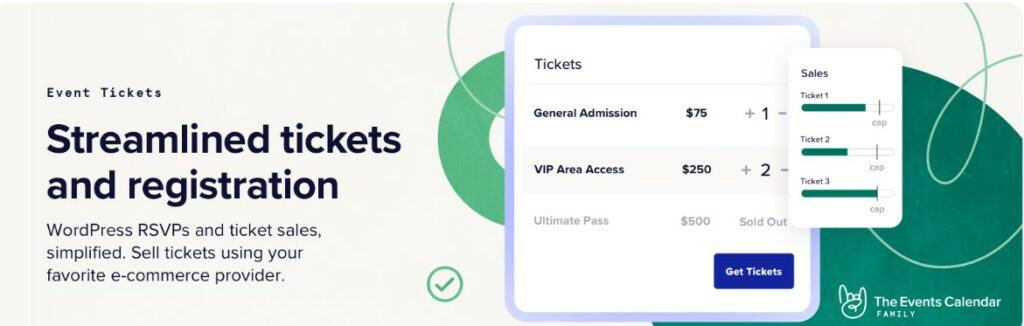
In the world of charities, nonprofits, and NGOs, events are more than just gatherings – they’re opportunities to engage with patrons and potential backers, raise funds, and further your efforts. That’s where Event Tickets shines. With flexible ticketing options, robust attendee management, customizable registration forms, and secure payment processing, this WordPress plugin is an invaluable resource for organizations, to manage event attendees and tickets without hassle.
Event Tickets is designed to be user-friendly, making it easy for even novice WordPress users to set up and manage their events. With a few simple clicks, you can create tickets, set prices, and handle registration forms, allowing you to focus on what matters most – your event at hand and the attendees who will participate.
When managing an event, keeping track of attendees and their information is crucial. Event Tickets offers powerful attendee management features that enable you to view and manage attendee lists, check in attendees, and communicate with them via email. Additionally, this tool is compatible with multiple payment gateways, ensuring a smooth transaction experience for donors.
In today’s data-driven world, understanding your audience is critical to making a more significant impact. Event Tickets offers powerful reporting features, providing valuable insights into sales and attendee data. With these reports, you can effectively tweak and build your future events, ensuring they perform better with your audience. This helps improve attendance rates and drives more donations for your cause.
Key Features
- Offers customizable ticket templates.
- Seamless integration with PayPal and Stripe.
- Offers shortcode support.
- Features customizable registration fields.
- Provides exportable attendee reports.
- Has ticket stock countdown to create urgency.
- Provides digital wallets.
- Has premium support access.
Price
Free | Event Ticket Plus is $99/year, for a single site license.
11. Social Snap

Social media has become an indispensable tool for charities, nonprofits, and NGOs, to raise awareness, engage with supporters, and drive fundraising efforts. So, a powerful social media plugin is essential for maximizing your organization’s online impact. By offering eye-catching social share buttons, Click to Tweet functionality, and customizable designs, Social Snap is just the plugin for the job.
One of Social Snap’s standout features is its attractive and customizable social share buttons. These buttons enable visitors to share your content directly from the website, across multiple platforms, including Facebook, Twitter, LinkedIn, Pinterest, and many more. It’s an efficient way to amplify the reach of your content, spreading your cause to potential supporters, volunteers, or donors.
The Click to Tweet feature is another powerful tool Social Snap provides, allowing you to create tweetable quotes or snippets directly within your content. When visitors click on these quotes, they will be shared on Twitter with a link to your website. This function helps charities and NGOs generate viral moments or highlight vital information, data, and statements.
Another helpful feature of Social Snap is the share counter, which showcases your social media presence by displaying the number of shares (both individual and total) your content have across various platforms. By highlighting those numbers, you can demonstrate credibility and trustworthiness to potential supporters and donors. These counters can be customized to match your website’s design and placed anywhere on your site.
Key Features
- Customizable social share button, with over 30 popular social media platform integration.
- Fantastic share counter with individual and total share counts.
- Effective Click to Tweet buttons.
- Shortcodes, widgets, and Gutenberg support.
- Social auto poster for automated content publishing.
- Features old post boosting.
- Share count recovery.
- Advanced statistics with track engagement.
Price
Free | Social Snap Pro is set at $99 per year.
Conclusion
In this digital era, your website is your first impression, and it’s your opportunity to tell your story, gather support, and inspire change. And the right plugins can be the key to easing off the workload.
And we hope the ‘8 Best WordPress Plugins for Nonprofits, Charities, and NGOs’ will help you find the right one. Remember, each plugin serves a unique purpose, so understanding your organization’s needs is critical to choosing the right ones. But never be afraid of mixing and matching up plugins; find the best ones by experimenting. As almost all the plugins on this list have free versions, try those out first, and buy premium ones afterward.
And if you’ve liked this write-up, please share it with other like-minded acquaintances. And ask anything regarded this article in the comment section; we’ll be happy to answer and solve your issue.
Good Luck!
Affiliate Disclosure: This post contains affiliate links. That means if you make a purchase using any of these links, we will get a small commission without any extra cost to you. Thank you for your support.
Leave a Reply
You must be logged in to post a comment.