

·
7 Best WordPress Project Management Plugins (Free & Pro)
Managing a project is much more difficult than completing the whole project. The team will surely complete the project if your management department is robust. Specific Project Management tools include Asana, Trello, Basecamp, etc. But they are not integrated with your WordPress. If you want to integrate a project management system within your website, you…

·
8 Best WordPress Productivity Plugins To Make Life Easier
We all try to be productive in our daily lives, and productivity is something that we look for even more when we have to manage a website. In order to be more productive, you can choose to install plugins that will help you to have a productive life. There are lots of ways you can…

·
7+ Best WordPress Timeline Plugins (Free & Paid)
When it comes to showcasing a series of events or the history of your company, timelines can be an incredibly effective tool within your WordPress website. Timelines allow visitors to easily navigate through chronological information, providing a visual and interactive journey through time. A timeline can enhance user engagement and provide a clear, organized way…

·
How to Create a Table in WordPress Using Google Sheets Data (Step-by-Step)
Managing structured data is very easy with Google Sheets. Many website owners use it to organize product lists, price tables, stock data, event schedules, comparison charts, and reports. But storing data is only one part of the work. The real challenge starts when you want to show them nicely on WordPress websites. Because WordPress does…

·
How to Add a Custom Pricing Table in Elementor (Using WP Table Builder)
If you build websites with Elementor, you already know it comes with a built-in Pricing Table widget. It works well for simple pricing sections. But sometimes you may want better layout flexibility, advanced row and column control, which aren’t always available in default widgets. WP Table Builder could be very useful in such situations. It…

·
How to Import a CSV File and Display It as a Table in WordPress
Many website owners today store important data in CSV files. You can create it using tools like Microsoft Excel or Google Sheets. But uploading a CSV file directly to WordPress does not show the data as a table on your website. You need the right steps to make it work. If you want to show…

·
9 Best WordPress Voting Plugins
Want to make your WordPress website enjoyable and get feedback for your content and products? Try to use WordPress voting plugins since they keep your audience engaged and make them stay longer. Keeping your targeted audience engaged and gathering honest feedback simultaneously is pretty challenging. That’s why you will need the assistance of the best…
·
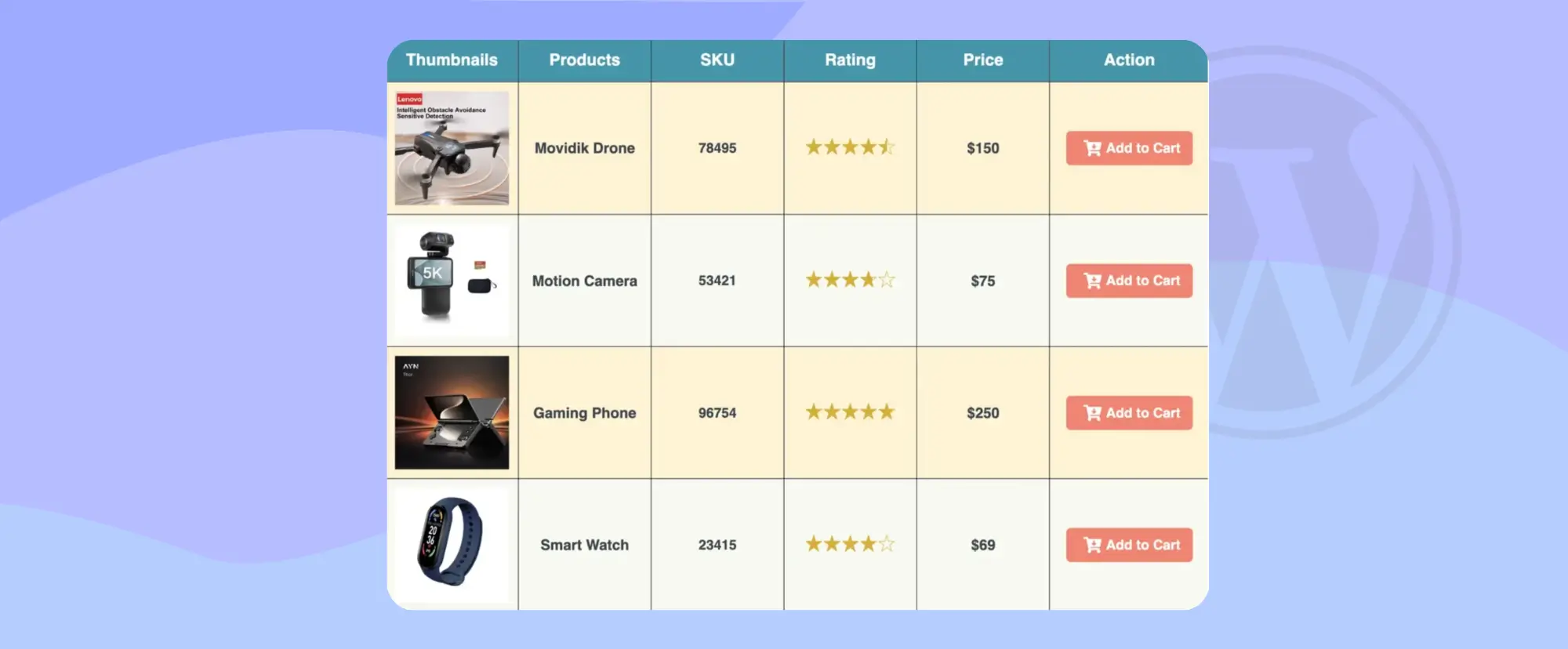
How to Create a Custom WooCommerce Product Table (With Add to Cart Buttons)
If you run an online store with WooCommerce, you already know that product layout matters a lot. The default shop page shows products in a grid view. This works fine for many stores. But sometimes, your customers need a faster and clearer way to see many products at once. This is where a custom WooCommerce…
·
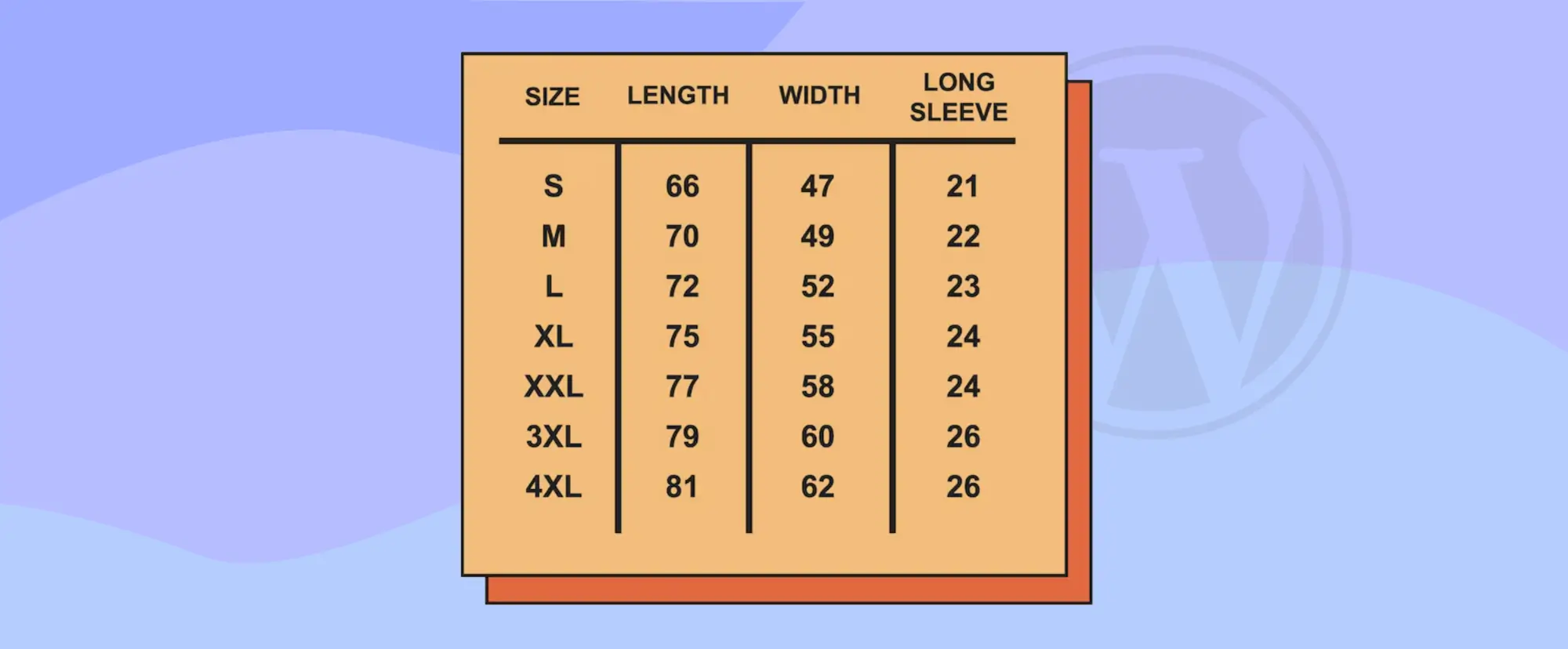
How to Add Size Guide in WordPress (Using a Table)
When you sell products online, clear size information is very important. Because customers cannot touch or test the product before buying. They rely only on the details you show on your website. If the size guide is missing or confusing, they may choose the wrong option. This often leads to returns, refunds, and unhappy buyers.…

·
How Tables Can Make Your Posts LLM Friendly
AI tools like Google AI Overviews, ChatGPT, and Perplexity AI are changing how people discover content. Many readers no longer click ten links to compare tools. They ask a question and expect a clear answer. These systems scan blog posts, extract key facts, and build short summaries. If your content is not structured clearly, it…
