 Skip to content

Policies, forms, meeting minutes, price lists, brochures. Most websites collect a pile of documents over time, and a long page of PDF links is hard to search and even harder to keep up to date.
A WordPress document library plugin fixes that. It lists your files in a searchable table, grid or folder view, so visitors can find the right document, preview it and download it in a click. Some plugins also control who can see each file and track how often it gets downloaded.
The tricky part is that document library means different things to different plugins. Some are full document managers. Others are add-ons for media folder plugins, and one is really a PDF viewer. We tested the main options and sorted them by what they actually do.
Quick answer: Document Library Pro is the best WordPress document library plugin overall, with search inside PDFs, table, grid and folder layouts, and access control. FileBird Document Library is the best free option for a simple searchable library. Download Monitor is the pick if download tracking matters most, and Filr is best for private, secure files.
Below, we break down all 6, including what the free version really does, what the paid version adds, and who each one is best for. All prices and plugin stats were checked on 24 October 2026.
Affiliate disclosure: Some links in this post are affiliate links. If you buy through them, we may earn a small commission at no extra cost to you.
Quick Comparison
All 6 plugins have a free version. The table shows where they differ.
Plugin | Best For | Free Version | Pro Price (from) | Download |
Document Library Pro | Large, searchable libraries | Yes (Lite version) | $149/year, 1 site | |
FileBird Document Library | Free libraries for FileBird users | Yes (needs FileBird) | $39 one-time | |
CatFolders Document Gallery | Galleries with PDF thumbnails | Yes (needs CatFolders) | $79/year, 1 site | |
Download Monitor | Download tracking and gated files | Yes | $129/year, 3 sites | |
Filr | Private, secure files | Yes | $49/year, 1 site | |
EmbedPress | Reading PDFs on the page | Yes | $69/year, 1 site |
How We Evaluated These Plugins
Every plugin on this list can put documents on a page. The differences show up when your library grows past a few dozen files, or when some files should not be public. Here is what we judged each one on:
- Is it built for document libraries? We favored plugins that list many files with search and download buttons over plugins that only show one file at a time.
- Search and organization. Whether visitors can search, sort and filter, and whether you can group files into categories or folders.
- Previews and downloads. Whether visitors can preview a file before downloading it, and how the download buttons look.
- Access control. Whether you can hide files from the public, restrict them by user role, or protect them with a password.
- Is it still maintained? Every plugin here was updated in 2026 and works with recent versions of WordPress.
- Price and licensing. Yearly vs lifetime, and how many sites one license covers.
Now, let’s look at each plugin in detail.
1. Document Library Pro

Document Library Pro by Barn2 is a dedicated document library plugin, and the most complete one on this list. Barn2 says it runs on more than 14,000 websites, and it has a 4.99 out of 5 rating from 89 reviews on Barn2’s own site. It was last updated in October 2026.
It adds a Documents section to your WordPress dashboard. You can add documents one at a time, drag and drop a batch of files, import a CSV, convert files already in your Media Library, or let visitors submit documents through a front-end form. Each document can hold up to three files or links, so you can store files on your own site or link to Dropbox, Google Drive, OneDrive or SharePoint.
Your main library page is created for you. You choose a searchable table, a grid of cards, or a folder view that works like Windows File Explorer. Visitors can search as they type, filter by category, tag, file type or any custom field, preview documents in a lightbox, and download several files at once as a zip. PDFs get a cover image from their first page automatically.
The Advanced plan adds what larger organizations usually need: search inside the text of PDF, Word, Excel and PowerPoint files, access control by user role, user or password, a lead capture form before download, version history, and documents that expire on a set date. There is also a hosted cloud version you can embed in Wix, Squarespace or any other website.
Here is what to weigh. Document Library Pro is the most expensive plugin on this list, and search inside files and access control need the higher Advanced plan. Barn2 also offers a free version, Document Library Lite, with 4,000+ active installs. It creates a basic searchable table of documents, but grid and folder layouts, previews and filters are Pro only, and a few reviewers say the free version feels limited.
Verdict: The best WordPress document library plugin overall, built for large, searchable libraries of policies, reports and resources.
Key features:
- Table, grid and folder layouts
- Instant search with filters for category, tag, file type and custom fields
- Document previews in a lightbox
- Bulk upload, CSV import and front-end submissions
- Files stored on your site or linked from Dropbox, Google Drive, OneDrive or SharePoint
- Zip downloads and download tracking
- Automatic PDF cover images
- Search inside PDF, Word, Excel and PowerPoint files (Advanced)
- Access control by user role, user or password (Advanced)
- Lead capture, version history and expiring documents (Advanced)
Pricing: Free Lite version on WordPress.org. Document Library Pro Essentials costs $149 a year for 1 site, $249 for 5 sites and $399 for 50 sites. Advanced costs $199 a year for 1 site. Lifetime plans start at $749. 30-day money-back guarantee, plus free setup and a 15% nonprofit discount.
Best for: Nonprofits, councils, schools and businesses with large document libraries, especially when some files must stay private.
2. FileBird Document Library

FileBird Document Library by Ninja Team is a free add-on for FileBird, one of the most popular media folder plugins with more than 200,000 active installs. The document library add-on itself has 5,000+ active installs and a 4.9 out of 5 rating, and it was updated in October 2026.
It turns your FileBird media folders into document categories. You sort files into folders in the Media Library, add the FileBird Document Library block to a page, pick one or more folders, and publish. When you later add, move or remove files in those folders, the library on your page updates by itself.
Visitors get a clean grid or list view, a search box, sorting by name, date or size, and a download button for each file. They can also switch between library sections on the page. It supports PDF, Word, Excel and PowerPoint files, Apple Pages and Numbers, ebooks and design files.
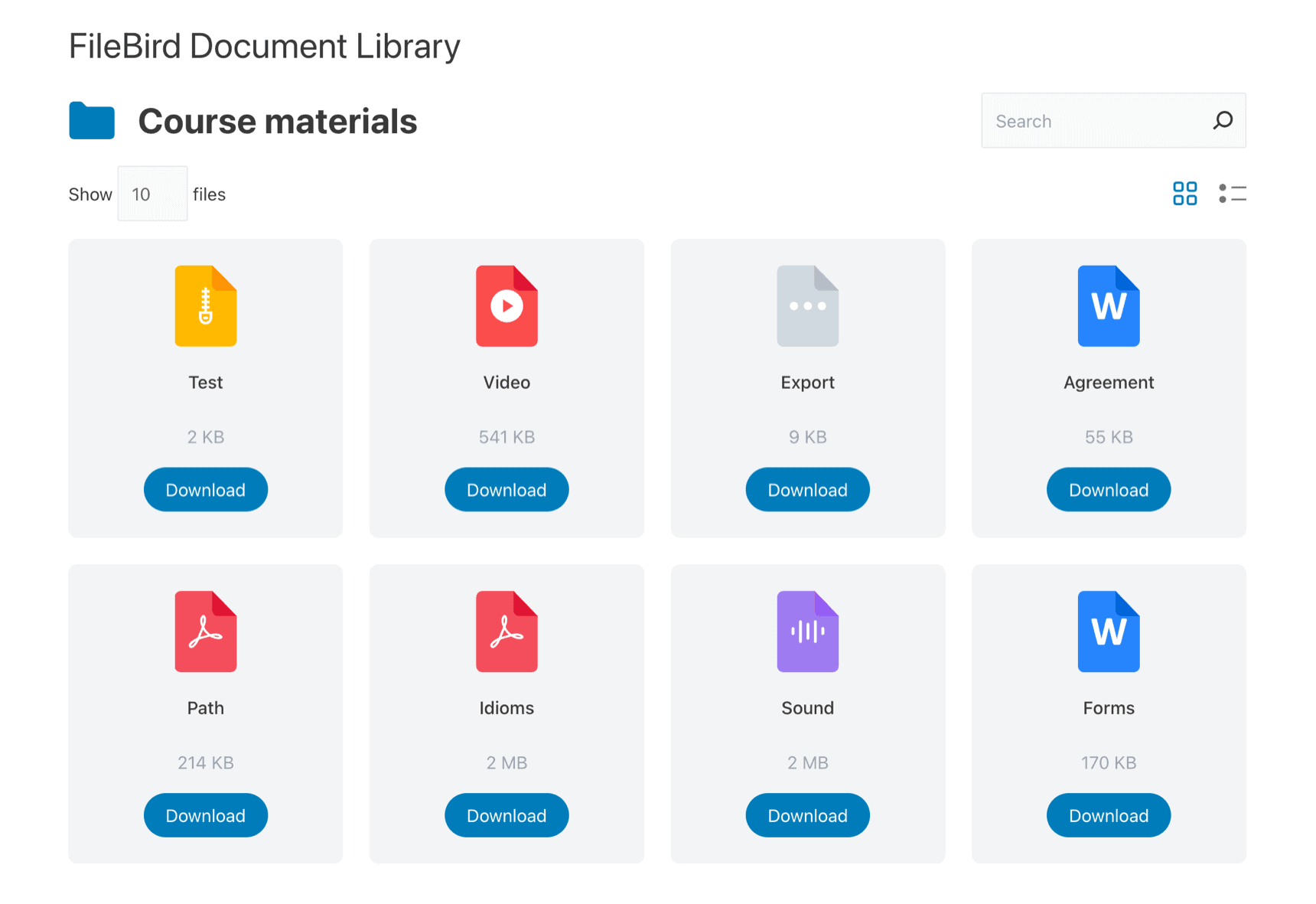
FileBird Document Library Pro adds a folder tree on the front end, nested folders with breadcrumbs, unlimited shortcodes for page builders, custom fields, custom folder icons, secure download links and a Divi 5 module.
Here is what to weigh. You need FileBird installed first. The free version allows unlimited libraries in the block editor but only one shortcode, so Elementor and other page builder users will likely need Pro. There is no access control, so every document in the library is public.
Verdict: The best free document library plugin, especially if you already use FileBird to organize your media.
Key features:
- Gutenberg block that turns media folders into a library
- Grid and list layouts
- Search and sorting by name, date or size
- Download buttons
- Several folders in one library
- Library updates when folder contents change
- Support for all common document types
- Front-end folder tree and nested folders (Pro)
- Unlimited shortcodes for page builders (Pro)
- Custom fields and secure download links (Pro)
Pricing: Free on WordPress.org, and it works with the free version of FileBird. FileBird Document Library Pro is a one-time purchase on CodeCanyon, listed at $39 at the time of writing.
Best for: FileBird users and small organizations that want a free, simple document library in the block editor.
3. CatFolders Document Gallery

CatFolders Document Gallery is a free extension for CatFolders, a media folder plugin. It has 3,000+ active installs and a 4.5 out of 5 rating, and it was updated in August 2026.
Like FileBird, it builds your library from media folders. Add the CatFolders Document Gallery block, or a shortcode for page builders and classic themes, point it at a folder, and that folder’s files appear as a list or a grid of cards. Each card shows a file type icon or a thumbnail of the PDF’s first page, plus the title and an optional description.
Visitors can search file titles, sort by size, title, type or date, preview a file in a popup and download it. You choose which details to show, such as file size, date and the download button, and how many files appear per page. A recent update added a folder tree sidebar and a counter for views and downloads.
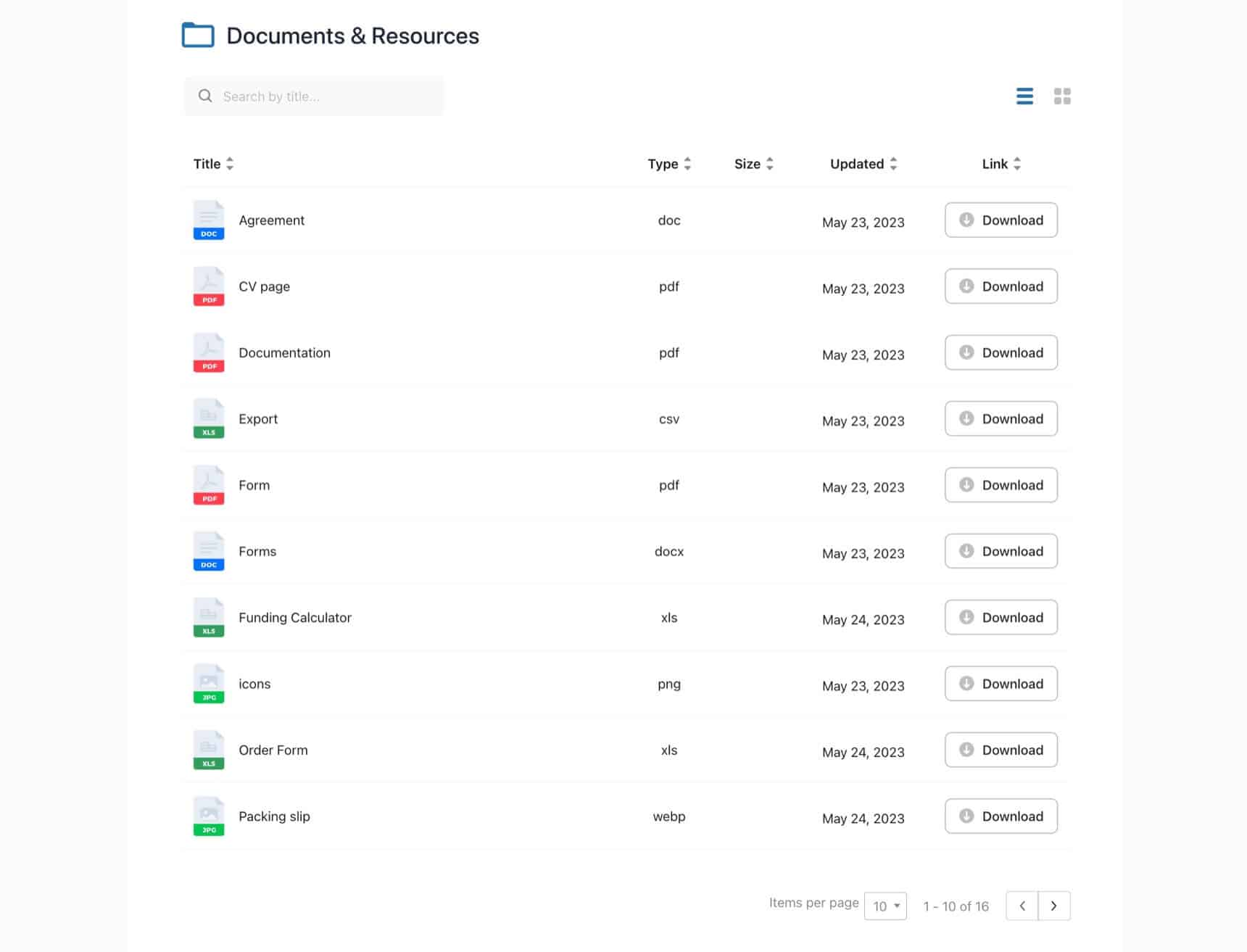
Here is what to weigh. You need the CatFolders plugin too, and its free version only creates top-level folders. Nested folders with breadcrumbs, one of the gallery’s best features, need CatFolders Pro, and one reviewer felt this was not made clear enough. PDF thumbnails also depend on your server having ImageMagick and Ghostscript, which most good hosts provide but not all.
Verdict: A free, good-looking document gallery with PDF thumbnails, best if you already use CatFolders or plan to upgrade to CatFolders Pro for nested folders.
Key features:
- List and grid layouts
- PDF first-page thumbnails
- Title search, sorting and pagination
- Popup previews and download buttons
- Show or hide details like file size and date
- Block and shortcode support
- Folder tree sidebar and view counter
- Nested folders with breadcrumbs (CatFolders Pro)
Pricing: Free on WordPress.org, together with the free CatFolders plugin. CatFolders Pro costs $79 a year for 1 site, $99 for 5 sites and $199 for unlimited sites. Lifetime plans start at $159. 30-day money-back guarantee.
Best for: Bloggers, schools and small businesses that want an attractive PDF gallery with thumbnails.
4. Download Monitor
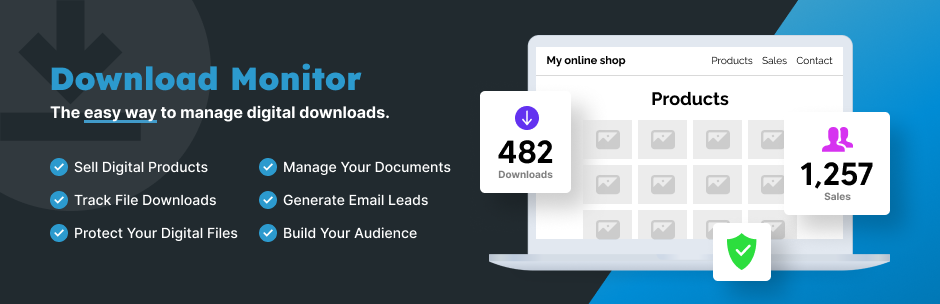
Download Monitor by WP Chill is one of the oldest and most popular download plugins for WordPress. It has 80,000+ active installs and a 4.5 out of 5 rating from 525 reviews, and it is updated often, with the latest release in October 2026.
It approaches documents from the download side. Each file becomes a download with its own title, categories, tags and version history. You add downloads to any post or page with a block or shortcode, and Download Monitor counts every download and shows reports in your dashboard. Files can live on your server or at an external URL, your upload folder is protected, and you can ask visitors to accept terms and conditions before downloading.
The free version is great for download buttons and stats, but it does not include a full library page. For that, you need the Document Library Manager extension, which lists files in searchable tables or grids with sorting and filters. It comes with the Popular plan and above, along with CSV import and export, a separate downloading page, and Amazon S3 and Google Drive file hosting. The Complete plan adds email and form locks for Gravity Forms, WPForms, Ninja Forms and Contact Form 7, so you can collect leads before a download.
Here is what to weigh. A real document library is a paid feature here, and the plan that includes it costs $129 for the first year, then renews at the full price. If you only need a searchable list of files, the plugins above get you there for less.
Verdict: The best choice when download tracking, file versions and gated downloads matter as much as the library itself.
Key features:
- Download manager with categories, tags and file versions
- Download counts and reports
- Download button block and shortcodes
- Local and external file links
- Protected upload folder
- Terms and conditions before download
- Searchable document library tables and grids (Popular plan)
- CSV import and export (Popular plan)
- Amazon S3 and Google Drive file hosting (Popular plan)
- Email and form locks for lead capture (Complete plan)
Pricing: Free on WordPress.org. Paid plans have a first-year introductory price: Basic costs $69 for 1 site, Popular costs $129 for 3 sites and Complete costs $199 for 5 sites. After the first year, they renew at $138, $258 and $398. The Document Library Manager is included in Popular and Complete. 14-day money-back guarantee.
Best for: Sites with many downloads, such as templates, software or resource libraries, that want detailed stats and lead capture.
5. Filr
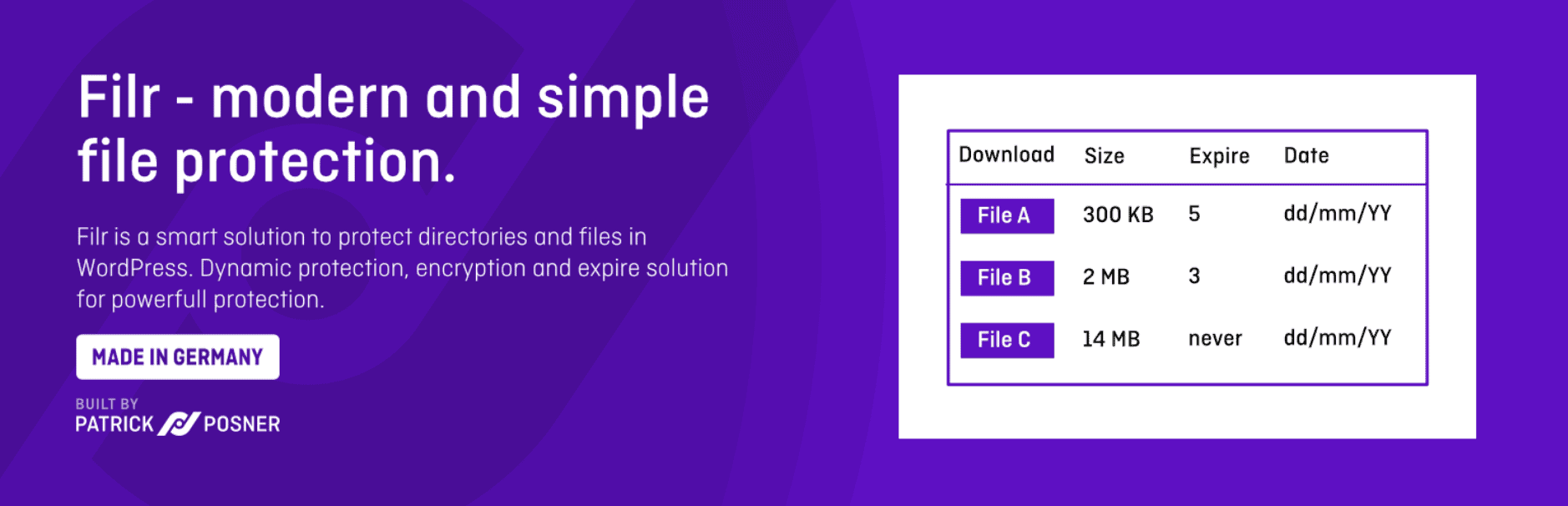
Filr is a secure document library plugin from WP Chill, the team behind Download Monitor. It has 700+ active installs and a 4.6 out of 5 rating, and it was updated in October 2026.
You create each file in the dashboard, assign it to a library, and display that library on any page with a shortcode. Visitors get a responsive table with search, sorting, pagination and file previews, and you choose which columns to show and adjust the colors and labels. It works with WPML and Polylang for multilingual sites.
Filr is built around keeping files safe, and most of that is in the Pro version. Filr Pro protects your upload folder so files cannot be opened through a direct link or found by search engines, and it creates encrypted download links that check permissions first. You can restrict files by user role or email address, make them expire after a date or a number of downloads, organize them in folders, and let users upload files from the front end. Uploading several files at once creates a zip automatically, with optional password protection.
Here is what to weigh. The free version is fairly basic, and some reviewers say it does not do much without Pro. The library is a table only, with no grid view or file thumbnails. Setup also takes some care, so less technical users should plan to read the documentation.
Verdict: The best pick for private documents, such as member files, client downloads or internal resources that must not be public.
Key features:
- Responsive library table with search, sorting and pagination
- File previews
- Custom columns, colors and labels
- Shortcode for any page
- WPML and Polylang support
- Protected upload folder and encrypted download links (Pro)
- Expiry by date or number of downloads (Pro)
- Restrict files by user role or email (Pro)
- Folders and front-end uploader (Pro)
- Automatic zip files with password protection (Pro)
Pricing: Free on WordPress.org. Filr Pro costs $49 a year for 1 site, $89 for 3 sites and $299 for unlimited sites. Lifetime plans cost $149, $269 and $699. 14-day refund period.
Best for: Membership sites, client portals and businesses that need to control who downloads each file.
6. EmbedPress

EmbedPress by WPDeveloper is an embedding plugin with 100,000+ active installs and a 4.8 out of 5 rating from more than 300 reviews. It was updated in October 2026.
It is not a document library in the same way as the plugins above. EmbedPress is built to show documents on the page rather than list them for download. Its PDF and Document blocks display PDF, Word, PowerPoint and Excel files in a viewer, PDFs can switch to a 3D flipbook mode, and it embeds Google Docs, Sheets and Slides and OneDrive files too.
It has moved closer to a library, though. The PDF Gallery block shows several PDFs in a grid, masonry or carousel layout, and each one opens in a popup viewer. PDF and document embeds can also show a visitor counter. EmbedPress works in the block editor, Elementor and the Classic Editor, and with shortcodes in other page builders.
EmbedPress Pro adds custom branding on embedded documents, content protection to control who can see an embed, and analytics for views and clicks.
Here is what to weigh. There is no searchable list of files, and no categories or folders for visitors to browse, so it is not a good fit for a large library. EmbedPress also covers 250+ content sources beyond documents, so you get many features you may never use.
Verdict: The best choice when visitors should read documents on your site, such as brochures, magazines or reports, rather than browse and download a big collection.
Key features:
- PDF and Document blocks with a built-in viewer
- 3D flipbook mode for PDFs
- PDF Gallery block with grid, masonry and carousel layouts
- Google Docs, Sheets, Slides and OneDrive embeds
- Visitor counter on PDF and document embeds
- Block editor, Elementor, Classic Editor and shortcodes
- Custom branding on documents (Pro)
- Content protection and analytics (Pro)
Pricing: Free on WordPress.org. EmbedPress Pro costs $69 a year for 1 site, $199 a year for unlimited sites, or $399 once for a lifetime unlimited license. At the time of writing, these were on sale for $52, $139 and $259. 14-day money-back guarantee.
Best for: Publishers, schools and marketers who want PDFs to look good on the page.
Need a Short, Hand-Picked Document List? Use a Table Plugin
Not every site needs a document management system. If you only share 10 or 20 important files, such as price lists, application forms or brochures, a full document library plugin can be more than you need.
In that case, you can build the list yourself with a table plugin like WP Table Builder, our own drag-and-drop table builder for WordPress. Add a row for each document, with columns for the name, a short description, the file type and a download button linked to the file in your Media Library. The comparison table at the top of this post was built the same way.
WP Table Builder is free on WordPress.org, with 50,000+ active installs and a 4.8 out of 5 rating. The free version includes the drag-and-drop builder, text, images, buttons and mobile-friendly layouts. WP Table Builder Pro adds search, pagination and lazy loading for longer lists, sticky headers, and an AI Assistant that edits your table from plain English requests. Pro starts at $39 a year for 1 site, with lifetime plans from $99.
The trade-off is that a table is manual. There are no folders, file previews or download stats, and you add each document yourself. It works well for a short list you update now and then. For anything bigger, a dedicated plugin from the list above is the better choice.
FAQs
What is the best WordPress document library plugin?
Document Library Pro is the best choice for most organizations. It has table, grid and folder layouts, instant search and filters, and its Advanced plan can search inside PDF files and restrict access by user role. If you want a free option, FileBird Document Library is the strongest.
Is there a free WordPress document library plugin?
Yes. FileBird Document Library and CatFolders Document Gallery are both free and create searchable libraries from your media folders. Each needs its parent folder plugin, which is also free. Document Library Lite, Filr and Download Monitor have free versions too, but their best library features are paid.
How do I make documents private in WordPress?
Files in the WordPress Media Library are public to anyone who has the link, even if the page that lists them is private. To keep documents private, use a plugin that protects the upload folder and checks permissions before each download, such as Filr Pro, Document Library Pro Advanced or Download Monitor.
Can visitors search inside PDF files?
On this list, only Document Library Pro searches the text inside PDF, Word, Excel and PowerPoint files, and only on its Advanced plan. The other plugins search file titles and details. Scanned PDFs made only of images cannot be searched by any of them.
What is the difference between a document library plugin and a PDF plugin?
A document library plugin lists many files with search, filters and download buttons, so visitors can find what they need. A PDF plugin shows one document inside a viewer on the page, so visitors can read it without downloading. EmbedPress sits closer to the second group. For more options, see our list of the best WordPress PDF plugins.
Do these plugins work with Elementor?
Yes. Document Library Pro works with any theme or page builder, EmbedPress has its own Elementor widgets, and Filr, Download Monitor and CatFolders Document Gallery all use shortcodes. FileBird Document Library also uses a shortcode in Elementor, but the free version allows only one, so you may need Pro for more libraries.
Do I need a plugin, or can I just link to my PDFs?
For a handful of files, plain links or a simple table are fine. Once you have more than 20 or 30 documents, or you update them often, a document library plugin saves time because visitors can search and filter, and the list updates when you add new files.
Conclusion
The right document library plugin comes down to two questions: how many documents do you have, and should all of them be public?
For large libraries, start with Document Library Pro. It has the best search, the most layouts and real access control. If you want something free, FileBird Document Library and CatFolders Document Gallery both turn your media folders into a tidy, searchable library.
If download stats and gated downloads matter most, choose Download Monitor. For private files, Filr keeps documents out of public reach. And if visitors should read PDFs on the page instead of downloading them, EmbedPress is the better fit.
Whichever you pick, give your files clear titles before you upload them. Good titles make search work, and they help visitors find the right document on the first try.
Are you using a document library plugin that is not on this list? Tell us about it in the comments.
Related Posts:
- Best WordPress PDF Plugins
- Best WordPress Download Manager Plugins
- Best File Upload WordPress Plugins
- Best WordPress Membership Plugins
Leave a Reply
You must be logged in to post a comment.