

Automation solutions are designed to improve productivity, save time, and reduce the potential for human error. Uncanny Automator is one of the most popular platforms, for its ability to connect and automate tasks across different software applications. But what if someone wants to use something different?
With an array of options available, choosing the right one for your WordPress website is crucial. With the ever-growing demand for the right tools, exploring the most efficient and user-friendly alternatives is essential. So, which one do you choose?
To help you with that, we’ve brought you the 5 Best Uncanny Automator Alternatives (Free & Paid). We will delve into these alternatives, providing an overview of their features and pricing options. These cutting-edge solutions offer unique features and integrations that cater to a diverse range of use cases, ensuring you can find the perfect fit for your site’s automation needs.
Let’s start, shall we?
1. Bit Integrations
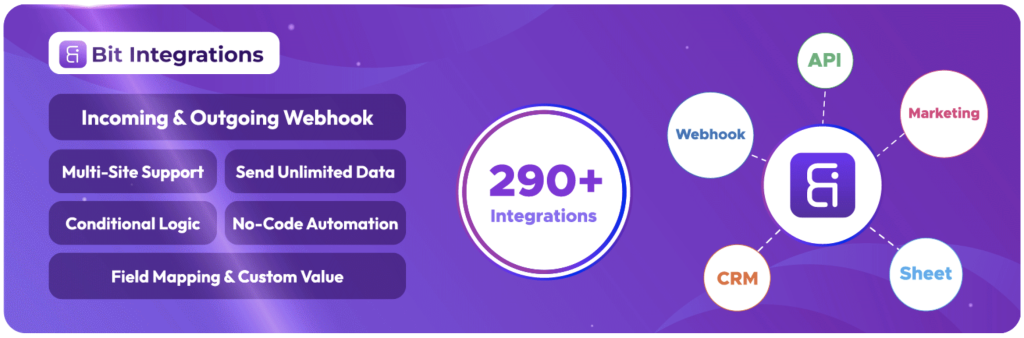
There are several plugins available in the market for WordPress automation. But if you want a plugin that makes WordPress automation advanced and powerful at an affordable price, Bit Integration is the best option to explore. It actually works like a bridge between your favorite plugins and external apps. Automating everything from lead capture to order processing, CRM updates, email notifications, and yes, even marketing tasks.
Bit Integrations supports 320+ platforms, and the Pro version even works with WP Table Builder as both a trigger and an action. It connects your WordPress site to popular platforms like spreadsheets, CRMs, email marketing tools, messaging platforms and more. Whether it’s sending new form entries to your CRM, updating inventory in Google Sheets, enrolling students in your LMS, or delivering follow-up emails, everything happens automatically in the background.
The best part? You don’t need to write a single line of code. Just choose the trigger (plugin), pick the action (platforms), and map the fields between them. You can even set advanced conditions so the right task happens at the right time. Making it a good choice if you want to automate customer communication in WordPress and optimize your entire site’s operations.
Key features
- Unlimited Workflow
- 320+ Integrations
- Advanced conditional logic
- Incoming webhook and outgoing webhook
- Custom trigger
- Custom action
- Multi-site support
- Real-time automation
- Data mapping and formatting
- Send unlimited data
- No-code automation
Price
Free version with 5 free triggers (WooCommerce, Contact Form 7, WPForms, Elementor Forms and Bit Form) | Pro starts at $39/year | Lifetime plans start at $132
2. FlowMattic
If you want an automation plugin that grows with your site without growing your bill, FlowMattic is worth a close look. It’s a WordPress automation plugin that runs workflows on your own server, so you get unlimited workflows and unlimited runs for a flat price instead of paying per task. It’s used on 12,000+ WordPress sites.
FlowMattic connects WordPress with 900+ apps, from form and membership plugins to CRMs, email marketing tools, Google Sheets, Slack and payment platforms. You build automations in a visual workflow builder: pick a trigger, add actions, map the fields, and add filters, routers, delays and conditions where you need them, all without code.
Where FlowMattic stands out is AI. You can add AI Agents to a workflow that choose and run tools to complete a task, call tools on external MCP servers as workflow steps, and add a Slack approval step when a human should check things before the workflow continues. FlowMattic also includes its own MCP server, so AI assistants like Claude, ChatGPT and Cursor can build, test and inspect your workflows for you.
Key features
- Unlimited workflows and runs at a flat price
- 900+ app and plugin integrations
- Visual, no-code workflow builder
- AI Agents and MCP client steps
- Built-in MCP server for AI assistants (Claude, ChatGPT, Cursor)
- Slack approval steps for human-in-the-loop workflows
- Incoming and outgoing webhooks, API requests and JSON parsing
- Task history with the option to re-run steps or whole workflows
- Runs on your own server, so your data stays on your site
Price
Flat-priced plans with unlimited workflows and runs, starting at $149/year for one site. You can try FlowMattic on a ready-made test site at flowmattic.com/try-now.
3. AutomatorWP

Claiming as ‘The most powerful automation plugin for WordPress’, AutomatorWP is one of the top picks as an Uncanny Automator alternative. With its impressive range of features, AutomatorWP is the ultimate automation engine for your WordPress site. By streamlining your workflows and minimizing manual intervention, AutomatorWP saves you valuable time, and empowers you to focus on your site content instead of managing technical issues.
One of the critical features of AutomatorWP is the extensive selection of triggers and actions it supports. Triggers are the events that initiate an automation workflow, while actions are the tasks that the workflow performs in response. AutomatorWP offers hundreds of triggers and actions that cover various aspects of your WordPress site, including user management, content creation, and plugin integrations. Regardless of what you may need, AutomatorWP will surely have you covered.
Plugin integration is another significant advantage of this tool. AutomatorWP is designed to work seamlessly with a vast array of popular WordPress plugins, (300+ plugins and platforms). It offers built-in integration with popular tools like WooCommerce, LearnDash, BuddyPress, and many more. This means you can create automation workflows that interact with these plugins, streamlining your website management process and making it more efficient.
Another fantastic feature of this plugin is anonymous automations. AutomatorWP allows you to create automations for anonymous users, such as visitors who still need to register on your site. This feature is handy for tasks like tracking user engagement, automating email opt-ins, and offering promotions to first-time visitors. By extending your automation capabilities to anonymous users, you can expand your audience reach and enhance user experience.
Key Features
- Offers unlimited triggers and actions.
- Features scheduled and recurring automations.
- 300+ plugin and platform integrations.
- Works amazingly with many external platforms, such as Facebook, MailChimp, Google Calender, etc.
- Features logged-in and anonymous automations.
- Offers multisite support.
- Developer friendly.
- Translation-ready plugin.
- Built-in AI Assistant to help you build and manage automations.
Price
Free | Yearly plans start at $149 (2 sites)
4. OttoKit (formerly SureTriggers)

OttoKit (formerly SureTriggers) is an automation platform that streamlines interactions between WordPress plugins, online apps, and other websites. This plugin was developed from scratch with WordPress and other third-party programs in mind; it features a sleek, user-friendly UI, is exceptionally lightweight and quick to load, and has seamless integration with tons of plugins and apps. Connecting your apps and automating tedious tasks has never been easier.
OttoKit’s sophisticated “visual canvas editor” is one of its most distinctive features. With a few clicks of the mouse, all of your automations can be constructed visually, by simply dragging and dropping triggers and actions onto a canvas. As a result, you can understand how your workflow’s elements interact with one another, and make any necessary adjustments or additions, without resorting to any form of coding.
OttoKit’s integration library of 1,500+ apps makes linking the platform with your preferred software and services simple. It can integrate virtually any two pieces of software together, be it a project management program and a billing software, or a customer relationship management solution and an email marketing platform. With a few mouse clicks, you can set up automations that perform the heavy lifting for you, and accomplish more tasks in less time.
The schedule is another vital feature of this plugin. You can build up repeating plans with this function, so that your automations will run regularly at predetermined breaks, or you can specify a particular date and time. The timetable can be adjusted on a daily, weekly, monthly, or annual basis to suit your site’s requirements. You can use this to set up recurring schedules for activities that must be completed regularly.
Unlike the other tools on this list, OttoKit runs your workflows in the cloud and connects to WordPress through its plugin. Plans are based on tasks, where each action a workflow completes counts as one task. Every plan includes an MCP server, and paid plans add AI agents.
Key Features
- Features no code visual canvas builder.
- Integrates with 1,500+ apps.
- Seamlessly integrates with various WordPress plugins, such as WooCommerce, TutorLMS, Elementor, Gravity Forms, etc.
- Allows automation between multiple WordPress sites.
- Features scheduled automation.
- Lets you customize automations by adding specific conditions.
- Offers dynamic data mapping.
- Offers delay feature to create a sense of timing.
- AI agents (paid plans) and a built-in MCP server.
Price
Free plan with 250 tasks/month | Pro starts at $9/month billed annually ($108/year) for 5,000 tasks/month | Lifetime plans start at $499
5. WP Fusion

As the last addition to our list, we’ve got the ultimate tool for WordPress and CRM integration. Seamlessly integrating your site with several CRM and marketing automation platforms, WP Fusion is an advanced plugin, which will enhance your WordPress site’s capabilities and unlock the full potential of data-driven marketing. With its robust CRM integration, advanced user management, and powerful automation features, you can maximize the user experience while optimizing your marketing efforts.
WP Fusion connects your WordPress site to 60+ CRM and marketing automation platforms, such as ActiveCampaign, Drip, HubSpot, Mailchimp, etc. With this extensive range of compatibility, you can select the platform that suits your site’s requirements perfectly. WP Fusion’s secure and reliable data sync ensures seamless communication between your site and CRM, paving the way for powerful data-driven marketing.
One of the best things about WP Fusion is that, it fully supports popular WordPress e-commerce plugins such as WooCommerce, Easy Digital Downloads, and more. On top of it, It integrates seamlessly with top LMS like LearnDash and LifterLMS. By connecting your e-commerce and LMS platforms to your CRM, WP Fusion allows you to create targeted marketing campaigns, track customer purchase history, and even automate course enrollment.
Two must mention features of this plugin are marketing automation and lead capture. WP Fusion takes your marketing to the next level by easily automating tasks and capturing leads. You can automatically apply tags, segment users based on their actions, such as form submissions or purchases, and trigger personalized email campaigns. Additionally, WP Fusion supports popular form plugins like Gravity Forms and Ninja Forms, ensuring a seamless lead capture experience.
Key Features
- Robust CRM integration.
- Marketing automation and lead capture integration.
- Fully supports popular WordPress e-commerce plugins, such as WooCommerce, Studiocart, CartFlows, etc.
- Features an intuitive field mapping system, which lets you connect user data on your site to fields inside your CRM.
- Compatible with popular page builders like Divi, Elementor, Beaver Builder, etc.
- Compatible with WPML and GTranslate for multilingual operations.
- Integrates seamlessly with top learning management systems.
- Allows Gutenberg block editor integration.
- 150+ plugin integrations on paid plans.
Price
Free (WP Fusion Lite) | Paid plans start at $297/year | Lifetime licenses start at $999
Conclusion
So, we’ve reached the end of today’s article. We hope, our exploration of the 5 Best Uncanny Automator Alternatives (Free & Paid) has given you a thorough understanding of the diverse options available for automating tasks and streamlining workflows.
Each platform offers unique features, benefits, and pricing structures. Bit Integrations is an affordable way to send WordPress data to hundreds of apps. FlowMattic suits you if you want unlimited workflows and runs on your own server, plus AI agents and MCP support. AutomatorWP is strong for automating tasks between WordPress plugins, OttoKit offers a cloud-based visual builder with a free plan, and WP Fusion is the pick for CRM and marketing automation.
Ultimately, the choice comes down to your automation goals, budget, and level of technical expertise. Considering your requirements, you can confidently select the ideal solution, allowing you to unlock new levels of productivity and efficiency.
If you liked the write-up, please share this. And if you have any comments or questions about the plugins, feel free to put them in the comment section, and we’ll get back to you in the shortest time.
Good Luck!
Affiliate Disclosure: This post contains affiliate links. That means if you make a purchase using any of these links, we will get a small commission without any extra cost to you. Thank you for your support.
Leave a Reply
You must be logged in to post a comment.