
A booking plugin sells something that runs out: a slot in someone’s day, a seat at a show, a van on a Tuesday. The visitor picks it, pays for it, and the slot disappears from the calendar before anyone on your team touches a keyboard.
WordPress cannot do this on its own. A contact form can take a message asking for an appointment, but it has no idea whether that time is already taken, and it will happily let two people ask for the same one. Anything past that needs a plugin.
The plugins below split into three camps, and picking the right camp matters far more than picking the right plugin. Some schedule a person’s time, so a customer chooses a service, a staff member, and a slot. Some sell a seat on a date, so twenty people book the same event and someone scans them in at the door. Two turn a product into a bookable item inside an existing store. A tool built for one of those jobs will fight you if you ask it to do another.
Quick answer: For most service businesses, Booknetic is the best WordPress booking plugin, because it covers the whole appointment workflow and starts at $45 a year with a lifetime option. Eventnetic is the better pick if you sell tickets to dated events and want to keep every cent of the ticket price. The Events Calendar is the one to start with if you want a free events calendar before you spend anything. And if your site is already a WooCommerce store, Bookings and Appointments for WooCommerce (the lower price, with staff scheduling) or WooCommerce Bookings (the official extension) saves you from running a second system.
Below, I break down all 10, including what each one costs, what the free version actually does, and who it is best for. All prices were checked on 14 September 2026.
Quick Comparison
PLUGIN | BEST FOR | PAYMENT SUPPORT | PRICING |
1. Booknetic | Multi-staff appointment businesses that want one plugin for everything | Offline only on Basic; Stripe, PayPal and WooCommerce from Standard; 10 gateways on Elite | Free, Pro from $49/year |
2. Eventnetic | Selling tickets to dated events without paying commission | Cash and offline on free; Stripe, PayPal and WooCommerce on paid | Free, Pro from $99/year |
3. BookingPress | Businesses that want every gateway and add-on in one price | 22+ gateways on every paid plan; PayPal only on free | Free, Pro from $89/year |
4. Amelia | Businesses where the look of the booking form matters most | Square on Starter; Stripe, PayPal and WooCommerce from Standard | Free, Pro from $49/year |
5. LatePoint | Simple all-inclusive paid pricing and a fast setup | Stripe on free; 10+ gateways on every paid plan | Free, Pro from $79/year |
6. MotoPress Appointment Booking | Service businesses that want staff schedules and card payments on the cheapest plan | Stripe, PayPal, bank transfer and pay on-site on every paid plan; Square and WooCommerce as paid add-ons | Free, Pro from $79/year |
7. The Events Calendar | A free events calendar with a paid upgrade path | Stripe, PayPal and Square free via Tickets Commerce (2% fee); WooCommerce from Pro | Free, Pro from $49/year |
8. Bookings and Appointments for WooCommerce | Businesses that need flexible appointment scheduling, reservations, rentals, and staff management directly within WooCommerce | Supports all WooCommerce-compatible payment gateways, including Stripe and PayPal. Payment processing is handled by WooCommerce. | Paid plugin, from $149/year for a single site |
9. WooCommerce Bookings | Stores already built on WooCommerce | Every WooCommerce gateway | $249/year |
10. Simply Schedule Appointments | Solo professionals who want scheduling live in minutes | Stripe and PayPal on Professional and above | Free, Pro from $99/year |
How I Evaluated These Plugins
Booking plugins are unusually easy to get wrong, because the sticker price and the price of a working setup are often different numbers. Here is what I judged each one on:
- What it actually schedules. A person’s time, a seat on a date, or a product. This is the single biggest difference between these plugins, and no amount of features fixes a mismatch. A ticketing plugin cannot hold a hairdresser’s afternoon, and an appointment plugin cannot sell row D of a theatre.
- What the free version really gives you. Nearly every plugin here advertises a free tier, and nearly every free tier stops at the same place: taking money. I checked which gateways work without paying, and what else is held back.
- What it costs in year two. Several of these plugins publish an introductory price that renews higher. Where that happens, I have listed both numbers.
- Who takes a cut. A licence fee is not the only cost. One plugin here charges a percentage of every ticket sold on its free tier, which changes the maths for anyone selling volume.
- Setup effort for a non-developer. How long from installing to taking a real booking, without touching code.
- Support and maintenance. How long support lasts on each plan, and whether the plugin is actively updated.
Now, let’s look at each plugin in detail.
1. Booknetic
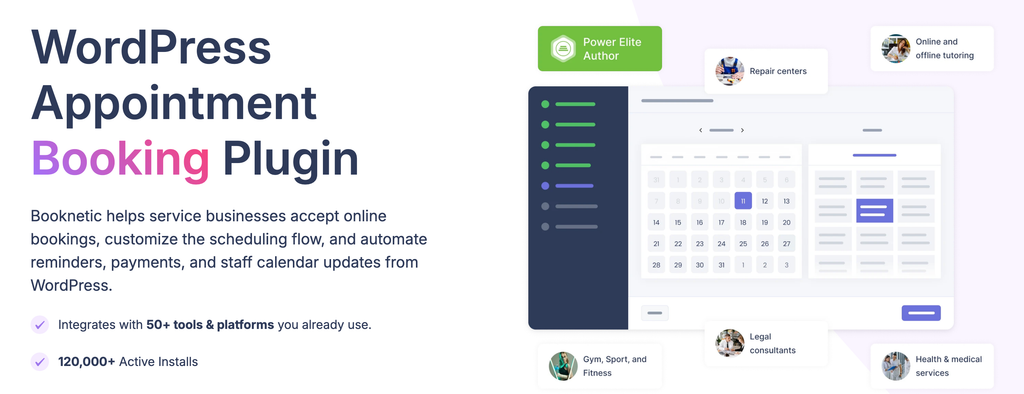
Booknetic is the most complete appointment booking system on this list, and the one to reach for when a booking involves more than one person’s diary. It has been in development since 2019, and the vendor reports more than 20,000 paying customers, with a 4.91 out of 5 rating from 471 verified reviews on CodeCanyon.
The booking flow covers the whole sequence in one session: location, staff member, service, date and time, customer details, then a cart step that shows the price, a coupon field, and the payment method before the customer commits. That cart step sounds small and is not. It removes the most common moment of hesitation, which is a customer reaching payment without knowing what they are about to be charged.
Behind that sits a Workflow module, which is the part that separates Booknetic from cheaper plugins. Instead of a fixed list of notification emails, you build your own rules: send this message two days before the appointment, that one an hour after it ends, a different one only when payment failed. Fifteen or so triggers are available, and every plan gets the module.
Every plan, including the $45 one, also includes 21 core booking features: recurring appointments, group appointments, multiple locations, deposit payments, extra services, breaks and days off, a visual translator, and RTL support. That is a genuinely broad base for the money.
Here is the limitation, and it is the one to understand before you buy: the Basic plan cannot take a card. Local and offline payment is all it offers, so it works for a business that takes cash at the counter and nothing else. Stripe, PayPal and WooCommerce start at the Standard plan, which is $99 a year, and Google Calendar sync starts there too. SMS, WhatsApp, Telegram, the waiting list, packages, and Square, Mollie and Razorpay are all Elite-only, at $299 a year. Work out which tier your business actually needs before you compare Booknetic’s entry price with anything else’s.
The other thing to know is that Booknetic is not on WordPress.org. The free version exists, but you request it from booknetic.com and it arrives by email.
Verdict: The strongest all-round WordPress appointment plugin, as long as you price the tier you need rather than the tier on the banner.
Key features:
- Complete booking flow with a cart and coupon step before payment
- Workflow automation engine for custom reminders and follow-ups, on every plan
- Recurring appointments, group appointments and multiple locations, on every plan
- Deposits and partial payments, on every plan
- Two-way Google Calendar sync from the Standard plan
- Native iOS and Android app for staff from the Standard plan
- Ten payment gateways on Elite, plus white labelling and staff commissions
Pricing: A free version is available from booknetic.com. Annual plans are $45 for Basic, $99 for Standard, $149 for Premium and $299 for Elite, currently discounted from $89, $199, $399 and $599. Lifetime licences are $99, $239, $599 and $699. Support runs 6 months on the lower two tiers and 12 months on the upper two, and there is a 14-day money-back guarantee.
Best for: Salons, clinics, studios, repair shops and any service business with several staff, several locations, or both.
2. Eventnetic
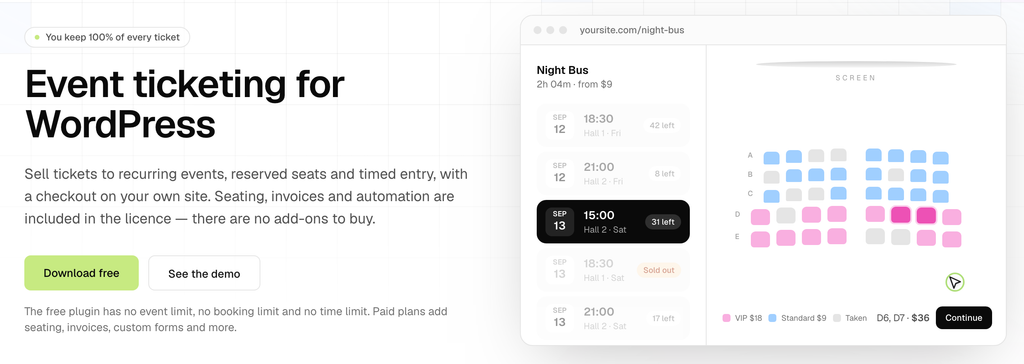
Eventnetic handles the job appointment plugins are not built for: selling a limited number of seats to something that happens on a date. If your problem is “forty tickets, Friday night, and someone on the door”, this is the shape of tool you want.
Its best idea is how it treats repeating events. A weekly pottery class is one event with a list of dates, not fifty copies cluttering your admin. Each date carries its own capacity, its own price, and its own attendee list, and cancelling one date leaves the rest alone. Anyone who has managed a term of classes in a plugin that did not work this way will recognise how much time that saves.
Seat maps work the same sensible way: the map belongs to the venue, not the event. Draw the rows, tables and stage once, and every event held there sells the same seats, with a seat booked on Friday free again on Saturday. Sections can be priced separately, so a front row and a balcony are simple rather than a workaround.
Every booking produces a PDF ticket from your own template with a QR code that admits one seat, and at the door you either scan the code or search the list by name. A booking can arrive in parts, so two of four guests can be checked in and the rest marked later. Payments go into your own Stripe or PayPal account, and Eventnetic takes no commission on any sale, which is the whole argument against a hosted ticketing platform.
The catch is the free plan. It has no event limit, no booking limit and no time limit, which is generous and unusual, but it cannot take a card. Cash and offline payments only. Seat maps, recurring dates, PDF tickets, QR check-in, invoices and the waiting list are all on the paid plans. So the free tier is a real product for a club taking money at the door, and a demo for anyone else.
The second thing to weigh is age. Eventnetic is new, and it does not have the years of edge cases behind it that The Events Calendar does.
Verdict: The right pick when you sell seats on a date and want to keep the full ticket price, with the honest caveat that selling tickets online at all means paying for a licence.
Key features:
- One event with many dates, each with its own price, capacity and attendee list
- Seat maps attached to the venue and reused across every event held there
- PDF tickets with a QR code per seat, and check-in by scan or by name
- No commission on any sale, with money going to your own Stripe or PayPal account
- Waiting list that offers the next free place automatically when someone cancels
- Numbered PDF invoices, taxes, coupons and deposits
- Fifteen automation triggers, plus Zoom, Telegram, WhatsApp, SMS and Zapier
Pricing: Free forever for one site, with unlimited events and bookings but offline payments only. Paid plans are Starter at $99 for the first year and $199 after that (1 site), Pro at $199 then $299 (5 sites), and Elite at $299 then $399 (25 sites). Lifetime licences are $199, $399 and $599. Every paid plan has the same features, and the only differences are the number of sites and the level of support. 14-day money-back guarantee.
Best for: Cinemas, theatres, live music venues, museums with timed entry, workshops, and any class that runs on a schedule.
3. BookingPress
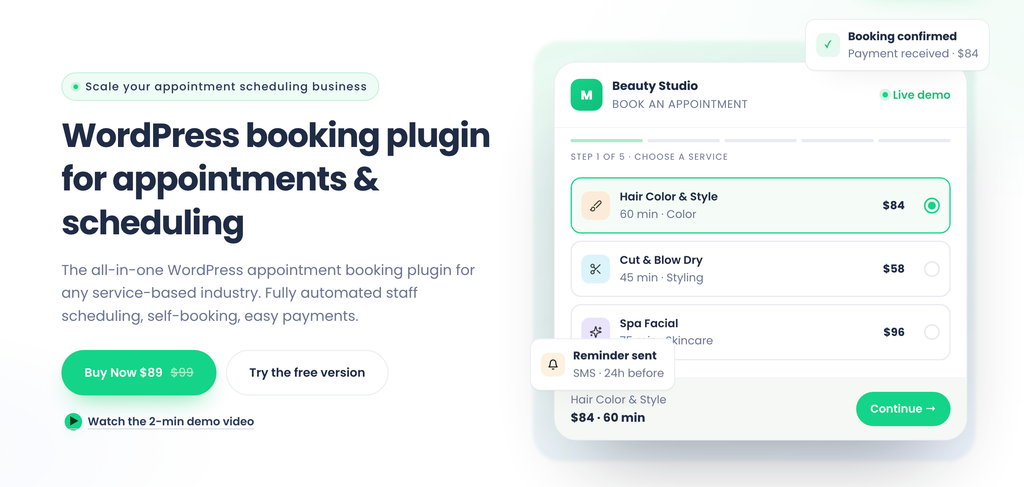
BookingPress does the same job as Booknetic and Amelia, but it prices it differently, and that difference is the reason to consider it. Every add-on the company makes is bundled into the licence. Nothing is sold separately, and no feature carries its own line item. It comes from Repute Infosystems, which has been shipping software since 2005, and the vendor reports more than 100,000 businesses across 140+ countries, with 4.5 out of 5 on Capterra and 4.6 on G2.
That bundling matters most where the other plugins here hurt. All 22+ payment gateways are included on the cheapest paid plan, which means Stripe, PayPal, WooCommerce, Square, Mollie, Razorpay, Klarna, Paystack and the rest are available at $89 a year. Compare that with Booknetic, whose $45 Basic plan cannot take a card at all, or Amelia, whose Starter plan offers Square and nothing else. If your problem is simply “I need to charge a card on my own gateway without upgrading twice,” BookingPress is the cheapest honest answer on this list.
Setup runs through a guided wizard that walks you through services, staff, working hours and payment methods in order, and the vendor puts it at 10 to 15 minutes. The admin is its own dashboard rather than a stack of WordPress settings screens, and once bookings start arriving it reports on appointments, revenue, customers and staff performance in the same place. For a non-technical owner, this is one of the easier plugins here to live in day to day.
The notification coverage is unusually broad for the money. Email, SMS, WhatsApp and Telegram reminders all sit on the entry paid plan, as do tax, invoices, deposits, coupons, tips, waiting lists, staff commission and two-way sync with Google, Outlook and Apple Calendar. On Booknetic, SMS, WhatsApp, Telegram and the waiting list are Elite features at $299 a year. That is a real gap in BookingPress’s favour, and worth checking against your own shortlist.
Here is the limitation, and it is the familiar one. The 60+ add-ons in the marketing are a Professional number, not a Standard number. Standard gives you 45+. Multiple locations, recurring appointments, service packages, gift cards, advanced discounts and multi-staff or multi-service bookings all start at Professional, which is $139 a year. So a solo practitioner is genuinely fine on $89, but a clinic with two rooms or a salon with a team is buying Professional, and should budget from there. Stripe POS, the REST API and user roles are Enterprise-only. The free Lite version is more generous than most here, with unlimited sites, unlimited appointments and services, and PayPal payments, but PayPal is the only way to take money on it. Note too that the advertised prices are discounts off higher regular prices, so check what your plan renews at before you commit.
Verdict: The best value in this roundup if you want every payment gateway and add-on included in one price rather than bought piece by piece, as long as you check whether the features you need sit on Standard or Professional.
Key features:
- 45+ bundled add-ons on Standard and 60+ from Professional, with nothing sold separately
- 22+ payment gateways included on every paid plan, including Stripe, PayPal, Square, Mollie, Razorpay and Klarna
- Free Lite version with unlimited sites, unlimited appointments and PayPal payments
- Two-way sync with Google, Outlook and Apple Calendar on every paid plan
- Email, SMS, WhatsApp and Telegram notifications on every paid plan, not gated to a top tier
- Multiple locations, recurring appointments, service packages and multi-staff booking from Professional
- Stripe POS for in-person payments, REST API and user roles on Enterprise
Pricing: A free Lite version is available on WordPress.org and from bookingpressplugin.com. Standard is $89 a year or $229 once for 1 site, Professional is $139 a year or $379 once for 3 sites, and Enterprise is $249 a year or $599 once for 20 sites. Regular prices are $99, $199 and $499, so the current figures are sale prices. Annual plans include a year of updates and support, and lifetime licences carry three years of support with lifetime updates. 14-day money-back guarantee.
Best for: Salons, clinics, tutors, consultants, repair shops and cleaning services that want every gateway and add-on included in a single price, and owners who would rather not decode a feature grid before buying.
4. Amelia
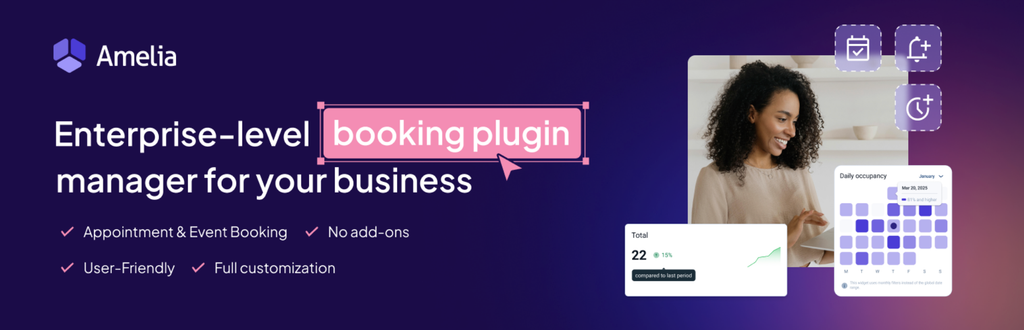
Amelia’s front end is the best-looking in this category, and for a lot of businesses that is a real reason to choose it. The step-by-step form walks a customer through service, provider, date and time, and payment in a sequence that feels designed rather than assembled, and it holds up on a phone.
The admin side was rebuilt in version 9, released at the end of 2025, and now runs as its own dashboard with a light and dark theme rather than a set of WordPress screens. Multiple staff, multiple locations and service categories are all supported, so a clinic with six practitioners across two sites is comfortably within scope.
Amelia also has a proper events module, which none of the other appointment plugins here match. Event tickets with multiple types, a waiting list and custom event fields mean a yoga studio can sell both a private session and a weekend workshop from one plugin. That module sits on the Pro tier.
The limitation is the tier ladder, and it is steeper than the entry price suggests. The Starter plan’s only payment gateway is Square, which is a problem in most of the world. Stripe, PayPal, Mollie and WooCommerce arrive at Standard. Calendar sync, video meetings, packages, resources and event tickets arrive at Pro. In practice, Pro is the tier most production sites end up on, so budget from there rather than from $49.
One more thing worth knowing: version 9 had a rough launch in late 2025, and public sentiment took a knock at the time. The releases since have settled, but if you need a long stability record on the current major version, that history is worth a look.
Verdict: The best customer-facing booking form on this list, and the only appointment plugin here with a real events module. Just price it at Pro, not at Starter.
Key features:
- The most polished step-by-step booking form in this roundup
- Rebuilt version 9 admin with its own dashboard and dark mode
- Multiple staff, multiple locations and service categories
- Events module with ticket types, waiting lists and custom fields (Pro)
- Google, Outlook and Apple Calendar sync plus Zoom, Google Meet and Teams (Pro)
- Service packages, resources and a multi-service cart (Pro)
- Lifetime licences available on Standard and above
Pricing: Amelia Lite is free on WordPress.org. Annual plans start at $49 for Starter and $89 for Standard, with Pro at $149 and Elite at $259 during the current sale (regular prices $199 and $432). Lifetime licences are available on Standard and above, starting around $299. Amelia runs frequent promotions, so check wpamelia.com for today’s figures before you budget. 15-day money-back guarantee.
Best for: Salons, spas, clinics and coaches where the booking form is part of the brand, and studios that sell both appointments and events.
5. LatePoint
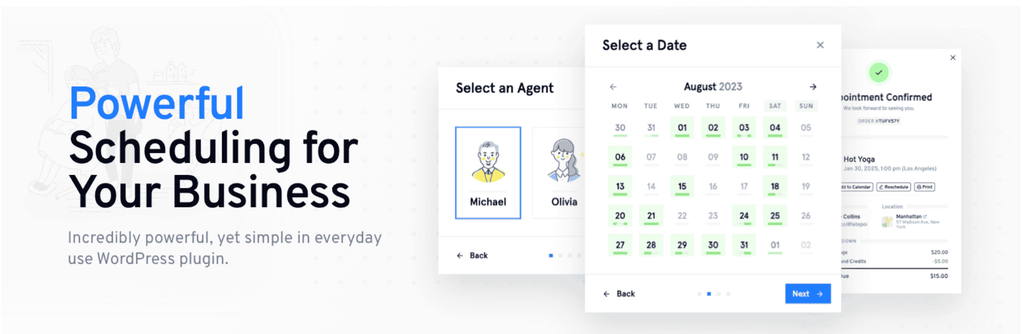
LatePoint’s pitch is that you can set it up in ten minutes, and it mostly earns that. The setup wizard walks you through services, agents and schedules in order, the admin runs as its own clean panel rather than a set of WordPress tables, and the booking form looks good with no styling work. It has more than 100,000 active installs on WordPress.org and a 4.9 out of 5 rating there.
The licensing is the simplest of anything here. Every paid plan includes every feature and every add-on. The only difference between Starter, Scale and Agency is how many sites you can activate on. If you dislike comparing feature grids, that alone is worth something.
Paid plans cover expanded gateways including PayPal, Square, Mollie, Razorpay and WooCommerce, Google Calendar and Outlook sync, SMS and WhatsApp notifications, recurring appointments, group bookings, service packages and Zoom.
The free version is thinner than its reputation suggests, and this is worth being clear about. Stripe is the only payment gateway. Google Calendar two-way sync, the customer dashboard, recurring appointments and OTP verification all sit behind the paid plans. It is a real plugin and a fair way to try the interface, but it is not a production setup for most businesses.
The other thing to note is the renewal. Starter is advertised at $79 but renews at $99, Scale at $149 renews at $249, and Agency at $299 renews at $499. The lifetime licences sidestep that entirely and are worth comparing if you plan to keep the site for more than two or three years.
Verdict: The easiest plugin here to get live and the clearest paid pricing model, held back by a free tier that is more of a trial than a plan.
Key features:
- Guided setup wizard and a self-contained admin panel
- Every paid plan includes every feature and add-on, with only the site count changing
- Live-preview booking form customiser with drag-to-reorder steps
- 10+ payment gateways bundled with any paid plan
- Google and Outlook Calendar sync, Zoom, SMS and WhatsApp on paid plans
- Native WordPress blocks plus Elementor and Bricks support
- Lifetime licences on all three tiers
Pricing: Free version on WordPress.org. Starter is $79 for the first year and $99 after (1 site), Scale is $149 then $249 (5 sites), and Agency is $299 then $499 (100 sites). Lifetime licences are $199, $399 and $599. 14-day money-back guarantee.
Best for: Solo practitioners and small studios that want a modern booking widget live today, and agencies that want one price covering everything.
6. MotoPress Appointment Booking
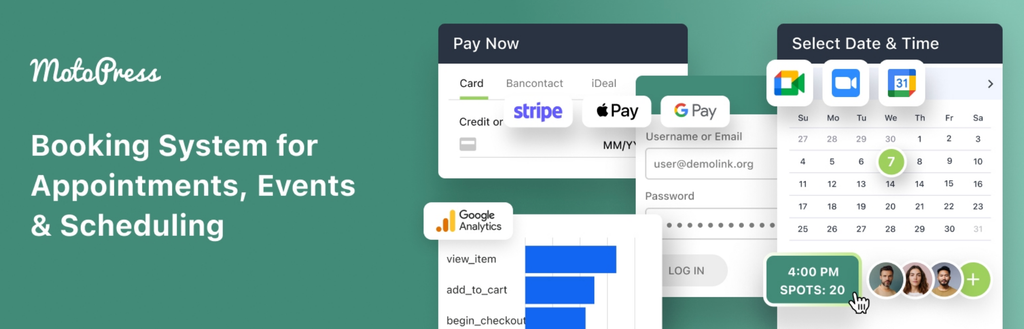
MotoPress Appointment Booking is built for service businesses that need a proper scheduling system. Salons, clinics, tutors, coaches, fitness studios and other appointment-based businesses can use it to manage services, employees, locations and working schedules.
The booking flow is straightforward. A customer chooses a service, location and employee, selects an available date and time, enters their details and checks out. You can also let people add several services to the same booking.
Where MotoPress gets more useful is in the scheduling itself. Every employee can have an individual timetable with working hours, breaks, days off and irregular working days, while services can have their own duration, price and capacity. Group reservations let several customers book the same time slot, which makes the plugin workable for classes, workshops and other capacity-based activities as well as ordinary appointments.
Payments are already part of the core plugin rather than something you have to unlock with a higher licence. It supports Stripe, PayPal, direct bank transfer and payment on arrival, with full or deposit payments. Stripe can also expose the payment methods available through your Stripe account, including options such as Apple Pay, Google Pay, and Link.
There is also native Google Calendar integration for employees, but this is worth understanding correctly before you compare it with plugins advertising two-way calendar sync. Website appointments are pushed to the employee’s Google Calendar and updated there when you change them in WordPress, but changes made directly in Google Calendar do not flow back into the booking system.
The main limitation is that some of the more specialised functionality is sold as add-ons rather than included in the $49 plugin. SMS through Twilio, custom checkout fields, PDF invoices, Square, Google Analytics, WooCommerce payments, and automatic Zoom or Google Meet meeting creation are separate extensions. MotoPress does bundle the plugin with seven add-ons for $99 a year on one site, though, which makes much more sense if you already know you need several of them.
Verdict: A strong middle-ground appointment plugin for businesses that want staff schedules, locations, and online payments in the core product without paying for a large all-in-one platform.
Key features:
- One-to-one and group appointment booking with configurable capacity
- Individual employee schedules with working hours, breaks, days off and custom working days
- Multiple employees, services and business locations
- Multiple services bookable in one checkout
- Stripe, PayPal, bank transfer and pay-on-site payment options
- Full payments and deposits
- Discount coupons
- Customer accounts and booking history
- Employee Google Calendar sync
- Custom service price, duration and capacity depending on the employee
- Optional add-ons for WooCommerce payments, Square, Twilio SMS, custom checkout fields, PDF invoices, Google Analytics, Zoom and Google Meet
Pricing: The core Appointment Booking plugin costs $49 a year for 1 site, $99 a year for up to 25 sites, or $149 once for a 1-site lifetime licence. The Appointment Booking + 7 Addons bundle starts at $99 a year for 1 site or $199 for a 1-site lifetime licence.
Best for: Salons, spas, clinics, tutors, coaches, consultants, trainers, schools and other service businesses that need online scheduling.
7. The Events Calendar
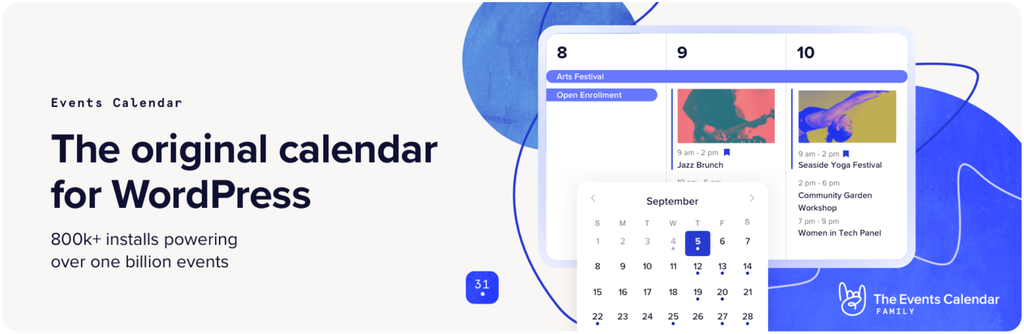
The Events Calendar is the most installed event plugin in WordPress, with more than 600,000 active installs, and the free core plugin is genuinely useful on its own. It creates event listings, shows them in month, list and day views, keeps venue and organiser records, and handles event search with Google Maps.
Its companion plugin, Event Tickets, is also free, and this is where a common misconception needs clearing up. You can sell paid tickets without buying anything. The built-in Tickets Commerce system connects to Stripe, PayPal or Square and processes real payments on the free plugin. What it costs you is a 2% commission on every sale, which is waived once you hold an Event Tickets Plus licence. So the free route is not payment-free, it is licence-free, and which of those is cheaper depends entirely on how many tickets you sell.
Paid plans are sold as bundles through StellarWP, a Liquid Web brand. Essentials adds recurring events and the advanced calendar views, Pro adds WooCommerce integration and QR code check-in, and Elite adds reserved seating with custom seat maps plus email marketing tools.
The limitation is price. At $259 a year, Essentials is the most expensive entry point on this list by a wide margin, and recurring events, which many sites consider basic, live behind it. There is also no lifetime option at any tier.
Verdict: The safest free starting point for an events site, and the most expensive paid one. Start free, and only upgrade when a specific feature is blocking you.
Key features:
- Free core calendar with month, list and day views, venues and organisers
- Free Event Tickets companion that sells paid tickets via Stripe, PayPal or Square
- The largest add-on ecosystem and community of any WordPress event plugin
- Recurring events and advanced views from Essentials
- WooCommerce integration and QR code check-in from Pro
- Reserved seating with custom seat maps from Elite
- Long track record and steady maintenance
Pricing: The Events Calendar core and Event Tickets are both free on WordPress.org, with a 2% commission on tickets sold through Tickets Commerce. Paid plans are Essentials at $259 a year, Pro at $399 and Elite at $599. No lifetime option.
Best for: Community calendars, venues and organisations that want a free, well-supported events listing first and will pay later if volume justifies it.
8. Bookings and Appointments for WooCommerce
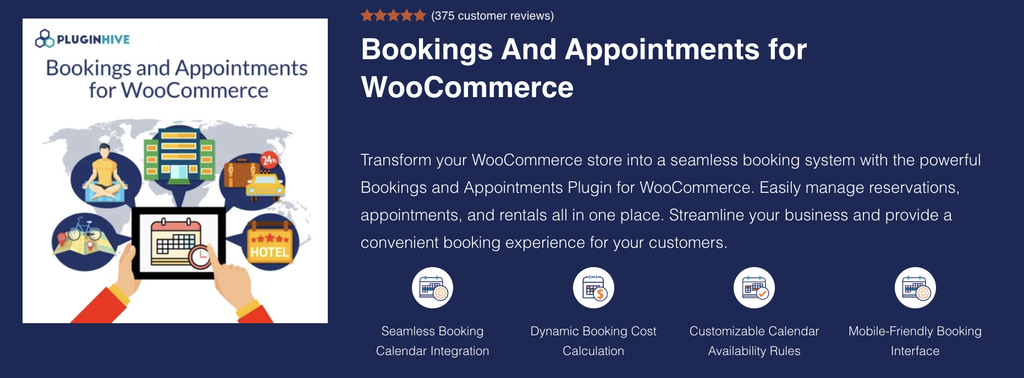
Bookings and Appointments for WooCommerce by PluginHive is one of the best WooCommerce booking plugins for businesses that want to sell appointments, reservations, rentals, classes, tours, and other time-based services through their online store. It turns WooCommerce products into bookable services and gives businesses control over availability, schedules, pricing, customers, and bookings from a single dashboard.
The plugin supports different booking models, including bookings by minutes, hours, days, or months. Store owners can configure fixed or flexible booking durations, availability schedules, buffer periods, participants, resources, and pricing rules based on their business requirements. This makes it suitable for everything from simple appointments to more complex rental and reservation businesses.
One of its biggest advantages is its support for advanced booking requirements. Businesses can offer recurring bookings for repeat appointments or classes, while the Multiple Non-Adjacent Bookings option allows customers to select separate dates or time slots within a single order. These features can be particularly useful for classes, consultations, rentals, training sessions, and other services where customers need to book multiple occurrences.
PluginHive also works well for businesses that need integrations beyond basic scheduling. Dokan integration allows WooCommerce marketplaces to offer bookable products from multiple vendors, while Zoom integration supports online appointments, consultations, classes, and meetings. The plugin is also WPML compatible, making it suitable for multilingual WooCommerce websites.
For calendar management, the plugin provides two-way Google Calendar synchronization, along with Microsoft Outlook and iCalendar support. This helps businesses keep their booking schedules organized across their WooCommerce store and external calendars.
The plugin can also be extended with PH Deposits for WooCommerce and PH Product Add-ons for WooCommerce, allowing store owners to handle deposits, partial payments, and additional booking options alongside their reservations.
Verdict: Bookings and Appointments for WooCommerce is a strong choice among WooCommerce booking plugins for businesses that need more than basic appointment scheduling. Its combination of recurring and non-adjacent bookings, marketplace support, online meeting integration, multilingual compatibility, and calendar synchronization makes it well suited to both simple and advanced booking businesses.
Key features:
- Recurring bookings for repeat appointments and sessions
- Multiple non-adjacent bookings in one order
- Dokan integration for multi-vendor booking marketplaces
- Zoom integration for virtual appointments and meetings
- WPML compatibility for multilingual stores
- Two-way Google Calendar synchronization
- Microsoft Outlook and iCalendar support
- Compatible with PH Deposits and PH Product Add-ons
Pricing: $149/year for a single site, including one year of updates and support. A 30-day money-back guarantee is also available.
Best for: Businesses using WooCommerce for appointments, hotel bookings, consultations, rentals, classes, tours, healthcare services, online sessions, accommodation, and other services that require flexible booking and scheduling.
9. WooCommerce Bookings

WooCommerce Bookings is the official bookings extension from the WooCommerce team, and it answers one question better than anything else here: how do I sell a bookable thing alongside the products I already sell?
It turns a standard WooCommerce product into a bookable item, so the customer picks dates or times and checks out through the normal WooCommerce cart. Every gateway you already run works with no extra configuration, coupons and taxes behave exactly as they do on everything else in the store, and bookings appear in the same orders list as the rest of your sales.
It supports both time-based and date-based booking, which means it covers a two-hour lesson and a four-night stay with the same tool. Resources are its strongest concept: define rooms, equipment, vehicles or people with their own availability, attach them to bookable products, and the system prevents double-booking across services. Availability rules can be set at store, product and resource level, which handles genuinely awkward scenarios.
The limitations are real and worth listing. There is no free version. WooCommerce is a hard dependency, so this is not an option for a site that does not already run a store. Deposits and partial payments are not included and need a separate extension. And per-person staff scheduling, where each team member has their own diary, is not really what resources are for, so a multi-practitioner clinic will be happier with a dedicated appointment plugin.
Verdict: The right architecture when bookings need to share a cart with products, and the wrong tool for anything else.
Key features:
- Bookable items are real WooCommerce products, with the standard cart and checkout
- Every WooCommerce payment gateway works with no extra setup
- Time-based and date-based booking modes in one extension
- Resource management for rooms, equipment, vehicles and spaces
- Availability rules at store, product and resource level
- Custom pricing rules for weekends, group sizes and early bookings
- Maintained by the WooCommerce team, so compatibility tracks core releases
Pricing: $249 a year for a single site, including one year of updates and support. No free version. 30-day refund window.
Best for: Equipment hire, rentals, tours, venues and any existing WooCommerce store where a customer might book a service and buy a product in the same order.
10. Simply Schedule Appointments
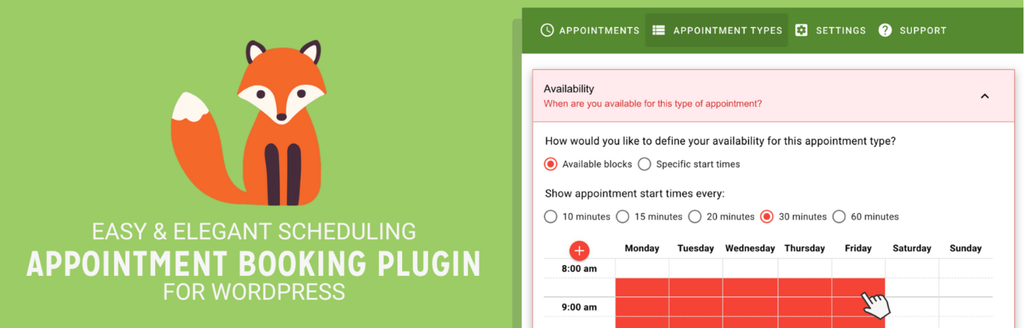
Simply Schedule Appointments is the fastest plugin here to get from install to a working calendar. Its onboarding wizard is the best in this roundup, the admin feels like a small app rather than a settings screen, and the booking flow has a Calendly-like simplicity that suits a consultant selling one kind of meeting.
The free Basic edition is more useful than most free tiers. It gives you unlimited appointment types and unlimited appointments, blackout dates, customisable notification emails, and integration with Elementor, Divi, Beaver Builder and Gravity Forms. For someone who books discovery calls and collects payment separately, that is a finished product rather than a trial.
Paid tiers layer on capability in a clear order. Plus adds Google Calendar sync, Zoom, Google Meet, group bookings and time-triggered reminders. Professional adds Stripe and PayPal payments, Twilio SMS and webhooks.
The limitations cluster around teams and licensing. Team scheduling and resource booking are gated to the Business edition at $399 a year, so despite what a quick scan of the feature list suggests, this is not an affordable multi-staff plugin. Every paid tier covers exactly one site. There is no lifetime licence at any level, and the advertised prices are introductory: Plus renews at $129, Professional at $249 and Business at $499.
Verdict: The best free plan for a solo professional and the quickest setup on this list, but the price climbs sharply the moment a second person needs a diary.
Key features:
- The best onboarding wizard in this roundup
- Free Basic edition with unlimited appointment types and unlimited appointments
- Strong page builder support: Elementor, Divi, Beaver Builder and Gravity Forms
- Google Calendar two-way sync, Zoom and Google Meet from Plus
- Stripe and PayPal payments plus Twilio SMS from Professional
- Team scheduling and resource booking from Business
- Clean, modern admin that suits non-technical users
Pricing: Free Basic edition on WordPress.org. Plus is $99 for the first year and $129 after, Professional is $199 then $249, and Business is $399 then $499. Every paid tier covers one site, and there is no lifetime option. 30-day money-back guarantee.
Best for: Consultants, coaches, tutors and solo practitioners who need a clean booking page today and do not need to schedule a team.
FAQs
What is a WordPress booking plugin?
A booking plugin lets visitors reserve something with limited availability directly on your site: an appointment slot, a seat at an event, or a rentable item for a set of dates. It checks availability in real time, takes payment, confirms the booking automatically, and removes that slot so nobody can double-book it. WordPress has no built-in way to do this, which is why every option here is a plugin.
Which WordPress booking plugin is best in 2026?
For appointment-based service businesses, Booknetic covers the most ground, with the full booking workflow on every plan and prices from $45 a year or $99 once. For selling tickets to dated events, Eventnetic takes no commission and handles recurring dates and seat maps properly. For a free starting point, LatePoint and Simply Schedule Appointments both have real free versions on WordPress.org, and The Events Calendar is the free option for events.
What is the difference between a booking plugin and an event ticketing plugin?
A booking plugin schedules a person’s time: a customer picks a service, a staff member and a slot, and that slot belongs to them alone. A ticketing plugin sells a limited number of places at one moment in time: forty people book the same 8pm showing, each gets a ticket, and someone checks them in at the door. Booknetic, Amelia, LatePoint and Simply Schedule Appointments do the first. Eventnetic and The Events Calendar do the second.
Is there a genuinely free WordPress booking plugin?
Yes, with one thing to watch. LatePoint, Amelia Lite, Simply Schedule Appointments, The Events Calendar and Eventnetic all have real free versions, and Booknetic has one available from its own site. The pattern across almost all of them is that taking a card payment is where the free tier stops. LatePoint’s free version does Stripe only, Eventnetic’s free plan takes cash at the door but not cards, Simply Schedule Appointments needs the Professional tier for payments, and Amelia Lite is limited. The exception is The Events Calendar, whose free Event Tickets plugin does process card payments, in exchange for a 2% commission.
Can I take payments without paying a commission on bookings?
Mostly yes. Every plugin here except The Events Calendar’s free tier sends money straight from the customer to your own Stripe, PayPal or WooCommerce account, and the plugin takes nothing. You still pay your payment processor, usually around 2.9% plus a fixed amount per transaction, and that cost exists no matter which plugin you choose. The commission worth watching for is the platform’s own cut, which is what makes hosted ticketing services expensive at volume.
Which booking plugin is best for a business with several staff members?
Booknetic, Amelia and LatePoint all handle multiple staff with separate schedules on their paid plans. Booknetic includes multiple locations on every tier, which matters if your team works across more than one site. Simply Schedule Appointments only offers team scheduling on its $399 Business edition, so it is a poor fit for teams despite being excellent for individuals. If your site already runs WooCommerce, Bookings and Appointments for WooCommerce also lets you add staff members with their own availability and pricing.
Do I need WooCommerce to accept booking payments?
No. Booknetic, Amelia, LatePoint, Eventnetic and Simply Schedule Appointments all connect directly to Stripe or PayPal on the appropriate plan and do not need WooCommerce at all. They can use it if you already have it. Bookings and Appointments for WooCommerce and WooCommerce Bookings are the only plugins here that genuinely require WooCommerce, because bookable items are WooCommerce products.
Are annual or lifetime licences better value?
Work out the three-year cost before you decide, and use renewal prices rather than introductory ones. Several plugins here advertise a first-year discount that rises sharply afterwards: LatePoint Starter goes from $79 to $99, Eventnetic Starter from $99 to $199, and Simply Schedule Appointments Plus from $99 to $129. A lifetime licence usually pays for itself somewhere between year two and year four. The risk is that a lifetime licence depends on the company still being there, which favours products with a longer track record.
Will my bookings stop working if I let the licence expire?
On every plugin here, no. The plugin keeps running and existing bookings stay intact. What stops is updates, support and access to new features. That said, running an unpatched plugin that handles payments and customer data is a security problem rather than a saving, so treat renewal as part of the running cost rather than optional.
What should I check before I buy?
Three things. Which tier includes the payment gateway you actually use, since this is where most buyers get caught. What the price is on renewal, not on the banner. And how long support lasts, which ranges from 6 months to lifetime across the plugins here.
Conclusion
The right booking plugin comes down to one question: what exactly are you selling?
If you are selling somebody’s time, you want an appointment plugin. Booknetic is the most capable of them, Amelia has the best-looking front end, LatePoint is the fastest to set up with the simplest paid pricing, and Simply Schedule Appointments is the best free option for a single person working alone.
If you are selling a seat on a date, you want a ticketing plugin. Eventnetic is the stronger product for recurring dates, seat maps and commission-free sales, while The Events Calendar is the safer free starting point with a much larger community behind it.
And if your site is already a WooCommerce store, check Bookings and Appointments for WooCommerce and WooCommerce Bookings before you install anything else. Bookings that live inside the cart you already run will save you more time than any feature comparison suggests.
Whichever you pick, price the tier you actually need, not the one on the banner, and compare renewal prices rather than first-year offers. That one habit changes which plugin looks cheapest more often than any feature does.
If you are running a booking plugin that is not on this list, tell us about it in the comments.
Related Posts:
- Best WordPress PDF Plugins
- Best WooCommerce Barcode & QR Code Plugins
- Best WordPress PayPal Plugins
- Best WordPress WhatsApp Plugins
- Best Google Map Plugins for WordPress
- Best Zoom Meeting Plugins for WordPress
Leave a Reply
You must be logged in to post a comment.