

Do you want to import files from spreadsheets?
If yes, you are in luck. WP Table Builder has an ‘Import‘ option that lets you import files and show them in the table format.
It’s very easy. All you have to do is follow some simple steps.
Importing CSV/XML Files via WP Table Builder #
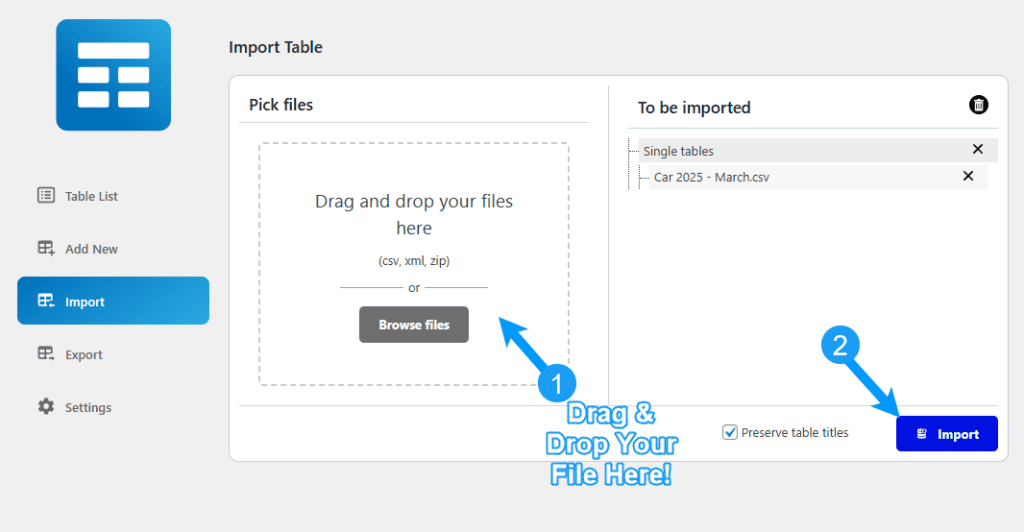
First, go to your WordPress dashboard and click ‘Import’ from the ‘WP Table Builder’ menu.

Then, drag and drop the CSV file or browse it from your desktop (1). Once the file is uploaded, click the ‘Import’ button (2).
That’s it. The table is imported.
Click ‘Table List’ (1) from the ‘WP Table Builder’ menu. And you will find the imported table there.

You can edit the table from there.
This is how you can import files via WP Table Builder. If you have any questions, feel free to ask us via comment.


