
Quick Answer
Go to WP Table Builder > Settings > Version Control, choose an earlier version from the Install menu and click Install [version]. WP Table Builder replaces the current plugin files with that version. Back up your site first, and update again once the problem is fixed.
Rolling back means installing an older version of WP Table Builder. Use it only when a new release causes a problem on your site and you need a quick fix while you contact support.
Requirements #
| Item | Details |
|---|---|
| Plan | Free and Pro |
| User role | Administrator |
| Before you start | A full backup of your site |
| Time needed | About 2 minutes |
Step 1: Back up your site #
Older versions may be less stable or less secure, and the plugin shows this warning on the page. Make a full backup with your host or a backup plugin before you roll back.
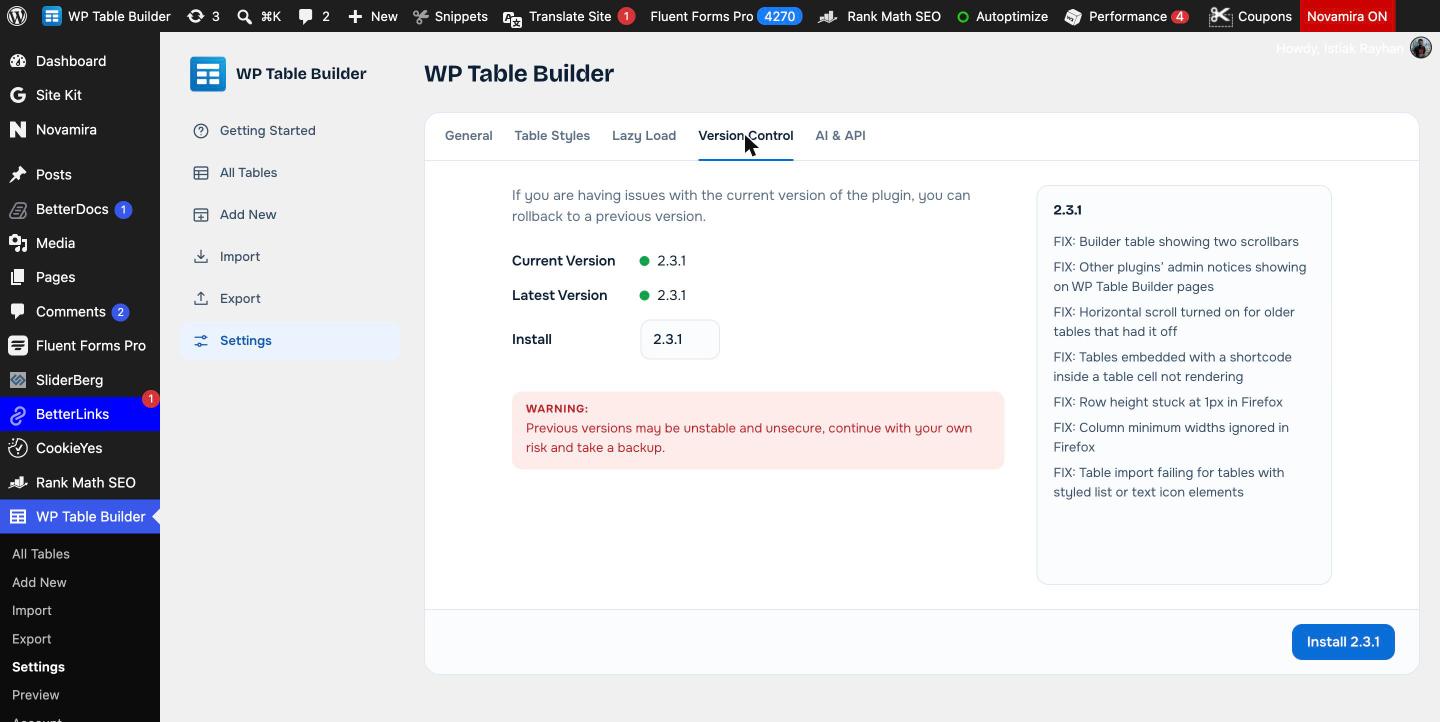
Step 2: Choose the version #
- Go to WP Table Builder > Settings.
- Open the Version Control tab.
- Check Current Version and Latest Version.
- Open the Install menu and pick the version you want. The changelog on the right shows what changed in that version.
Step 3: Install it #
- Click the Install [version] button in the bottom right.
- Wait for the installation to finish, then reload the page and check your tables.
After the rollback #
- Tell DotCamp support what went wrong, with your WordPress, PHP and WP Table Builder versions.
- If you use WP Table Builder Pro, keep the free plugin and Pro on compatible versions. Since 2.3.0, Pro deactivates with a notice if the free plugin is older than it supports.
- Update to the latest version again as soon as the fix is released.
Frequently asked questions #
How do I downgrade WP Table Builder?
Go to WP Table Builder > Settings > Version Control, choose an earlier version in the Install menu and click Install. Back up your site first.
Will rolling back delete my tables?
Rolling back replaces plugin files, not your tables. Tables created or edited with features that only exist in a newer version may not display correctly in an older one, so always keep a backup.
Why did WP Table Builder Pro deactivate after I rolled back?
WP Table Builder Pro 2.3 and later deactivates itself with a notice when the free plugin is older than it supports. Update the free plugin again, or roll Pro back to a matching version.


