
Quick Answer
Open the table in the builder, go to the Settings tab, open the Pagination section and turn on Enable pagination. Set Rows Per Page, optionally turn on Dynamic Rows Per Page so visitors can choose how many rows to see, then click Save. Table pagination is a WP Table Builder Pro feature.
Table pagination splits a long WP Table Builder table into pages, with page controls under the table. It keeps long tables (price lists, directories, schedules) short on the page and easier to scan.
Requirements #
| Item | Details |
|---|---|
| Plan | WP Table Builder Pro |
| Plugin version | WP Table Builder and WP Table Builder Pro 2.3.0 or later |
| Table size | Useful for tables with more rows than you want to show at once |
| Time needed | About 1 minute |
Pagination settings #
| Setting | What it does |
|---|---|
| Enable pagination | Turns pagination on for this table |
| Rows Per Page | How many rows each page shows |
| Dynamic Rows Per Page | Adds a Show [number] rows box under the table so visitors can change the number of rows per page |
Step 1: Open the Pagination settings #
- Go to WP Table Builder > All Tables and click Edit under your table.
- Click the Settings tab in the left panel.
- Type
paginationin Search settings, or scroll down to the Pagination section.
Step 2: Turn on pagination #
- Turn on Enable pagination.
- Enter a number in Rows Per Page, or drag the slider.
- Turn on Dynamic Rows Per Page if you want visitors to pick the number of rows.
- Click Save.
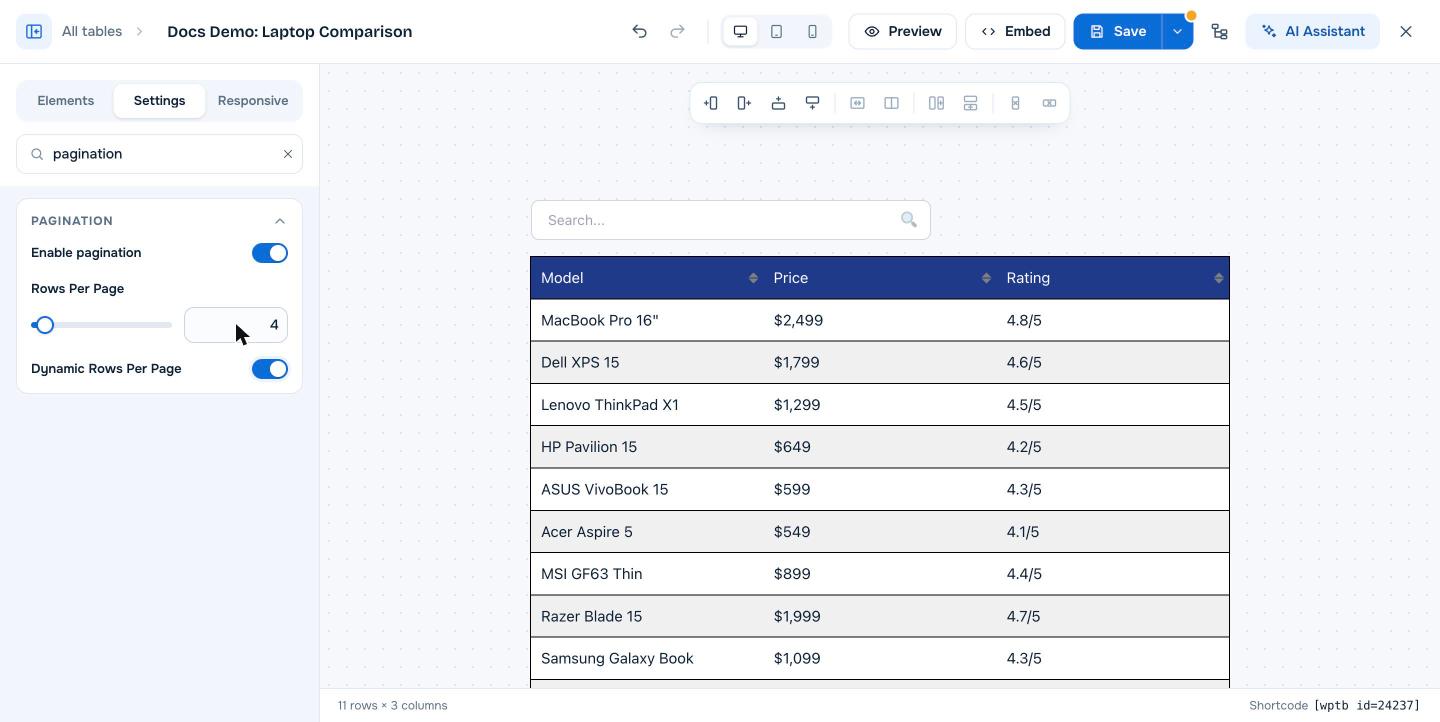
The builder always shows every row so you can keep editing. Pagination appears on the live page and in Preview.
How pagination looks on your site #
Visitors see first, previous, next and last buttons with a Page 1 of 3 label under the table. With Dynamic Rows Per Page on, a Show [number] rows box appears on the left.
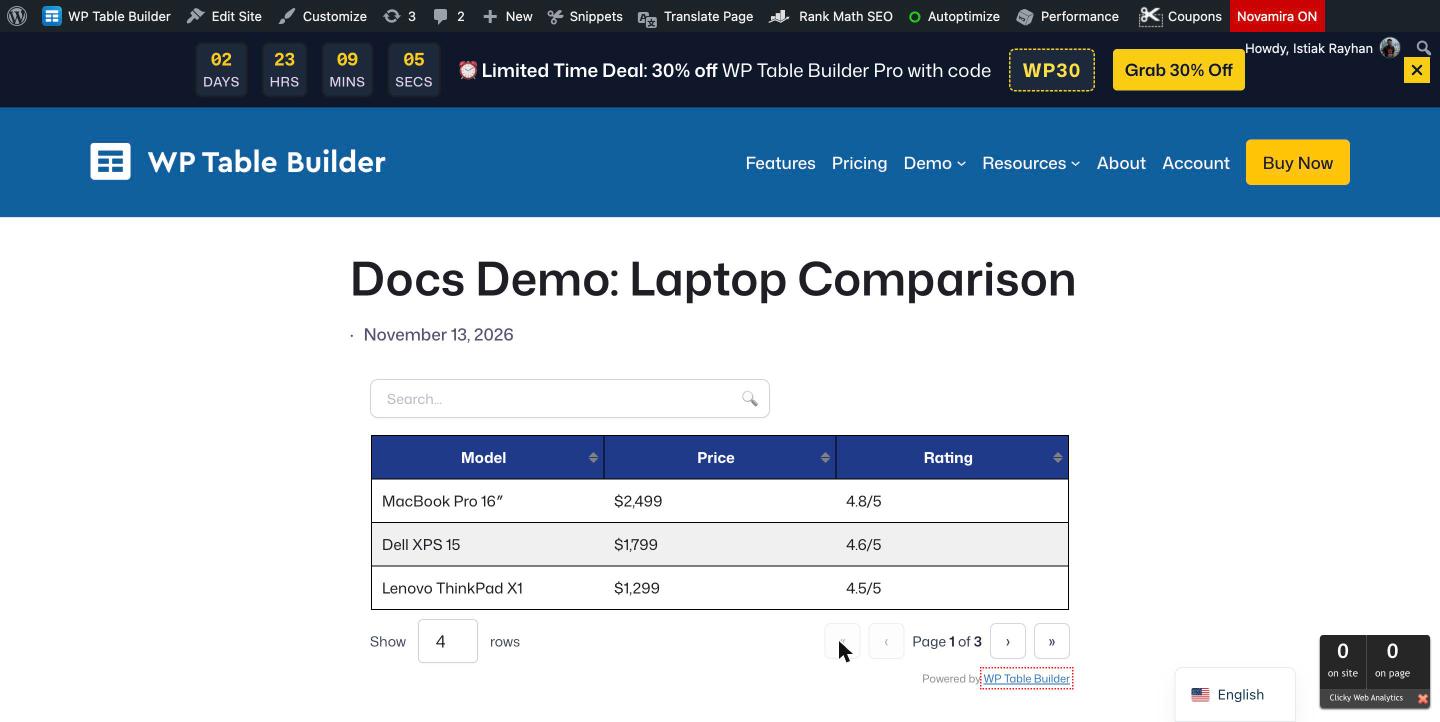
Note: In WP Table Builder 2.3.1, Rows Per Page counts every row, including the header row on the first page. If you want 10 product rows plus the header on page 1, set Rows Per Page to 11.
Use pagination with search and sorting #
Pagination works together with table search and sorting. When a visitor searches, the page controls update to show only the matching rows.
Frequently asked questions #
Does WP Table Builder support table pagination?
Yes. WP Table Builder Pro adds pagination to any table. Turn on Enable pagination in the table’s Settings tab and set the number of rows per page.
Can visitors choose how many rows to see?
Yes. Turn on Dynamic Rows Per Page. A Show [number] rows box appears under the table, and visitors can type how many rows they want per page.
Why does the builder still show all rows?
The builder always shows the full table so you can edit every row. Use Preview or view the published page to see the pagination.
Is pagination available in the free version of WP Table Builder?
No. Pagination is a WP Table Builder Pro feature.
Does pagination hurt SEO?
No. Pagination is applied in the visitor’s browser. All rows are still in the page HTML, so search engines and AI crawlers can read the full table.


