
Quick Answer
Open the table in the builder, go to the Settings tab, open the Search section and turn on Enable search. Keep Keep top row as header on so the header stays visible while visitors search, choose Left or Right for Search Bar Position, and click Save. A search box appears above the table and filters rows as visitors type. Table search is a WP Table Builder Pro feature.
Table search adds a live search box above a WP Table Builder table. As a visitor types, the table hides every row that does not contain the search text. It helps readers find one product, plan or entry in a long table.
Requirements #
| Item | Details |
|---|---|
| Plan | WP Table Builder Pro |
| Plugin version | WP Table Builder and WP Table Builder Pro 2.3.0 or later |
| Time needed | About 1 minute |
Search settings #
| Setting | What it does |
|---|---|
| Enable search | Shows a search box above the table |
| Keep top row as header | Keeps the first row visible during a search, so column names stay on screen |
| Search Bar Position | Places the search box on the Left or Right above the table |
Step 1: Turn on table search #
- Go to WP Table Builder > All Tables and click Edit under your table.
- Click the Settings tab in the left panel.
- Type
searchin Search settings, or scroll down to the Search section. - Turn on Enable search.
Step 2: Set the header and position #
- Leave Keep top row as header on if your first row contains column names. Turn it off if your first row is a normal data row.
- Choose Left or Right under Search Bar Position.
- Click Save.
The search box also appears in the builder, so you can see where it sits.
How table search works for visitors #
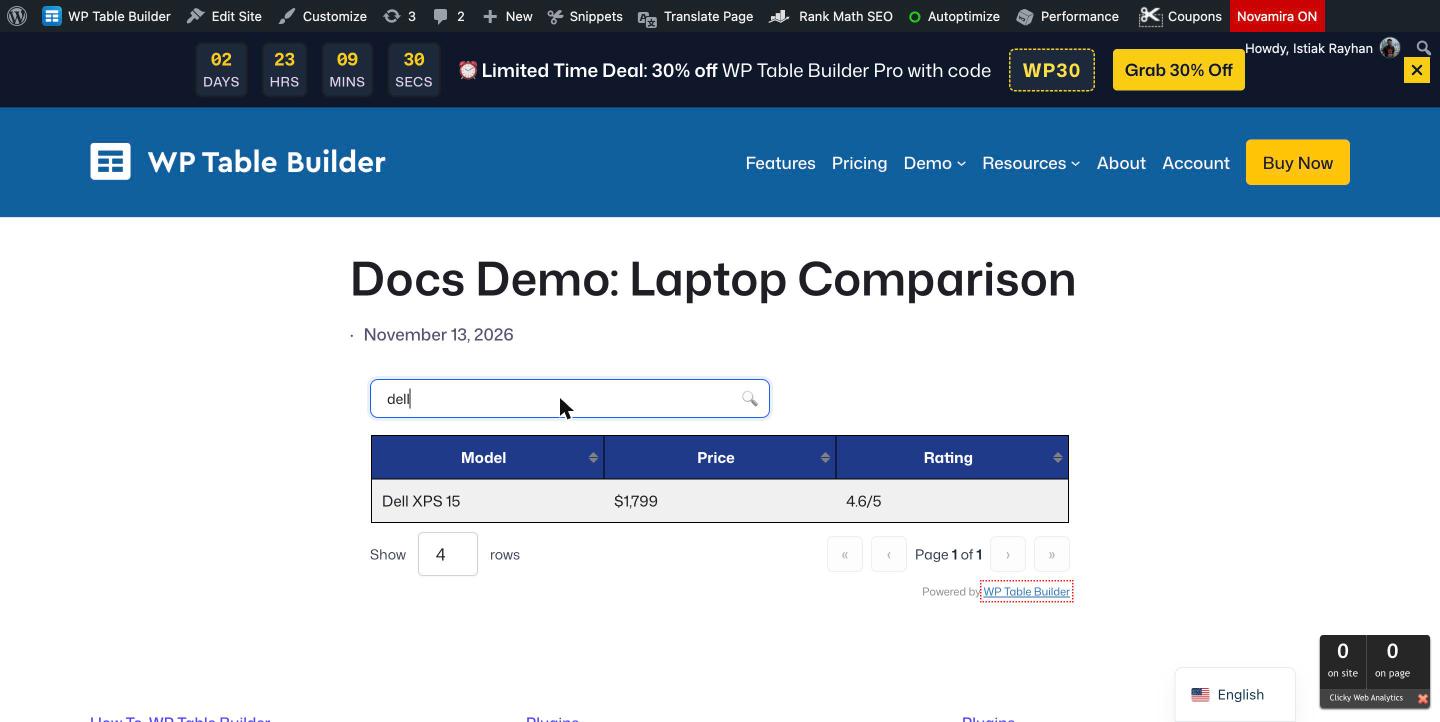
Visitors type in the Search… box above the table. Rows that do not contain the text are hidden right away, without reloading the page. The search is not case-sensitive, so dell also finds Dell XPS 15.
Use search with pagination and sorting #
Search works together with Pagination and sorting. When pagination is on, the page count updates to match the search results.
Frequently asked questions #
Can visitors search a WP Table Builder table?
Yes. With WP Table Builder Pro, turn on Enable search in the table’s Settings tab. A search box appears above the table and filters rows as visitors type.
Is the table search case-sensitive?
No. The search matches text in any letter case.
Does the search check every column?
Yes. A row stays visible if any of its cells contains the search text.
Is table search available in the free version?
No. Table search is a WP Table Builder Pro feature.
Can I move the search box to the right side?
Yes. Set Search Bar Position to Right in the Search section of the table’s Settings tab.


